Skip to main contentSkip to main content
~/profileLIVE
Asad Saeed
Asad SaeedOpen to WorkSenior Software Engineer | Full Stack Developer
01

Identity

Residence
Lahore, Punjab
Nationality
Pakistani
City
Lahore
Age
26
02

Languages

  • English96%
  • Urdu100%
03

Expertise

React.js95%
Next.js95%
JavaScript / TypeScript95%
HTML5, CSS395%
Tailwind, Bootstrap, Shadcn UI95%
Material UI, SCSS, Styled Components90%
Redux Toolkit, React Query, Zustand92%
REST & GraphQL APIs92%
Git, GitHub, Bitbucket98%
Node.js, Express.js, NestJS85%
MongoDB, PostgreSQL, Prisma80%
WebSockets, Real-Time Systems82%
AI & Automation (n8n, OpenAI)78%
04

Stack

4949 technologies
ReactJSNextJSJavaScriptTypeScriptReact NativeNestJSNode.jsExpress.jsMongoDBPostgreSQLMySQLPrisma ORMFirebaseREST APIGraphQL APIApollo ClientWebSockets / Socket.ioReduxRedux ToolkitReact QueryZustandTailwind CSSShadcn UIMaterial UIBootstrapSCSSCSSModule.cssStyled ComponentsFramer MotionStripe Payment Integrationn8nOpenAI APIAWS LambdaDockerVercelNetlifyGitHub Actions (CI/CD)JestGitGitHubBitbucketPostmanSwaggerJira SoftwareStrapiSanityFigmaAdobe XD
05

Contact

Email
asadsaeed.dev@gmail.com
Phone
+92 3017631644·+92 478730644
Download Resume
HomeSkillsBackgroundPortfolioContact
Chat with Asad
All Posts
Zero-Downtime Database Migrations: Safely Evolve Production Schemas

Zero-Downtime Database Migrations: Safely Evolve Production Schemas

DATABASEPOSTGRESQLBACKEND DEVELOPMENTDEVOPSASAD SAEED
October 27, 202617 min readBy Asad Saeed

Learn how to perform zero-downtime database migrations using expand-and-contract, PostgreSQL, backward-compatible deployments, batched backfills, and safe schema changes.

Introduction: Why Database Migrations Are Risky in Production

Imagine you're working on an e-commerce application. Your users table stores a customer's full name in a single column:

CREATE TABLE users (
    id BIGSERIAL PRIMARY KEY,
    full_name VARCHAR(255) NOT NULL,
    email VARCHAR(255) UNIQUE NOT NULL
);

Your product requirements change. The application now needs to store first and last names separately.

A straightforward solution might be to rename full_name, add two new columns, migrate the existing data, and update the application code.

But there's a problem.

Your application is already running in production. Thousands of users are making requests, background jobs are processing orders, and multiple application instances are accessing the same database.

If you change the schema before deploying compatible application code, existing instances might fail. If you deploy new code before the schema is ready, the new application might query columns that don't exist.

And if you lock a large table during a migration, your application may experience slow requests or become temporarily unavailable.

The real challenge isn't changing the database schema. It's changing the schema while old and new application versions continue working correctly.

This is where zero-downtime database migrations become important.

In this guide, we'll explore how to evolve production schemas safely, implement the expand-and-contract pattern, migrate existing data in batches, and coordinate database changes with application deployments using PostgreSQL and Node.js examples.

1. What Are Zero-Downtime Database Migrations?

A zero-downtime database migration is a strategy for changing a database schema or transforming existing data while keeping an application available to its users.

The objective is to avoid requiring a maintenance window or interrupting normal application traffic during a deployment.

Examples include:

  • Adding new database columns.

  • Renaming or replacing existing columns.

  • Changing data types.

  • Splitting one table or field into multiple structures.

  • Adding indexes to large tables.

  • Backfilling newly introduced fields.

  • Removing obsolete columns.

  • Introducing new relationships between tables.

However, zero downtime doesn't mean every database operation is guaranteed to be non-blocking.

Some schema changes acquire locks, some data transformations consume substantial resources, and some failures require intervention.

The goal is to design migrations that minimize blocking, preserve data integrity, maintain compatibility between application versions, and allow the deployment to proceed without interrupting users.

Why traditional migrations can cause downtime

Consider this deployment sequence:

  1. Stop the application.

  2. Change the database schema.

  3. Deploy the new application version.

  4. Restart the application.

This approach may work for small applications, but it creates an interruption.

A more dangerous scenario occurs when the database schema changes while old application instances are still running.

For example, suppose the old application expects:

SELECT full_name FROM users;

But a migration immediately removes full_name.

Every old application instance executing that query may start failing.

The reverse can happen too. New application code might expect a first_name column before the database has created it.

The solution is backward compatibility: make database changes in stages so that the old and new application versions can coexist safely during deployment.

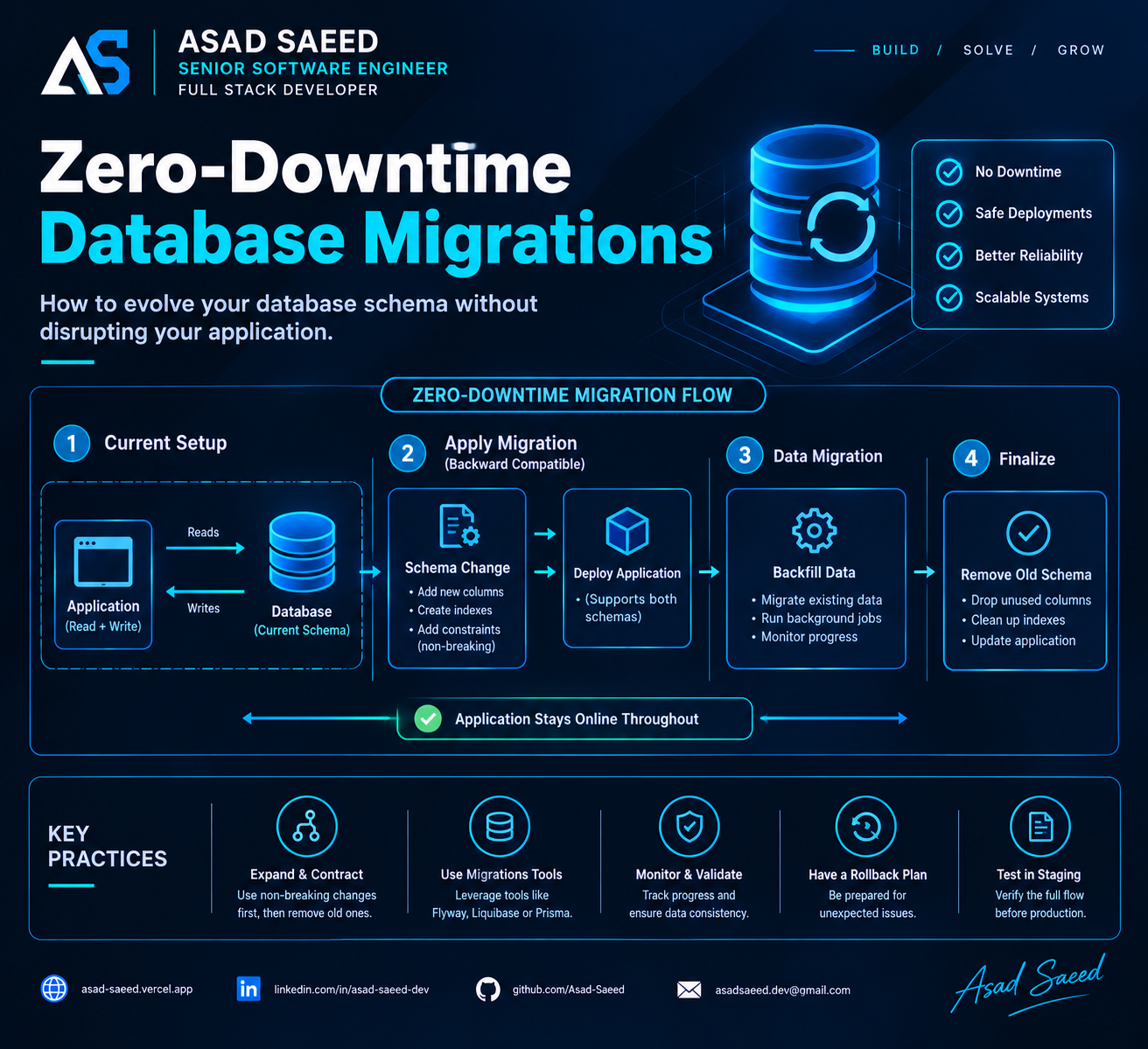
2. The Expand-and-Contract Pattern

Expand-and-contract is one of the most useful strategies for safely evolving production database schemas.

Instead of making a breaking change all at once, you divide it into two broad phases.

Expand: Introduce the new schema while keeping the old schema functional.

Contract: Remove the old schema only after the application no longer depends on it.

Let's apply this pattern to our full_name example.

Initially, the database contains:

users
├── id
├── full_name
└── email

Our goal is to introduce first_name and last_name and eventually remove full_name.

A safe migration can follow these stages:

StageDatabaseApplication1. ExpandAdd nullable first_name and last_nameExisting code continues working2. BackfillPopulate the new columnsOld code remains compatible3. TransitionKeep old and new columnsNew code reads the new columns and maintains compatibility4. ValidateConfirm the new data is complete and correctAll active code paths use the new representation5. ContractRemove full_nameOnly after no active application depends on it

The critical point is that these stages do not necessarily happen in one deployment.

In a production system, the expand phase may be one release, the application transition another, and the contract phase a later release after compatibility has been verified.

Why this pattern works

During a rolling deployment, old and new application instances may run simultaneously.

The expand-and-contract pattern allows both versions to work with the same database schema during that transition.

It also makes recovery easier because the old representation remains available until the new one is fully adopted.

However, backward compatibility must be designed deliberately. Adding a column is not sufficient if new application code immediately starts requiring data that hasn't been populated yet.

3. Step One: Add New Columns Safely

Let's introduce the new columns without removing full_name.

ALTER TABLE users
ADD COLUMN first_name VARCHAR(100),
ADD COLUMN last_name VARCHAR(100);

The new columns are nullable initially.

Why?

Because existing records don't contain values for these fields yet.

Making the columns NOT NULL immediately could fail if existing records haven't been backfilled. Adding a non-null constraint can also require additional validation or locking, depending on the operation and database version.

For PostgreSQL, adding nullable columns without volatile defaults is generally a fast metadata operation, but the statement still needs a table lock. Plan for lock acquisition, especially when long-running transactions may delay the migration.

Production considerations

Before applying a schema change, consider:

  • The PostgreSQL version and the exact operation's locking behavior.

  • Whether long-running transactions may block lock acquisition.

  • Whether the migration could interfere with other deployments.

  • Whether the application can tolerate the new schema during rollout.

  • Whether a lock timeout should cause the migration to fail and retry later.

For example:

SET lock_timeout = '5s';

ALTER TABLE users
ADD COLUMN first_name VARCHAR(100);

This sets a lock-acquisition timeout for the current database session. If the necessary lock cannot be acquired within five seconds, PostgreSQL cancels the statement rather than waiting indefinitely.

A short lock timeout can help prevent a migration from sitting in a queue and contributing to a broader blocking incident. It doesn't guarantee that the operation itself will be quick once the lock is acquired.

Also remember that SET is session-scoped. Migration tools using connection pools should explicitly manage session settings and reset them where necessary.

Best practice: Prefer small, backward-compatible schema changes and understand their locking behavior before running them against production data.

4. Step Two: Backfill Existing Data in Batches

Adding columns is only part of the job. We also need to populate them.

Suppose the existing table contains:

idfull_name1Asad Saeed2Sara Ahmed3John Smith

We want to populate first_name and last_name.

For a simple example, PostgreSQL provides split_part:

UPDATE users
SET
    first_name = split_part(full_name, ' ', 1),
    last_name = substring(
        full_name
        FROM position(' ' IN full_name) + 1
    )
WHERE first_name IS NULL
  AND full_name LIKE '% %';

This example handles names containing a space, but real-world name parsing is more complicated. People can have multiple given names, compound family names, mononyms, and other naming conventions.

For production systems, use an appropriate data transformation or preserve the original field until the new representation has been validated.

Why you shouldn't update millions of rows in one transaction

A single massive update can:

  • Generate substantial write-ahead log (WAL) traffic.

  • Increase replication lag.

  • Hold locks for a long time.

  • Create table and index maintenance overhead.

  • Increase disk usage from dead tuples.

  • Cause autovacuum pressure.

  • Compete with normal application traffic.

Instead, backfill data in smaller batches.

For PostgreSQL, one approach is to select a limited group of eligible rows using a common table expression:

WITH batch AS (
    SELECT id
    FROM users
    WHERE first_name IS NULL
      AND full_name LIKE '% %'
    ORDER BY id
    LIMIT 1000
    FOR UPDATE SKIP LOCKED
)
UPDATE users AS u
SET
    first_name = split_part(u.full_name, ' ', 1),
    last_name = substring(
        u.full_name
        FROM position(' ' IN u.full_name) + 1
    )
FROM batch
WHERE u.id = batch.id
RETURNING u.id;

Run this statement repeatedly, committing each batch separately.

SKIP LOCKED allows concurrent workers to skip rows currently locked by other transactions, which can be useful for parallel backfills. It should be used only when skipped rows will be revisited by subsequent batches or another reconciliation process.

The batch size of 1,000 is illustrative, not universal. Monitor database load and adjust it based on table size, row width, indexes, replication lag, and application latency.

Make backfills resumable

A reliable backfill should be safe to restart.

In this example, the predicate first_name IS NULL identifies rows that still need processing. After a batch succeeds, the updated rows no longer match the predicate.

For more complex migrations, track progress using primary-key ranges, checkpoints, or a dedicated migration-progress table.

Also consider concurrent application writes. If users can update their names during the backfill, define which value is authoritative and ensure the transformation doesn't overwrite newer data.

For example, you might:

  • Deploy application code that maintains the new columns for new writes.

  • Backfill older records in batches.

  • Reconcile records modified during the migration.

  • Validate consistency before switching reads.

A backfill is a data migration, not merely a SQL statement. It needs progress tracking, observability, and a recovery strategy.

5. Step Three: Deploy Backward-Compatible Application Code

Once the new columns exist, you can deploy application code that supports the updated schema.

During a rolling deployment, the old and new versions may run at the same time.

Your database must support both.

For example, an older Node.js service might create users using:

await db.query(
  `INSERT INTO users (full_name, email)
   VALUES ($1, $2)`,
  [fullName, email]
);

The new schema still supports this query because full_name remains available and the new columns are nullable.

A newer version can write the new fields while maintaining compatibility with the old representation.

await db.query(
  `INSERT INTO users (
     full_name,
     first_name,
     last_name,
     email
   )
   VALUES ($1, $2, $3, $4)`,
  [fullName, firstName, lastName, email]
);

This is a simplified example. In a real application, the relationship between these fields should be defined consistently, ideally in a shared domain-level function or another well-tested component.

What about updates?

Supporting inserts isn't enough.

Suppose a user changes their name while some application instances still read full_name and others read first_name and last_name.

If one representation changes without updating the other, the application may return inconsistent results.

During the transition, choose a clear source of truth and ensure all relevant writes preserve consistency.

Possible approaches include:

  • Temporarily writing both representations.

  • Centralizing writes in a compatible service layer.

  • Using a controlled database trigger when its behavior and operational cost are understood.

  • Moving all writes to the new representation after every old writer has been retired.

Avoid relying on application code that assumes every server instance has already been upgraded.

The deployment sequence matters

A safe rollout often looks like this:

  1. Add the new columns.

  2. Deploy code that can work with both representations.

  3. Ensure all active application instances support the new schema.

  4. Backfill existing records.

  5. Validate the new data.

  6. Switch reads to the new representation.

  7. Stop writing the old representation when it is safe.

  8. Remove the old column in a later release.

The exact sequence depends on the application's compatibility requirements and write behavior.

6. Step Four: Validate the Migration Before Removing Anything

Before moving to the contract phase, confirm that the new representation is correct.

For example, check how many records still need migration:

SELECT COUNT(*) AS incomplete_records
FROM users
WHERE first_name IS NULL
   OR last_name IS NULL;

This query is appropriate only if both fields are required for every record. If some records legitimately lack these values, your validation logic must reflect the actual business rules.

You should also verify consistency between the old and new fields.

For a carefully defined name transformation, a validation query might compare the reconstructed value with the original. But don't assume concatenating first and last names always reproduces the original full name exactly; whitespace and naming conventions may differ.

Additional validation should include:

  • Row counts and migration completion metrics.

  • Checks for unexpected null values.

  • Application error rates and latency.

  • Failed background jobs.

  • Data discrepancies between old and new representations.

  • Replication health and database resource utilization.

Where appropriate, use sampling and reconciliation jobs rather than repeatedly running expensive full-table scans against a busy production database.

Do not remove the old representation simply because the migration script completed. Remove it only after the data and application behavior have been verified.

7. Step Five: Remove the Old Schema Carefully

Once all active application versions have stopped depending on full_name, you can remove it.

ALTER TABLE users
DROP COLUMN full_name;

For PostgreSQL, dropping a column is generally a fast metadata operation, but it still requires a table lock. It doesn't necessarily reclaim all the associated physical storage immediately.

More importantly, the application must no longer reference the column.

Before running the contract migration, verify that:

  • All application instances use the new representation.

  • Background workers and scheduled jobs have been updated.

  • Reporting queries and analytics jobs no longer depend on the old field.

  • No rollback procedure expects the old column to exist.

  • The deployment has been stable long enough to justify removing compatibility code.

The contract phase should normally be a separate migration or release, not an immediate follow-up to the first deployment.

Why delaying removal is valuable

Suppose the new release introduces an unexpected issue.

If the old column still exists and the old application version remains compatible, rolling back application code may be straightforward.

If you have already removed the column and deployed code that depends on the new schema, recovery may require a more complicated forward fix or schema restoration.

This is why database rollback isn't always equivalent to application rollback.

Prefer a migration strategy that makes recovery possible rather than assuming every production change can be reversed safely.

8. Zero-Downtime Index Creation in PostgreSQL

Indexes are another common source of deployment risk.

Consider an orders table:

CREATE TABLE orders (
    id BIGSERIAL PRIMARY KEY,
    user_id BIGINT NOT NULL,
    status VARCHAR(50) NOT NULL,
    created_at TIMESTAMPTZ NOT NULL DEFAULT NOW()
);

As the table grows, queries filtering orders by user_id may become slower.

A normal index creation can block writes while the index is being built. For a busy production table, that may be unacceptable.

PostgreSQL supports concurrent index creation:

CREATE INDEX CONCURRENTLY idx_orders_user_id
ON orders (user_id);

CREATE INDEX CONCURRENTLY allows normal inserts, updates, and deletes to continue during most of the build process, although it performs additional work and can take longer than a standard index build.

There are important caveats:

  • It cannot run inside a transaction block.

  • It can wait for transactions or snapshots that affect its completion.

  • It uses more work than a standard index build.

  • If it fails, it may leave an invalid index that needs inspection and cleanup.

  • Concurrent index creation does not eliminate every form of locking.

Your migration tool must support non-transactional migrations for this operation.

For example, if your migration framework wraps every migration in a transaction by default, you may need to configure this migration to run outside that transaction.

After creation, verify the index's validity and inspect the query plan to confirm that it helps the intended workload.

Don't add indexes blindly

Every index has a cost.

Indexes consume disk space and add work to inserts, updates, deletes, and maintenance operations.

Before creating one, inspect actual query patterns, query plans, selectivity, and workload characteristics.

Use EXPLAIN and, where safe, EXPLAIN ANALYZE to understand whether the index improves the relevant query.

9. What About Changing a Column's Data Type?

Changing a column's data type can be more dangerous than adding a nullable column.

Depending on the specific conversion and PostgreSQL version, the operation may rewrite the table, require stronger locks, or hold locks long enough to affect application traffic.

For a large production table, consider an incremental migration instead.

Suppose an orders table stores a legacy status:

status VARCHAR(20)

You want to introduce a new structured representation.

A safer approach may be:

  1. Add a new nullable column with the target type.

  2. Update the application to understand both representations.

  3. Start writing the new representation.

  4. Backfill existing rows in batches.

  5. Validate the new values.

  6. Switch reads to the new column.

  7. Remove the old column after compatibility is no longer needed.

The details depend on the type conversion and business rules. Some conversions are simple enough to perform directly, while others need custom transformations.

The important principle is to avoid combining a large data rewrite, a breaking application change, and a high-risk deployment into one operation when they can be separated safely.

10. Blue-Green Deployments and Database Migrations

Blue-green deployment uses two application environments:

  • Blue: The currently active version.

  • Green: The new version being prepared.

The new version can be tested before traffic is switched.

However, deploying two application environments does not automatically make a database migration safe.

Both environments may share the same production database. If the green version makes an incompatible schema change, the blue version can fail even though its application code hasn't changed.

For that reason, blue-green deployment still requires backward-compatible schema changes.

A typical sequence is:

  1. Expand the database schema.

  2. Deploy the green application version.

  3. Validate its behavior against the expanded schema.

  4. Switch traffic when ready.

  5. Monitor errors, latency, and database health.

  6. Retire the blue environment after the rollback window.

  7. Contract the schema in a later step.

If the two environments use separate databases, you must also design how data is replicated, synchronized, and reconciled before switching traffic.

Application deployment strategy and database migration strategy must be designed together.

11. Common Mistakes to Avoid

Mistake 1: Renaming a column immediately

A direct rename may break older application instances that still query the original name.

Better approach: Add the replacement column, transition reads and writes, then remove the old column later.

Mistake 2: Backfilling millions of rows in one transaction

Large updates can increase WAL volume, replication lag, lock duration, and database pressure.

Better approach: Use small, resumable batches with monitoring and checkpoints.

Mistake 3: Assuming nullable columns are always risk-free

Even a simple schema change needs to acquire locks, and a lock request can be delayed by long-running transactions.

Better approach: Understand the database operation, set appropriate timeouts, and monitor lock contention.

Mistake 4: Deploying application code before its schema exists

New code can fail immediately if it queries a column that hasn't been created.

Better approach: Expand the schema before deploying code that depends on it.

Mistake 5: Removing old columns too soon

Old application instances, background workers, or rollback versions may still depend on them.

Better approach: Treat contract migrations as a separate, deliberate release.

Mistake 6: Assuming rollback is always safe

Reverting an application deployment doesn't automatically reverse changes to production data.

Better approach: Plan recovery before deployment, preserve compatibility during the transition, and prefer forward fixes when reversing a data transformation would be unsafe.

Mistake 7: Ignoring observability

A migration can technically succeed while degrading application latency or increasing replication lag.

Better approach: Monitor the database and application throughout the migration, not just at the end.

12. Production Checklist for Zero-Downtime Migrations

Before deploying a schema change, review the following.

Compatibility

  • Existing application versions can tolerate the expanded schema.

  • New application versions can operate while old instances are still running.

  • Background workers and scheduled jobs are included in the migration plan.

Database safety

  • Locking behavior has been reviewed.

  • The migration has been tested on representative data.

  • Large updates are batched and resumable.

  • Index creation uses the appropriate strategy.

  • Data validation and reconciliation queries are prepared.

Deployment and recovery

  • Schema changes and application deployments are sequenced correctly.

  • Monitoring and alerting are in place.

  • Recovery steps have been documented and tested where practical.

  • Old schema elements remain until no active code depends on them.

  • Contract migrations are separated from the initial expansion.

After deployment

  • Application error rates and latency remain healthy.

  • Backfill progress and database resource usage are reviewed.

  • Data consistency checks pass.

  • Obsolete schema elements are removed only after validation.

Conclusion: Evolve Your Database Without Disrupting Your Users

Database migrations are an unavoidable part of software development. As applications grow, their data models must evolve alongside new requirements.

The risk comes from changing the database and application in ways that assume every component updates simultaneously.

Zero-downtime migration strategies address this challenge through backward compatibility, staged deployments, incremental data transformations, careful locking behavior, and deliberate cleanup.

The expand-and-contract pattern provides a practical foundation:

Expand the schema. Deploy compatible code. Backfill and validate data. Switch application behavior. Contract the schema only when it is safe.

When combined with monitoring, realistic testing, and a recovery plan, these techniques can make production database changes significantly safer.

Remember: zero downtime is an engineering objective, not an automatic guarantee. The right approach depends on your database, workload, deployment architecture, and tolerance for risk.

Build better systems. Keep your users online.


About the Author

Asad Saeed is a Senior Software Engineer and Full Stack Developer focused on building scalable web applications, reliable backend systems, and maintainable software architectures.

  • Portfolio: https://asad-saeed.vercel.app/

  • LinkedIn: https://linkedin.com/in/asad-saeed-dev

  • GitHub: https://github.com/Asad-Saeed

  • Medium: https://asad-saeed.medium.com/

Follow for practical insights on full-stack development, backend engineering, database design, cloud technologies, and software architecture.

Asad Saeed

Asad Saeed

Senior Software Engineer | Full Stack Developer

More posts →

Related Posts

Don't Stop Here

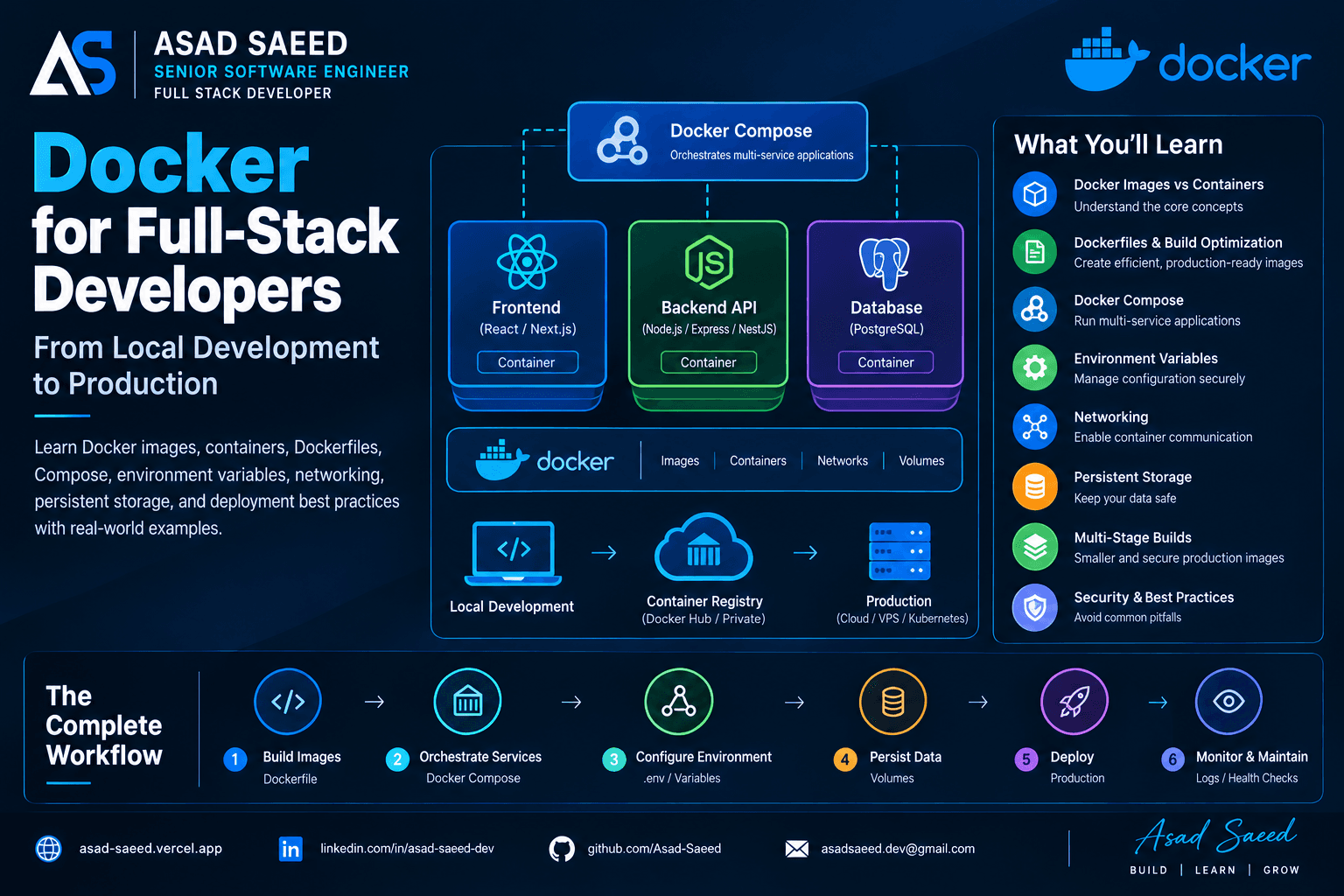
Docker for Full-Stack Developers: Complete Guide (2026)

Docker for Full-Stack Developers: Complete Guide (2026)

Learn Docker for full-stack development with practical examples covering Dockerfiles, images, containers, Docker Compose, networking, environment variables, volumes, and production deployment.

DOCKERDEVOPSSOFTWARE ENGINEERING
© 2026 · Asad Saeed
All Posts
Zero-Downtime Database Migrations: Safely Evolve Production Schemas

Zero-Downtime Database Migrations: Safely Evolve Production Schemas

DATABASEPOSTGRESQLBACKEND DEVELOPMENTDEVOPSASAD SAEED
October 27, 202617 min readBy Asad Saeed

Learn how to perform zero-downtime database migrations using expand-and-contract, PostgreSQL, backward-compatible deployments, batched backfills, and safe schema changes.

Introduction: Why Database Migrations Are Risky in Production

Imagine you're working on an e-commerce application. Your users table stores a customer's full name in a single column:

CREATE TABLE users (
    id BIGSERIAL PRIMARY KEY,
    full_name VARCHAR(255) NOT NULL,
    email VARCHAR(255) UNIQUE NOT NULL
);

Your product requirements change. The application now needs to store first and last names separately.

A straightforward solution might be to rename full_name, add two new columns, migrate the existing data, and update the application code.

But there's a problem.

Your application is already running in production. Thousands of users are making requests, background jobs are processing orders, and multiple application instances are accessing the same database.

If you change the schema before deploying compatible application code, existing instances might fail. If you deploy new code before the schema is ready, the new application might query columns that don't exist.

And if you lock a large table during a migration, your application may experience slow requests or become temporarily unavailable.

The real challenge isn't changing the database schema. It's changing the schema while old and new application versions continue working correctly.

This is where zero-downtime database migrations become important.

In this guide, we'll explore how to evolve production schemas safely, implement the expand-and-contract pattern, migrate existing data in batches, and coordinate database changes with application deployments using PostgreSQL and Node.js examples.

1. What Are Zero-Downtime Database Migrations?

A zero-downtime database migration is a strategy for changing a database schema or transforming existing data while keeping an application available to its users.

The objective is to avoid requiring a maintenance window or interrupting normal application traffic during a deployment.

Examples include:

  • Adding new database columns.

  • Renaming or replacing existing columns.

  • Changing data types.

  • Splitting one table or field into multiple structures.

  • Adding indexes to large tables.

  • Backfilling newly introduced fields.

  • Removing obsolete columns.

  • Introducing new relationships between tables.

However, zero downtime doesn't mean every database operation is guaranteed to be non-blocking.

Some schema changes acquire locks, some data transformations consume substantial resources, and some failures require intervention.

The goal is to design migrations that minimize blocking, preserve data integrity, maintain compatibility between application versions, and allow the deployment to proceed without interrupting users.

Why traditional migrations can cause downtime

Consider this deployment sequence:

  1. Stop the application.

  2. Change the database schema.

  3. Deploy the new application version.

  4. Restart the application.

This approach may work for small applications, but it creates an interruption.

A more dangerous scenario occurs when the database schema changes while old application instances are still running.

For example, suppose the old application expects:

SELECT full_name FROM users;

But a migration immediately removes full_name.

Every old application instance executing that query may start failing.

The reverse can happen too. New application code might expect a first_name column before the database has created it.

The solution is backward compatibility: make database changes in stages so that the old and new application versions can coexist safely during deployment.

2. The Expand-and-Contract Pattern

Expand-and-contract is one of the most useful strategies for safely evolving production database schemas.

Instead of making a breaking change all at once, you divide it into two broad phases.

Expand: Introduce the new schema while keeping the old schema functional.

Contract: Remove the old schema only after the application no longer depends on it.

Let's apply this pattern to our full_name example.

Initially, the database contains:

users
├── id
├── full_name
└── email

Our goal is to introduce first_name and last_name and eventually remove full_name.

A safe migration can follow these stages:

StageDatabaseApplication1. ExpandAdd nullable first_name and last_nameExisting code continues working2. BackfillPopulate the new columnsOld code remains compatible3. TransitionKeep old and new columnsNew code reads the new columns and maintains compatibility4. ValidateConfirm the new data is complete and correctAll active code paths use the new representation5. ContractRemove full_nameOnly after no active application depends on it

The critical point is that these stages do not necessarily happen in one deployment.

In a production system, the expand phase may be one release, the application transition another, and the contract phase a later release after compatibility has been verified.

Why this pattern works

During a rolling deployment, old and new application instances may run simultaneously.

The expand-and-contract pattern allows both versions to work with the same database schema during that transition.

It also makes recovery easier because the old representation remains available until the new one is fully adopted.

However, backward compatibility must be designed deliberately. Adding a column is not sufficient if new application code immediately starts requiring data that hasn't been populated yet.

3. Step One: Add New Columns Safely

Let's introduce the new columns without removing full_name.

ALTER TABLE users
ADD COLUMN first_name VARCHAR(100),
ADD COLUMN last_name VARCHAR(100);

The new columns are nullable initially.

Why?

Because existing records don't contain values for these fields yet.

Making the columns NOT NULL immediately could fail if existing records haven't been backfilled. Adding a non-null constraint can also require additional validation or locking, depending on the operation and database version.

For PostgreSQL, adding nullable columns without volatile defaults is generally a fast metadata operation, but the statement still needs a table lock. Plan for lock acquisition, especially when long-running transactions may delay the migration.

Production considerations

Before applying a schema change, consider:

  • The PostgreSQL version and the exact operation's locking behavior.

  • Whether long-running transactions may block lock acquisition.

  • Whether the migration could interfere with other deployments.

  • Whether the application can tolerate the new schema during rollout.

  • Whether a lock timeout should cause the migration to fail and retry later.

For example:

SET lock_timeout = '5s';

ALTER TABLE users
ADD COLUMN first_name VARCHAR(100);

This sets a lock-acquisition timeout for the current database session. If the necessary lock cannot be acquired within five seconds, PostgreSQL cancels the statement rather than waiting indefinitely.

A short lock timeout can help prevent a migration from sitting in a queue and contributing to a broader blocking incident. It doesn't guarantee that the operation itself will be quick once the lock is acquired.

Also remember that SET is session-scoped. Migration tools using connection pools should explicitly manage session settings and reset them where necessary.

Best practice: Prefer small, backward-compatible schema changes and understand their locking behavior before running them against production data.

4. Step Two: Backfill Existing Data in Batches

Adding columns is only part of the job. We also need to populate them.

Suppose the existing table contains:

idfull_name1Asad Saeed2Sara Ahmed3John Smith

We want to populate first_name and last_name.

For a simple example, PostgreSQL provides split_part:

UPDATE users
SET
    first_name = split_part(full_name, ' ', 1),
    last_name = substring(
        full_name
        FROM position(' ' IN full_name) + 1
    )
WHERE first_name IS NULL
  AND full_name LIKE '% %';

This example handles names containing a space, but real-world name parsing is more complicated. People can have multiple given names, compound family names, mononyms, and other naming conventions.

For production systems, use an appropriate data transformation or preserve the original field until the new representation has been validated.

Why you shouldn't update millions of rows in one transaction

A single massive update can:

  • Generate substantial write-ahead log (WAL) traffic.

  • Increase replication lag.

  • Hold locks for a long time.

  • Create table and index maintenance overhead.

  • Increase disk usage from dead tuples.

  • Cause autovacuum pressure.

  • Compete with normal application traffic.

Instead, backfill data in smaller batches.

For PostgreSQL, one approach is to select a limited group of eligible rows using a common table expression:

WITH batch AS (
    SELECT id
    FROM users
    WHERE first_name IS NULL
      AND full_name LIKE '% %'
    ORDER BY id
    LIMIT 1000
    FOR UPDATE SKIP LOCKED
)
UPDATE users AS u
SET
    first_name = split_part(u.full_name, ' ', 1),
    last_name = substring(
        u.full_name
        FROM position(' ' IN u.full_name) + 1
    )
FROM batch
WHERE u.id = batch.id
RETURNING u.id;

Run this statement repeatedly, committing each batch separately.

SKIP LOCKED allows concurrent workers to skip rows currently locked by other transactions, which can be useful for parallel backfills. It should be used only when skipped rows will be revisited by subsequent batches or another reconciliation process.

The batch size of 1,000 is illustrative, not universal. Monitor database load and adjust it based on table size, row width, indexes, replication lag, and application latency.

Make backfills resumable

A reliable backfill should be safe to restart.

In this example, the predicate first_name IS NULL identifies rows that still need processing. After a batch succeeds, the updated rows no longer match the predicate.

For more complex migrations, track progress using primary-key ranges, checkpoints, or a dedicated migration-progress table.

Also consider concurrent application writes. If users can update their names during the backfill, define which value is authoritative and ensure the transformation doesn't overwrite newer data.

For example, you might:

  • Deploy application code that maintains the new columns for new writes.

  • Backfill older records in batches.

  • Reconcile records modified during the migration.

  • Validate consistency before switching reads.

A backfill is a data migration, not merely a SQL statement. It needs progress tracking, observability, and a recovery strategy.

5. Step Three: Deploy Backward-Compatible Application Code

Once the new columns exist, you can deploy application code that supports the updated schema.

During a rolling deployment, the old and new versions may run at the same time.

Your database must support both.

For example, an older Node.js service might create users using:

await db.query(
  `INSERT INTO users (full_name, email)
   VALUES ($1, $2)`,
  [fullName, email]
);

The new schema still supports this query because full_name remains available and the new columns are nullable.

A newer version can write the new fields while maintaining compatibility with the old representation.

await db.query(
  `INSERT INTO users (
     full_name,
     first_name,
     last_name,
     email
   )
   VALUES ($1, $2, $3, $4)`,
  [fullName, firstName, lastName, email]
);

This is a simplified example. In a real application, the relationship between these fields should be defined consistently, ideally in a shared domain-level function or another well-tested component.

What about updates?

Supporting inserts isn't enough.

Suppose a user changes their name while some application instances still read full_name and others read first_name and last_name.

If one representation changes without updating the other, the application may return inconsistent results.

During the transition, choose a clear source of truth and ensure all relevant writes preserve consistency.

Possible approaches include:

  • Temporarily writing both representations.

  • Centralizing writes in a compatible service layer.

  • Using a controlled database trigger when its behavior and operational cost are understood.

  • Moving all writes to the new representation after every old writer has been retired.

Avoid relying on application code that assumes every server instance has already been upgraded.

The deployment sequence matters

A safe rollout often looks like this:

  1. Add the new columns.

  2. Deploy code that can work with both representations.

  3. Ensure all active application instances support the new schema.

  4. Backfill existing records.

  5. Validate the new data.

  6. Switch reads to the new representation.

  7. Stop writing the old representation when it is safe.

  8. Remove the old column in a later release.

The exact sequence depends on the application's compatibility requirements and write behavior.

6. Step Four: Validate the Migration Before Removing Anything

Before moving to the contract phase, confirm that the new representation is correct.

For example, check how many records still need migration:

SELECT COUNT(*) AS incomplete_records
FROM users
WHERE first_name IS NULL
   OR last_name IS NULL;

This query is appropriate only if both fields are required for every record. If some records legitimately lack these values, your validation logic must reflect the actual business rules.

You should also verify consistency between the old and new fields.

For a carefully defined name transformation, a validation query might compare the reconstructed value with the original. But don't assume concatenating first and last names always reproduces the original full name exactly; whitespace and naming conventions may differ.

Additional validation should include:

  • Row counts and migration completion metrics.

  • Checks for unexpected null values.

  • Application error rates and latency.

  • Failed background jobs.

  • Data discrepancies between old and new representations.

  • Replication health and database resource utilization.

Where appropriate, use sampling and reconciliation jobs rather than repeatedly running expensive full-table scans against a busy production database.

Do not remove the old representation simply because the migration script completed. Remove it only after the data and application behavior have been verified.

7. Step Five: Remove the Old Schema Carefully

Once all active application versions have stopped depending on full_name, you can remove it.

ALTER TABLE users
DROP COLUMN full_name;

For PostgreSQL, dropping a column is generally a fast metadata operation, but it still requires a table lock. It doesn't necessarily reclaim all the associated physical storage immediately.

More importantly, the application must no longer reference the column.

Before running the contract migration, verify that:

  • All application instances use the new representation.

  • Background workers and scheduled jobs have been updated.

  • Reporting queries and analytics jobs no longer depend on the old field.

  • No rollback procedure expects the old column to exist.

  • The deployment has been stable long enough to justify removing compatibility code.

The contract phase should normally be a separate migration or release, not an immediate follow-up to the first deployment.

Why delaying removal is valuable

Suppose the new release introduces an unexpected issue.

If the old column still exists and the old application version remains compatible, rolling back application code may be straightforward.

If you have already removed the column and deployed code that depends on the new schema, recovery may require a more complicated forward fix or schema restoration.

This is why database rollback isn't always equivalent to application rollback.

Prefer a migration strategy that makes recovery possible rather than assuming every production change can be reversed safely.

8. Zero-Downtime Index Creation in PostgreSQL

Indexes are another common source of deployment risk.

Consider an orders table:

CREATE TABLE orders (
    id BIGSERIAL PRIMARY KEY,
    user_id BIGINT NOT NULL,
    status VARCHAR(50) NOT NULL,
    created_at TIMESTAMPTZ NOT NULL DEFAULT NOW()
);

As the table grows, queries filtering orders by user_id may become slower.

A normal index creation can block writes while the index is being built. For a busy production table, that may be unacceptable.

PostgreSQL supports concurrent index creation:

CREATE INDEX CONCURRENTLY idx_orders_user_id
ON orders (user_id);

CREATE INDEX CONCURRENTLY allows normal inserts, updates, and deletes to continue during most of the build process, although it performs additional work and can take longer than a standard index build.

There are important caveats:

  • It cannot run inside a transaction block.

  • It can wait for transactions or snapshots that affect its completion.

  • It uses more work than a standard index build.

  • If it fails, it may leave an invalid index that needs inspection and cleanup.

  • Concurrent index creation does not eliminate every form of locking.

Your migration tool must support non-transactional migrations for this operation.

For example, if your migration framework wraps every migration in a transaction by default, you may need to configure this migration to run outside that transaction.

After creation, verify the index's validity and inspect the query plan to confirm that it helps the intended workload.

Don't add indexes blindly

Every index has a cost.

Indexes consume disk space and add work to inserts, updates, deletes, and maintenance operations.

Before creating one, inspect actual query patterns, query plans, selectivity, and workload characteristics.

Use EXPLAIN and, where safe, EXPLAIN ANALYZE to understand whether the index improves the relevant query.

9. What About Changing a Column's Data Type?

Changing a column's data type can be more dangerous than adding a nullable column.

Depending on the specific conversion and PostgreSQL version, the operation may rewrite the table, require stronger locks, or hold locks long enough to affect application traffic.

For a large production table, consider an incremental migration instead.

Suppose an orders table stores a legacy status:

status VARCHAR(20)

You want to introduce a new structured representation.

A safer approach may be:

  1. Add a new nullable column with the target type.

  2. Update the application to understand both representations.

  3. Start writing the new representation.

  4. Backfill existing rows in batches.

  5. Validate the new values.

  6. Switch reads to the new column.

  7. Remove the old column after compatibility is no longer needed.

The details depend on the type conversion and business rules. Some conversions are simple enough to perform directly, while others need custom transformations.

The important principle is to avoid combining a large data rewrite, a breaking application change, and a high-risk deployment into one operation when they can be separated safely.

10. Blue-Green Deployments and Database Migrations

Blue-green deployment uses two application environments:

  • Blue: The currently active version.

  • Green: The new version being prepared.

The new version can be tested before traffic is switched.

However, deploying two application environments does not automatically make a database migration safe.

Both environments may share the same production database. If the green version makes an incompatible schema change, the blue version can fail even though its application code hasn't changed.

For that reason, blue-green deployment still requires backward-compatible schema changes.

A typical sequence is:

  1. Expand the database schema.

  2. Deploy the green application version.

  3. Validate its behavior against the expanded schema.

  4. Switch traffic when ready.

  5. Monitor errors, latency, and database health.

  6. Retire the blue environment after the rollback window.

  7. Contract the schema in a later step.

If the two environments use separate databases, you must also design how data is replicated, synchronized, and reconciled before switching traffic.

Application deployment strategy and database migration strategy must be designed together.

11. Common Mistakes to Avoid

Mistake 1: Renaming a column immediately

A direct rename may break older application instances that still query the original name.

Better approach: Add the replacement column, transition reads and writes, then remove the old column later.

Mistake 2: Backfilling millions of rows in one transaction

Large updates can increase WAL volume, replication lag, lock duration, and database pressure.

Better approach: Use small, resumable batches with monitoring and checkpoints.

Mistake 3: Assuming nullable columns are always risk-free

Even a simple schema change needs to acquire locks, and a lock request can be delayed by long-running transactions.

Better approach: Understand the database operation, set appropriate timeouts, and monitor lock contention.

Mistake 4: Deploying application code before its schema exists

New code can fail immediately if it queries a column that hasn't been created.

Better approach: Expand the schema before deploying code that depends on it.

Mistake 5: Removing old columns too soon

Old application instances, background workers, or rollback versions may still depend on them.

Better approach: Treat contract migrations as a separate, deliberate release.

Mistake 6: Assuming rollback is always safe

Reverting an application deployment doesn't automatically reverse changes to production data.

Better approach: Plan recovery before deployment, preserve compatibility during the transition, and prefer forward fixes when reversing a data transformation would be unsafe.

Mistake 7: Ignoring observability

A migration can technically succeed while degrading application latency or increasing replication lag.

Better approach: Monitor the database and application throughout the migration, not just at the end.

12. Production Checklist for Zero-Downtime Migrations

Before deploying a schema change, review the following.

Compatibility

  • Existing application versions can tolerate the expanded schema.

  • New application versions can operate while old instances are still running.

  • Background workers and scheduled jobs are included in the migration plan.

Database safety

  • Locking behavior has been reviewed.

  • The migration has been tested on representative data.

  • Large updates are batched and resumable.

  • Index creation uses the appropriate strategy.

  • Data validation and reconciliation queries are prepared.

Deployment and recovery

  • Schema changes and application deployments are sequenced correctly.

  • Monitoring and alerting are in place.

  • Recovery steps have been documented and tested where practical.

  • Old schema elements remain until no active code depends on them.

  • Contract migrations are separated from the initial expansion.

After deployment

  • Application error rates and latency remain healthy.

  • Backfill progress and database resource usage are reviewed.

  • Data consistency checks pass.

  • Obsolete schema elements are removed only after validation.

Conclusion: Evolve Your Database Without Disrupting Your Users

Database migrations are an unavoidable part of software development. As applications grow, their data models must evolve alongside new requirements.

The risk comes from changing the database and application in ways that assume every component updates simultaneously.

Zero-downtime migration strategies address this challenge through backward compatibility, staged deployments, incremental data transformations, careful locking behavior, and deliberate cleanup.

The expand-and-contract pattern provides a practical foundation:

Expand the schema. Deploy compatible code. Backfill and validate data. Switch application behavior. Contract the schema only when it is safe.

When combined with monitoring, realistic testing, and a recovery plan, these techniques can make production database changes significantly safer.

Remember: zero downtime is an engineering objective, not an automatic guarantee. The right approach depends on your database, workload, deployment architecture, and tolerance for risk.

Build better systems. Keep your users online.


About the Author

Asad Saeed is a Senior Software Engineer and Full Stack Developer focused on building scalable web applications, reliable backend systems, and maintainable software architectures.

  • Portfolio: https://asad-saeed.vercel.app/

  • LinkedIn: https://linkedin.com/in/asad-saeed-dev

  • GitHub: https://github.com/Asad-Saeed

  • Medium: https://asad-saeed.medium.com/

Follow for practical insights on full-stack development, backend engineering, database design, cloud technologies, and software architecture.
Asad Saeed

Asad Saeed

Senior Software Engineer | Full Stack Developer

More posts →

Related Posts

Don't Stop Here

Docker for Full-Stack Developers: Complete Guide (2026)

Docker for Full-Stack Developers: Complete Guide (2026)

Learn Docker for full-stack development with practical examples covering Dockerfiles, images, containers, Docker Compose, networking, environment variables, volumes, and production deployment.

DOCKERDEVOPSSOFTWARE ENGINEERING
© 2026 · Asad Saeed
Oct 19, 202612 min read
Read
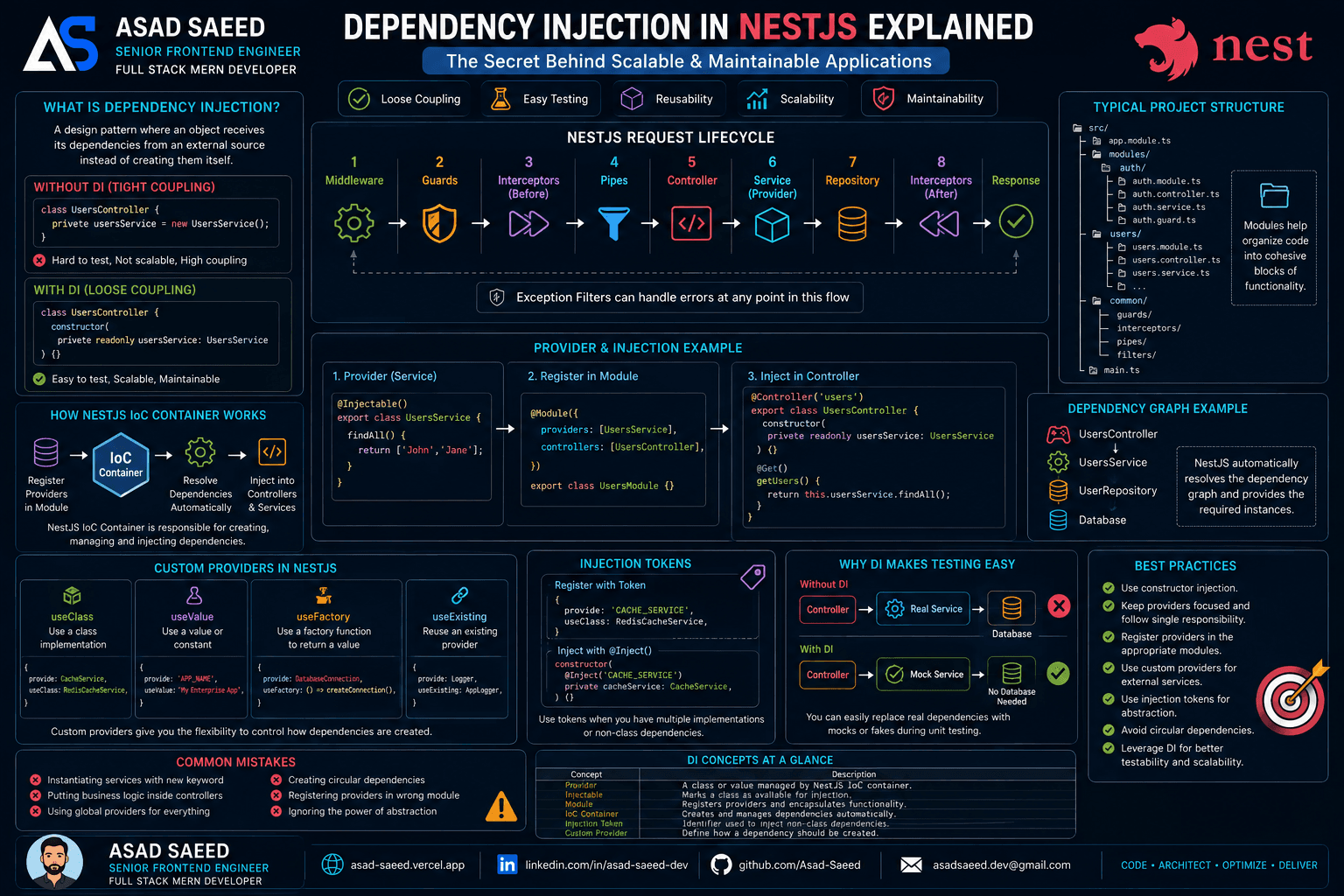
Dependency Injection in NestJS Explained: Providers, IoC Container, Injection Tokens & Custom Providers (2026 Guide)

Dependency Injection in NestJS Explained: Providers, IoC Container, Injection Tokens & Custom Providers (2026 Guide)

Learn how Dependency Injection works in NestJS, including Providers, the IoC Container, Constructor Injection, Injection Tokens, Custom Providers, and best practices for building scalable, testable, and enterprise-ready Node.js applications.

NESTJSDEPENDENCY INJECTIONNODEJS
Oct 19, 20265 min read
Read
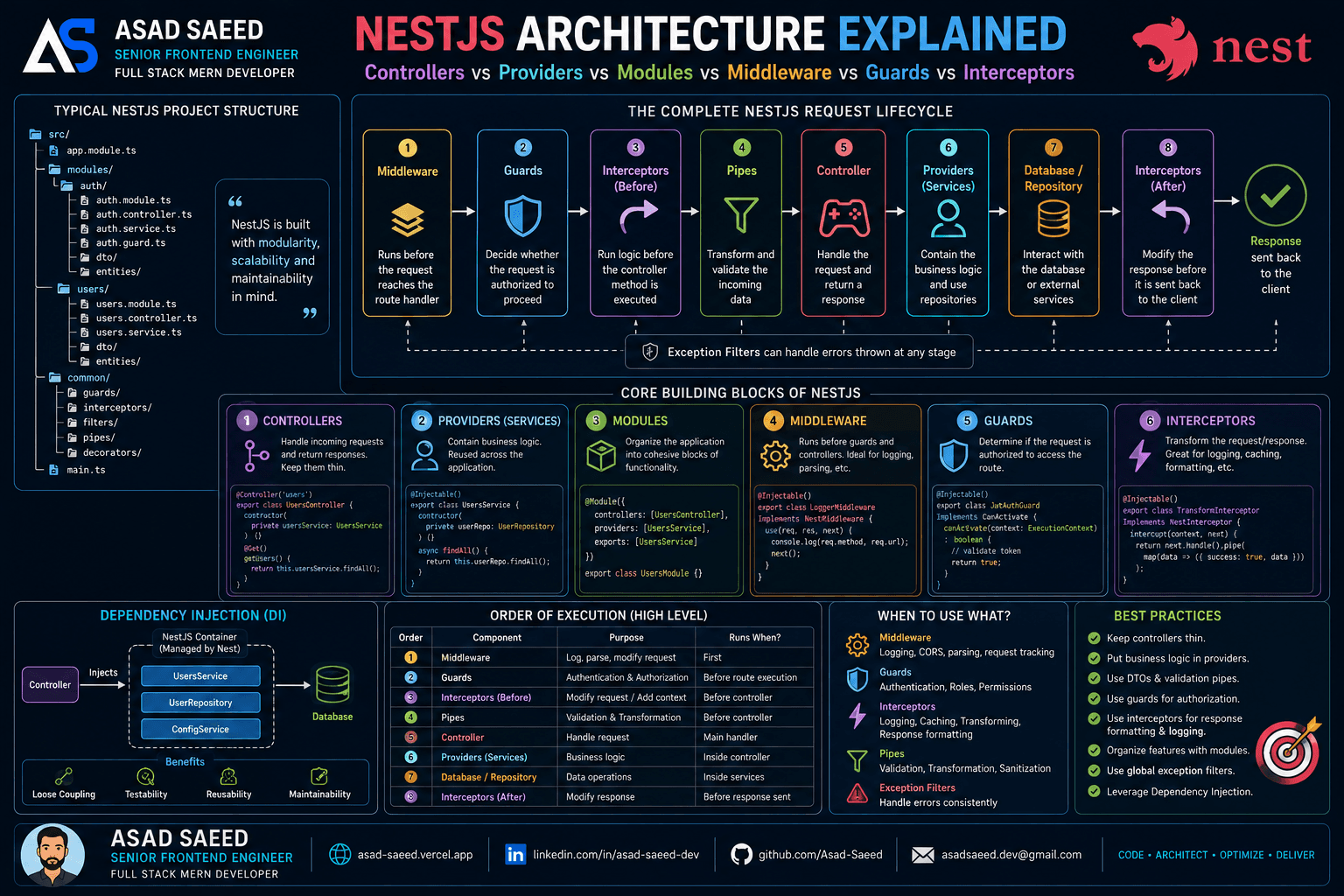
NestJS Architecture Explained: Controllers, Providers, Modules, Middleware, Guards & Interceptors (2026 Guide)

NestJS Architecture Explained: Controllers, Providers, Modules, Middleware, Guards & Interceptors (2026 Guide)

Master the NestJS architecture by understanding Modules, Controllers, Providers, Dependency Injection, Middleware, Guards, Pipes, Interceptors, and Exception Filters. Learn the complete NestJS request lifecycle and build scalable, production-ready backend applications.

NESTJSNODEJSSOFTWARE ARCHITECTURE
Aug 5, 20266 min read
Read
F
Made with ❤️ by Asad Saeed
© 2026 · Asad Saeed
Made with ❤️ by Asad Saeed
F
Oct 19, 202612 min read
Read
Dependency Injection in NestJS Explained: Providers, IoC Container, Injection Tokens & Custom Providers (2026 Guide)

Dependency Injection in NestJS Explained: Providers, IoC Container, Injection Tokens & Custom Providers (2026 Guide)

Learn how Dependency Injection works in NestJS, including Providers, the IoC Container, Constructor Injection, Injection Tokens, Custom Providers, and best practices for building scalable, testable, and enterprise-ready Node.js applications.

NESTJSDEPENDENCY INJECTIONNODEJS
Oct 19, 20265 min read
Read
NestJS Architecture Explained: Controllers, Providers, Modules, Middleware, Guards & Interceptors (2026 Guide)

NestJS Architecture Explained: Controllers, Providers, Modules, Middleware, Guards & Interceptors (2026 Guide)

Master the NestJS architecture by understanding Modules, Controllers, Providers, Dependency Injection, Middleware, Guards, Pipes, Interceptors, and Exception Filters. Learn the complete NestJS request lifecycle and build scalable, production-ready backend applications.

NESTJSNODEJSSOFTWARE ARCHITECTURE
Aug 5, 20266 min read
Read
F
Made with ❤️ by Asad Saeed
© 2026 · Asad Saeed
Made with ❤️ by Asad Saeed
F