Skip to main contentSkip to main content
~/profileLIVE
Asad Saeed
Asad SaeedOpen to WorkSenior Software Engineer | Full Stack Developer
01

Identity

Residence
Lahore, Punjab
Nationality
Pakistani
City
Lahore
Age
26
02

Languages

  • English96%
  • Urdu100%
03

Expertise

React.js95%
Next.js95%
JavaScript / TypeScript95%
HTML5, CSS395%
Tailwind, Bootstrap, Shadcn UI95%
Material UI, SCSS, Styled Components90%
Redux Toolkit, React Query, Zustand92%
REST & GraphQL APIs92%
Git, GitHub, Bitbucket98%
Node.js, Express.js, NestJS85%
MongoDB, PostgreSQL, Prisma80%
WebSockets, Real-Time Systems82%
AI & Automation (n8n, OpenAI)78%
04

Stack

4949 technologies
ReactJSNextJSJavaScriptTypeScriptReact NativeNestJSNode.jsExpress.jsMongoDBPostgreSQLMySQLPrisma ORMFirebaseREST APIGraphQL APIApollo ClientWebSockets / Socket.ioReduxRedux ToolkitReact QueryZustandTailwind CSSShadcn UIMaterial UIBootstrapSCSSCSSModule.cssStyled ComponentsFramer MotionStripe Payment Integrationn8nOpenAI APIAWS LambdaDockerVercelNetlifyGitHub Actions (CI/CD)JestGitGitHubBitbucketPostmanSwaggerJira SoftwareStrapiSanityFigmaAdobe XD
05

Contact

Email
asadsaeed.dev@gmail.com
Phone
+92 3017631644·+92 478730644
Download Resume
HomeSkillsBackgroundPortfolioContact
Chat with Asad
All Posts
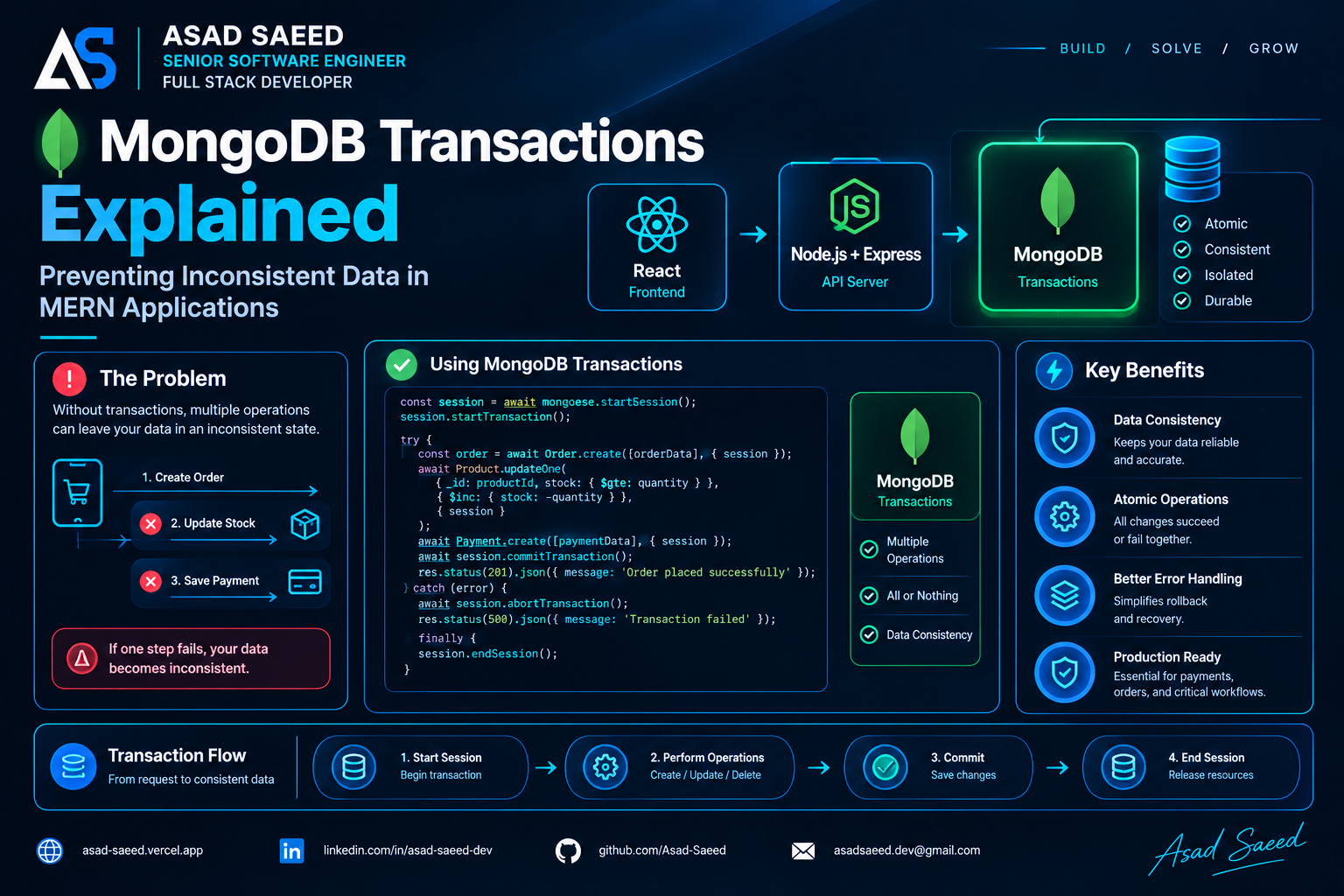
MongoDB Transactions Explained: Preventing Inconsistent Data in MERN

MongoDB Transactions Explained: Preventing Inconsistent Data in MERN

MONGODBNODE.JSMERN STACKTRANSACTIONSASAD SAEED
October 27, 202614 min readBy Asad Saeed

Learn MongoDB transactions with Node.js, Express, and Mongoose. Explore ACID properties, session handling, rollback, concurrency, and production best practices.

Introduction

Imagine you're building an e-commerce application using the MERN stack.

A customer places an order. Your backend needs to perform three operations:

  1. Create the order.

  2. Reduce the available product inventory.

  3. Record the payment.

Everything seems straightforward until something goes wrong.

The order is created successfully, and the inventory is reduced, but the payment operation fails.

Now your database contains an order that hasn't been paid for, and the product inventory has already decreased.

Your application has entered an inconsistent state.

This is a common challenge when multiple database operations must succeed or fail together.

MongoDB transactions solve this problem by allowing multiple database operations to be committed as one atomic unit of work.

In this guide, we'll explore how MongoDB transactions work, when to use them, and how to implement them in a MERN application using Node.js, Express, MongoDB, and Mongoose.

1. What Is a MongoDB Transaction?

A database transaction is a group of operations treated as a single logical unit.

Instead of allowing each operation to become permanently visible independently, a transaction lets you commit the entire group or abort it.

Consider the following workflow:

Customer places an order
        |
        v
Create Order
        |
        v
Update Inventory
        |
        v
Record Payment
        |
        v
Commit Transaction

If every database operation succeeds, the transaction commits.

If an operation fails before the transaction commits, the application can abort the transaction so its database changes aren't committed.

Conceptually:

BEGIN TRANSACTION

  Create Order
  Update Inventory
  Record Payment

COMMIT

If something goes wrong:

BEGIN TRANSACTION

  Create Order
  Update Inventory
  Record Payment -> ERROR

ROLLBACK

The goal is to prevent partially committed database changes.

Understanding ACID properties

MongoDB transactions support ACID guarantees.

Atomicity

The transaction's database changes are committed together or aborted together.

Consistency

The transaction must preserve the application's defined data-integrity rules. MongoDB doesn't automatically enforce every business rule; your application and database constraints must implement them.

Isolation

Concurrent transactions must behave according to the database's transaction isolation guarantees.

Durability

Once a transaction is committed with the appropriate write concern, its committed changes are durable according to the configured guarantees.

These properties are particularly important when an operation modifies multiple documents that must remain consistent.

2. Why Single-Document Atomicity Isn't Always Enough

MongoDB already provides atomicity for operations affecting a single document.

For example:

await Product.updateOne(
  { _id: productId },
  { $inc: { stock: -1 } }
);

The update to that product document is atomic.

However, a typical e-commerce operation may involve several documents:

orders
  └── Create a new order

products
  └── Decrease inventory

payments
  └── Record payment information

Each operation may succeed independently.

Without a transaction or another consistency strategy, one operation can succeed while another fails.

For example:

const order = await Order.create({
  userId,
  productId,
  quantity: 1,
});

await Product.updateOne(
  { _id: productId },
  { $inc: { stock: -1 } }
);

await Payment.create({
  orderId: order._id,
  amount: 100,
});

What happens if Payment.create() fails?

The order already exists, and the inventory has already changed.

You now need additional logic to detect and recover from the partial failure.

A MongoDB transaction allows the relevant database operations to participate in one transaction.

However, transactions aren't always the best solution. MongoDB's single-document atomicity and appropriate document modeling can eliminate the need for transactions in many use cases.

3. Setting Up MongoDB Transactions in a MERN Application

Let's implement transactions using Node.js, Express, MongoDB, and Mongoose.

First, install the required dependencies:

npm install express mongoose dotenv

Configure the database connection:

import mongoose from "mongoose";
import dotenv from "dotenv";

dotenv.config();

export async function connectDatabase() {
  try {
    await mongoose.connect(process.env.MONGODB_URI);

    console.log("MongoDB connected successfully");
  } catch (error) {
    console.error("MongoDB connection failed:", error);
    process.exit(1);
  }
}

Your environment configuration might contain:

MONGODB_URI=mongodb://localhost:27017/mern_store

Important: MongoDB multi-document transactions require a supported deployment configuration, such as a replica set or a sharded cluster. A standalone MongoDB server doesn't support them.

For local development, you can configure MongoDB as a single-node replica set.

For production, use an appropriately configured replica set or sharded cluster.

4. Creating the Required Mongoose Models

Let's define three models: Product, Order, and Payment.

Product model

import mongoose from "mongoose";

const productSchema = new mongoose.Schema(
  {
    name: {
      type: String,
      required: true,
    },
    price: {
      type: Number,
      required: true,
      min: 0,
    },
    stock: {
      type: Number,
      required: true,
      min: 0,
    },
  },
  { timestamps: true }
);

export const Product = mongoose.model(
  "Product",
  productSchema
);

The stock field represents the number of available units.

Order model

import mongoose from "mongoose";

const orderSchema = new mongoose.Schema(
  {
    userId: {
      type: mongoose.Schema.Types.ObjectId,
      required: true,
    },
    productId: {
      type: mongoose.Schema.Types.ObjectId,
      ref: "Product",
      required: true,
    },
    quantity: {
      type: Number,
      required: true,
      min: 1,
    },
    status: {
      type: String,
      enum: ["pending", "confirmed", "cancelled"],
      default: "pending",
    },
  },
  { timestamps: true }
);

export const Order = mongoose.model("Order", orderSchema);

Payment model

import mongoose from "mongoose";

const paymentSchema = new mongoose.Schema(
  {
    orderId: {
      type: mongoose.Schema.Types.ObjectId,
      ref: "Order",
      required: true,
    },
    amount: {
      type: Number,
      required: true,
      min: 0,
    },
    status: {
      type: String,
      enum: ["pending", "succeeded", "failed"],
      default: "pending",
    },
  },
  { timestamps: true }
);

export const Payment = mongoose.model(
  "Payment",
  paymentSchema
);

These models provide the structure for our example. A production payment workflow needs additional considerations, including payment-provider integration, currency handling, and payment reconciliation.

5. Implementing a MongoDB Transaction

Mongoose provides sessions that allow database operations to participate in a transaction.

The general workflow is:

  1. Start a session.

  2. Start a transaction.

  3. Execute the database operations using that session.

  4. Commit if everything succeeds.

  5. Abort if an operation fails.

  6. End the session.

Let's implement the order workflow.

import mongoose from "mongoose";
import { Product } from "./models/Product.js";
import { Order } from "./models/Order.js";
import { Payment } from "./models/Payment.js";

export async function createOrder({
  userId,
  productId,
  quantity,
}) {
  const session = await mongoose.startSession();

  try {
    session.startTransaction();

    // Atomically reserve inventory if enough stock exists.
    const product = await Product.findOneAndUpdate(
      {
        _id: productId,
        stock: { $gte: quantity },
      },
      {
        $inc: { stock: -quantity },
      },
      {
        new: true,
        session,
      }
    );

    if (!product) {
      throw new Error("Product not found or insufficient stock");
    }

    // Create the order inside the same transaction.
    const [order] = await Order.create(
      [
        {
          userId,
          productId,
          quantity,
          status: "confirmed",
        },
      ],
      { session }
    );

    // Record a payment record inside the transaction.
    const [payment] = await Payment.create(
      [
        {
          orderId: order._id,
          amount: product.price * quantity,
          status: "pending",
        },
      ],
      { session }
    );

    await session.commitTransaction();

    return {
      order,
      payment,
    };
  } catch (error) {
    if (session.inTransaction()) {
      await session.abortTransaction();
    }

    throw error;
  } finally {
    await session.endSession();
  }
}

What makes this implementation important?

1. Every database operation uses the same session.

The inventory update, order creation, and payment-record creation all participate in the same transaction.

If an operation fails before the transaction commits, the earlier database changes can be aborted.

2. Inventory is checked and updated atomically.

This condition is important:

{
  _id: productId,
  stock: { $gte: quantity }
}

It ensures the update only succeeds when the product has sufficient stock.

The $inc operation then decreases the stock in the same database operation.

This is safer than reading the stock, checking it in JavaScript, and later updating it without an appropriate concurrency strategy.

3. The transaction is committed only after all operations succeed.

await session.commitTransaction();

The database commits the participating operations together.

4. The session is always closed.

finally {
  await session.endSession();
}

This ensures the session is ended on both success and failure.

An important production distinction

The example creates a payment record with a pending status. It does not charge an external payment provider.

An external payment service cannot automatically participate in a MongoDB transaction.

You should not place a real payment-provider request inside a transaction callback that might be retried. A retry could send the same external request more than once.

For actual payments, use a carefully designed workflow with payment-provider idempotency keys, explicit payment states, and reconciliation or compensation logic.

6. Using withTransaction() for Transaction Management

Mongoose sessions also support the withTransaction() helper.

It manages transaction lifecycle behavior and can retry certain transient transaction errors.

For example:

const session = await mongoose.startSession();

try {
  let result;

  await session.withTransaction(async () => {
    const product = await Product.findOneAndUpdate(
      {
        _id: productId,
        stock: { $gte: quantity },
      },
      {
        $inc: { stock: -quantity },
      },
      {
        new: true,
        session,
      }
    );

    if (!product) {
      throw new Error("Insufficient stock");
    }

    const [order] = await Order.create(
      [
        {
          userId,
          productId,
          quantity,
          status: "confirmed",
        },
      ],
      { session }
    );

    result = order;
  });

  return result;
} finally {
  await session.endSession();
}

The helper commits when the callback completes successfully and aborts when it fails. It can also retry the transaction for certain transient errors.

This means the callback must be designed with retries in mind.

Never assume a transaction callback executes exactly once.

Avoid sending emails, charging payment providers, publishing irreversible external events, or performing other non-transactional side effects inside a callback that might be retried.

The example is simplified to focus on transaction mechanics. A production implementation should also handle ambiguous commit outcomes and ensure clients can safely retry requests.

7. What Happens When a Transaction Fails?

Suppose the order is created, but the payment record violates a database constraint.

Because all operations participate in the same transaction, the application can abort the transaction.

Conceptually:

Start Transaction
       |
       v
Update Inventory
       |
       v
Create Order
       |
       v
Create Payment
       |
       X
   Operation Fails
       |
       v
Abort Transaction
       |
       v
No Transactional Changes Committed

The inventory update and order creation are rolled back as part of the aborted transaction.

This is the key benefit: the database doesn't commit only the successful portion of the transaction.

However, the application still needs appropriate error handling.

For example, an Express route can return an error response:

app.post("/api/orders", async (req, res, next) => {
  try {
    const { userId, productId, quantity } = req.body;

    const result = await createOrder({
      userId,
      productId,
      quantity,
    });

    return res.status(201).json({
      message: "Order created successfully",
      data: result,
    });
  } catch (error) {
    next(error);
  }
});

A centralized Express error handler can then translate known business errors into appropriate HTTP responses.

For example, insufficient inventory might produce a 409 Conflict or another suitable business response, while unexpected database failures should be handled separately.

Avoid returning internal database error details directly to clients.

What if the commit result is uncertain?

A network failure can occur while the client is waiting for the commit response.

In that situation, the client may not know whether the transaction committed.

Blindly repeating the entire business operation could create duplicate orders.

This is why production systems need an explicit retry strategy, appropriate transaction error handling, and request-level idempotency where duplicate submissions would be harmful.

Transactions protect the atomicity of database changes; they do not automatically make repeated HTTP requests safe.

8. Transactions vs. Atomic Single-Document Updates

MongoDB transactions aren't necessary for every operation.

Consider a product inventory update:

await Product.updateOne(
  {
    _id: productId,
    stock: { $gte: quantity },
  },
  {
    $inc: { stock: -quantity },
  }
);

This operation can atomically check and decrease inventory in one document.

If the business operation only requires that single-document change, a multi-document transaction may add unnecessary complexity.

However, if the same operation must also create an order and record related database state, a transaction may be appropriate.

A useful rule is:

  • Use single-document atomic operations when they satisfy the business requirement.

  • Use a transaction when multiple database changes must succeed or fail together.

  • Use a distributed workflow when the operation spans systems that cannot participate in the same database transaction.

Good MongoDB schema design can often reduce the need for multi-document transactions.

9. MongoDB Transactions vs. Distributed Transactions

A MongoDB transaction can coordinate supported operations within a MongoDB deployment, including multi-document operations across supported collections and databases.

But consider this workflow:

Create Order in MongoDB
          |
          v
Charge Payment Provider
          |
          v
Send Confirmation Email
          |
          v
Publish Event to Message Broker

These operations involve different systems.

A MongoDB transaction cannot atomically commit a MongoDB update, a third-party payment, an email, and a message-broker event as one universal transaction.

If the payment succeeds but the application fails before recording the result in MongoDB, the systems may temporarily disagree.

A common solution is to design the workflow explicitly.

For example:

  1. Create an order with a pending status.

  2. Persist the payment request or an outbox event.

  3. Process the payment using a provider-supported idempotency key.

  4. Record the result and update the order status.

  5. Retry transient failures safely.

  6. Reconcile payments whose outcomes are uncertain.

  7. Use compensating actions where appropriate.

The transactional outbox pattern can help ensure that a database change and the intention to publish an event are committed together. A separate worker publishes the event and tracks delivery.

For workflows spanning multiple independent services, a saga can coordinate local transactions and compensating actions.

These patterns solve different problems from a single MongoDB transaction, but they become important as a MERN application grows into a distributed system.

10. Common Mistakes When Using MongoDB Transactions

Mistake 1: Forgetting to pass the session

This operation doesn't explicitly participate in the transaction:

await Order.create({
  userId,
  productId,
  quantity,
});

Use the session:

await Order.create(
  [
    {
      userId,
      productId,
      quantity,
    },
  ],
  { session }
);

If a required operation runs outside the transaction, aborting the transaction won't undo that separate operation.

Mistake 2: Running transaction operations concurrently

Avoid using Promise.all() to execute multiple operations on the same transaction session.

For example:

await Promise.all([
  updateInventory(session),
  createOrder(session),
  createPayment(session),
]);

Parallel operations on one transaction session are not a supported pattern in Mongoose transaction usage and can lead to undefined or problematic behavior.

Execute the operations sequentially unless you have a specifically supported design.

Mistake 3: Keeping transactions open too long

Long-running transactions can increase resource pressure, hold transactional state, and create contention.

Keep the transaction focused on the necessary database operations.

Avoid making slow external HTTP requests or waiting for user input while a transaction remains open.

Mistake 4: Assuming transactions replace validation

Transactions protect the atomicity of participating database changes. They don't automatically guarantee that the requested operation is valid.

You still need validation, authorization, business rules, appropriate indexes, and database constraints.

Mistake 5: Ignoring write conflicts and retries

Concurrent transactions can conflict.

Your application should handle transient failures appropriately and avoid assuming every transaction will succeed on its first attempt.

Mistake 6: Assuming database rollback reverses external effects

Aborting a MongoDB transaction cannot undo an email that has already been sent or a payment that has already been processed by an external provider.

Use an appropriate workflow for external side effects.

11. Production Best Practices

When using MongoDB transactions in production, keep these principles in mind:

  • Keep transactions short: Perform only the database operations that need to be atomic.

  • Use the same session: Every operation that must participate in the transaction needs the appropriate session.

  • Prefer atomic updates: Use conditional updates to enforce rules such as sufficient inventory.

  • Handle errors explicitly: Distinguish validation failures, business conflicts, transient transaction errors, and uncertain outcomes.

  • Design for retries: Avoid non-transactional side effects inside retryable transaction callbacks.

  • Use idempotency where needed: Protect order creation and payment workflows from duplicate client submissions.

  • Monitor database health: Track transaction failures, latency, resource usage, and relevant database metrics.

  • Test concurrency: Verify that simultaneous requests cannot violate business rules.

  • Know your deployment requirements: Use a supported replica-set or sharded-cluster configuration.

  • Avoid unnecessary transactions: Prefer an appropriate document model or atomic single-document operation when it meets the consistency requirement.

Conclusion

MongoDB transactions are an important tool for building reliable MERN applications.

They allow multiple database operations to succeed or fail together, helping prevent inconsistent state when a business operation spans several documents.

But transactions aren't a substitute for good data modeling, error handling, or distributed-systems design.

The best approach is to use the simplest mechanism that satisfies the consistency requirement:

Atomic single-document updates when possible. Multi-document transactions when necessary. Distributed workflows when multiple independent systems are involved.

Understanding these distinctions will help you build MERN applications that remain reliable even when database operations fail, concurrent requests arrive, or external services behave unexpectedly.

Build reliable systems. Protect your data. Design for failure.


About the Author

Asad Saeed is a Senior Software Engineer and Full Stack Developer focused on building scalable web applications, reliable backend systems, and maintainable software architectures.

  • Portfolio: https://asad-saeed.vercel.app/

  • LinkedIn: https://linkedin.com/in/asad-saeed-dev

  • GitHub: https://github.com/Asad-Saeed

  • Medium: https://asad-saeed.medium.com/

Follow for practical insights on full-stack development, backend engineering, database design, cloud technologies, and software architecture.

Asad Saeed

Asad Saeed

Senior Software Engineer | Full Stack Developer

More posts →

Related Posts

Don't Stop Here

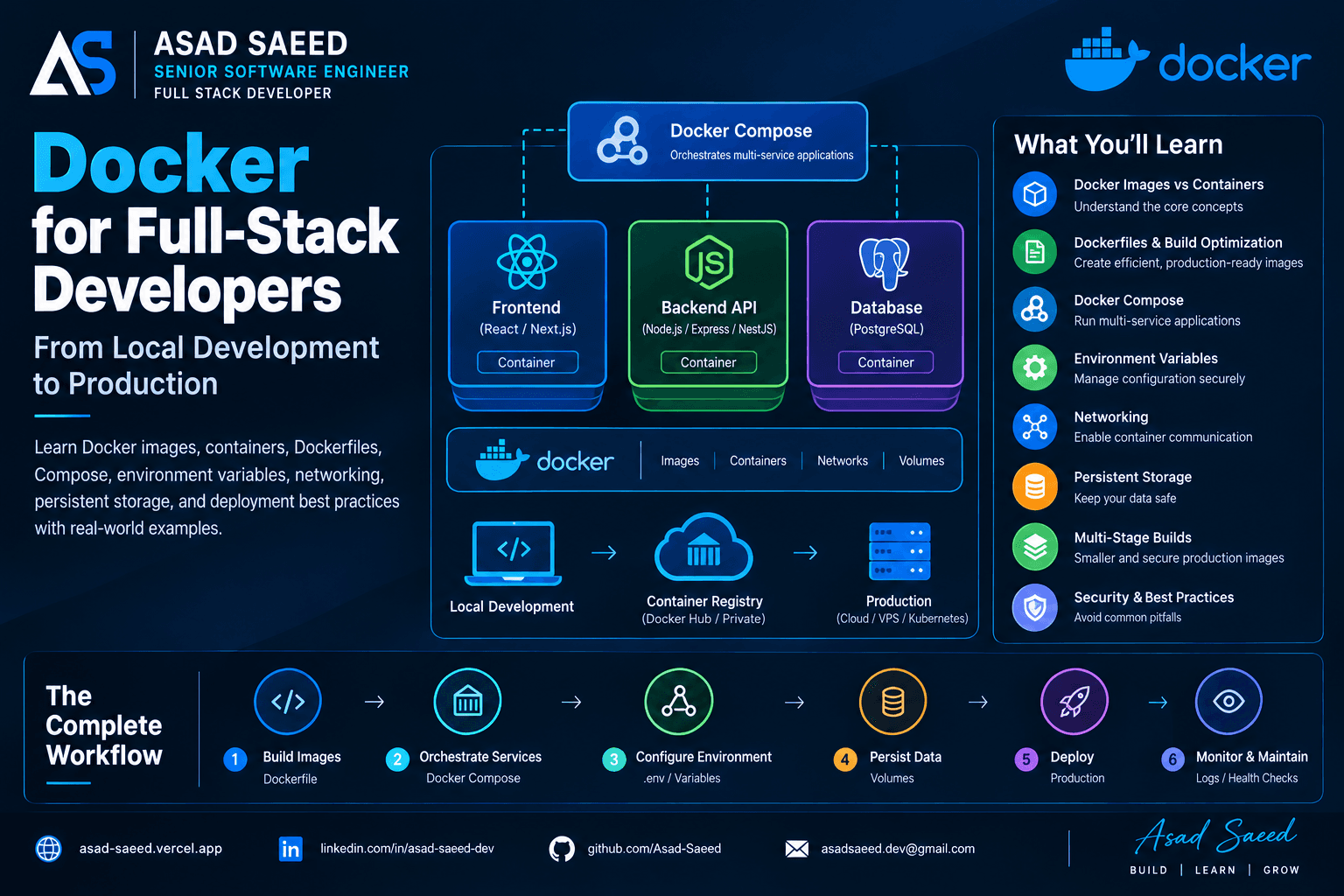
Docker for Full-Stack Developers: Complete Guide (2026)

Docker for Full-Stack Developers: Complete Guide (2026)

Learn Docker for full-stack development with practical examples covering Dockerfiles, images, containers, Docker Compose, networking, environment variables, volumes, and production deployment.

DOCKERDEVOPSSOFTWARE ENGINEERING
© 2026 · Asad Saeed
All Posts
MongoDB Transactions Explained: Preventing Inconsistent Data in MERN

MongoDB Transactions Explained: Preventing Inconsistent Data in MERN

MONGODBNODE.JSMERN STACKTRANSACTIONSASAD SAEED
October 27, 202614 min readBy Asad Saeed

Learn MongoDB transactions with Node.js, Express, and Mongoose. Explore ACID properties, session handling, rollback, concurrency, and production best practices.

Introduction

Imagine you're building an e-commerce application using the MERN stack.

A customer places an order. Your backend needs to perform three operations:

  1. Create the order.

  2. Reduce the available product inventory.

  3. Record the payment.

Everything seems straightforward until something goes wrong.

The order is created successfully, and the inventory is reduced, but the payment operation fails.

Now your database contains an order that hasn't been paid for, and the product inventory has already decreased.

Your application has entered an inconsistent state.

This is a common challenge when multiple database operations must succeed or fail together.

MongoDB transactions solve this problem by allowing multiple database operations to be committed as one atomic unit of work.

In this guide, we'll explore how MongoDB transactions work, when to use them, and how to implement them in a MERN application using Node.js, Express, MongoDB, and Mongoose.

1. What Is a MongoDB Transaction?

A database transaction is a group of operations treated as a single logical unit.

Instead of allowing each operation to become permanently visible independently, a transaction lets you commit the entire group or abort it.

Consider the following workflow:

Customer places an order
        |
        v
Create Order
        |
        v
Update Inventory
        |
        v
Record Payment
        |
        v
Commit Transaction

If every database operation succeeds, the transaction commits.

If an operation fails before the transaction commits, the application can abort the transaction so its database changes aren't committed.

Conceptually:

BEGIN TRANSACTION

  Create Order
  Update Inventory
  Record Payment

COMMIT

If something goes wrong:

BEGIN TRANSACTION

  Create Order
  Update Inventory
  Record Payment -> ERROR

ROLLBACK

The goal is to prevent partially committed database changes.

Understanding ACID properties

MongoDB transactions support ACID guarantees.

Atomicity

The transaction's database changes are committed together or aborted together.

Consistency

The transaction must preserve the application's defined data-integrity rules. MongoDB doesn't automatically enforce every business rule; your application and database constraints must implement them.

Isolation

Concurrent transactions must behave according to the database's transaction isolation guarantees.

Durability

Once a transaction is committed with the appropriate write concern, its committed changes are durable according to the configured guarantees.

These properties are particularly important when an operation modifies multiple documents that must remain consistent.

2. Why Single-Document Atomicity Isn't Always Enough

MongoDB already provides atomicity for operations affecting a single document.

For example:

await Product.updateOne(
  { _id: productId },
  { $inc: { stock: -1 } }
);

The update to that product document is atomic.

However, a typical e-commerce operation may involve several documents:

orders
  └── Create a new order

products
  └── Decrease inventory

payments
  └── Record payment information

Each operation may succeed independently.

Without a transaction or another consistency strategy, one operation can succeed while another fails.

For example:

const order = await Order.create({
  userId,
  productId,
  quantity: 1,
});

await Product.updateOne(
  { _id: productId },
  { $inc: { stock: -1 } }
);

await Payment.create({
  orderId: order._id,
  amount: 100,
});

What happens if Payment.create() fails?

The order already exists, and the inventory has already changed.

You now need additional logic to detect and recover from the partial failure.

A MongoDB transaction allows the relevant database operations to participate in one transaction.

However, transactions aren't always the best solution. MongoDB's single-document atomicity and appropriate document modeling can eliminate the need for transactions in many use cases.

3. Setting Up MongoDB Transactions in a MERN Application

Let's implement transactions using Node.js, Express, MongoDB, and Mongoose.

First, install the required dependencies:

npm install express mongoose dotenv

Configure the database connection:

import mongoose from "mongoose";
import dotenv from "dotenv";

dotenv.config();

export async function connectDatabase() {
  try {
    await mongoose.connect(process.env.MONGODB_URI);

    console.log("MongoDB connected successfully");
  } catch (error) {
    console.error("MongoDB connection failed:", error);
    process.exit(1);
  }
}

Your environment configuration might contain:

MONGODB_URI=mongodb://localhost:27017/mern_store

Important: MongoDB multi-document transactions require a supported deployment configuration, such as a replica set or a sharded cluster. A standalone MongoDB server doesn't support them.

For local development, you can configure MongoDB as a single-node replica set.

For production, use an appropriately configured replica set or sharded cluster.

4. Creating the Required Mongoose Models

Let's define three models: Product, Order, and Payment.

Product model

import mongoose from "mongoose";

const productSchema = new mongoose.Schema(
  {
    name: {
      type: String,
      required: true,
    },
    price: {
      type: Number,
      required: true,
      min: 0,
    },
    stock: {
      type: Number,
      required: true,
      min: 0,
    },
  },
  { timestamps: true }
);

export const Product = mongoose.model(
  "Product",
  productSchema
);

The stock field represents the number of available units.

Order model

import mongoose from "mongoose";

const orderSchema = new mongoose.Schema(
  {
    userId: {
      type: mongoose.Schema.Types.ObjectId,
      required: true,
    },
    productId: {
      type: mongoose.Schema.Types.ObjectId,
      ref: "Product",
      required: true,
    },
    quantity: {
      type: Number,
      required: true,
      min: 1,
    },
    status: {
      type: String,
      enum: ["pending", "confirmed", "cancelled"],
      default: "pending",
    },
  },
  { timestamps: true }
);

export const Order = mongoose.model("Order", orderSchema);

Payment model

import mongoose from "mongoose";

const paymentSchema = new mongoose.Schema(
  {
    orderId: {
      type: mongoose.Schema.Types.ObjectId,
      ref: "Order",
      required: true,
    },
    amount: {
      type: Number,
      required: true,
      min: 0,
    },
    status: {
      type: String,
      enum: ["pending", "succeeded", "failed"],
      default: "pending",
    },
  },
  { timestamps: true }
);

export const Payment = mongoose.model(
  "Payment",
  paymentSchema
);

These models provide the structure for our example. A production payment workflow needs additional considerations, including payment-provider integration, currency handling, and payment reconciliation.

5. Implementing a MongoDB Transaction

Mongoose provides sessions that allow database operations to participate in a transaction.

The general workflow is:

  1. Start a session.

  2. Start a transaction.

  3. Execute the database operations using that session.

  4. Commit if everything succeeds.

  5. Abort if an operation fails.

  6. End the session.

Let's implement the order workflow.

import mongoose from "mongoose";
import { Product } from "./models/Product.js";
import { Order } from "./models/Order.js";
import { Payment } from "./models/Payment.js";

export async function createOrder({
  userId,
  productId,
  quantity,
}) {
  const session = await mongoose.startSession();

  try {
    session.startTransaction();

    // Atomically reserve inventory if enough stock exists.
    const product = await Product.findOneAndUpdate(
      {
        _id: productId,
        stock: { $gte: quantity },
      },
      {
        $inc: { stock: -quantity },
      },
      {
        new: true,
        session,
      }
    );

    if (!product) {
      throw new Error("Product not found or insufficient stock");
    }

    // Create the order inside the same transaction.
    const [order] = await Order.create(
      [
        {
          userId,
          productId,
          quantity,
          status: "confirmed",
        },
      ],
      { session }
    );

    // Record a payment record inside the transaction.
    const [payment] = await Payment.create(
      [
        {
          orderId: order._id,
          amount: product.price * quantity,
          status: "pending",
        },
      ],
      { session }
    );

    await session.commitTransaction();

    return {
      order,
      payment,
    };
  } catch (error) {
    if (session.inTransaction()) {
      await session.abortTransaction();
    }

    throw error;
  } finally {
    await session.endSession();
  }
}

What makes this implementation important?

1. Every database operation uses the same session.

The inventory update, order creation, and payment-record creation all participate in the same transaction.

If an operation fails before the transaction commits, the earlier database changes can be aborted.

2. Inventory is checked and updated atomically.

This condition is important:

{
  _id: productId,
  stock: { $gte: quantity }
}

It ensures the update only succeeds when the product has sufficient stock.

The $inc operation then decreases the stock in the same database operation.

This is safer than reading the stock, checking it in JavaScript, and later updating it without an appropriate concurrency strategy.

3. The transaction is committed only after all operations succeed.

await session.commitTransaction();

The database commits the participating operations together.

4. The session is always closed.

finally {
  await session.endSession();
}

This ensures the session is ended on both success and failure.

An important production distinction

The example creates a payment record with a pending status. It does not charge an external payment provider.

An external payment service cannot automatically participate in a MongoDB transaction.

You should not place a real payment-provider request inside a transaction callback that might be retried. A retry could send the same external request more than once.

For actual payments, use a carefully designed workflow with payment-provider idempotency keys, explicit payment states, and reconciliation or compensation logic.

6. Using withTransaction() for Transaction Management

Mongoose sessions also support the withTransaction() helper.

It manages transaction lifecycle behavior and can retry certain transient transaction errors.

For example:

const session = await mongoose.startSession();

try {
  let result;

  await session.withTransaction(async () => {
    const product = await Product.findOneAndUpdate(
      {
        _id: productId,
        stock: { $gte: quantity },
      },
      {
        $inc: { stock: -quantity },
      },
      {
        new: true,
        session,
      }
    );

    if (!product) {
      throw new Error("Insufficient stock");
    }

    const [order] = await Order.create(
      [
        {
          userId,
          productId,
          quantity,
          status: "confirmed",
        },
      ],
      { session }
    );

    result = order;
  });

  return result;
} finally {
  await session.endSession();
}

The helper commits when the callback completes successfully and aborts when it fails. It can also retry the transaction for certain transient errors.

This means the callback must be designed with retries in mind.

Never assume a transaction callback executes exactly once.

Avoid sending emails, charging payment providers, publishing irreversible external events, or performing other non-transactional side effects inside a callback that might be retried.

The example is simplified to focus on transaction mechanics. A production implementation should also handle ambiguous commit outcomes and ensure clients can safely retry requests.

7. What Happens When a Transaction Fails?

Suppose the order is created, but the payment record violates a database constraint.

Because all operations participate in the same transaction, the application can abort the transaction.

Conceptually:

Start Transaction
       |
       v
Update Inventory
       |
       v
Create Order
       |
       v
Create Payment
       |
       X
   Operation Fails
       |
       v
Abort Transaction
       |
       v
No Transactional Changes Committed

The inventory update and order creation are rolled back as part of the aborted transaction.

This is the key benefit: the database doesn't commit only the successful portion of the transaction.

However, the application still needs appropriate error handling.

For example, an Express route can return an error response:

app.post("/api/orders", async (req, res, next) => {
  try {
    const { userId, productId, quantity } = req.body;

    const result = await createOrder({
      userId,
      productId,
      quantity,
    });

    return res.status(201).json({
      message: "Order created successfully",
      data: result,
    });
  } catch (error) {
    next(error);
  }
});

A centralized Express error handler can then translate known business errors into appropriate HTTP responses.

For example, insufficient inventory might produce a 409 Conflict or another suitable business response, while unexpected database failures should be handled separately.

Avoid returning internal database error details directly to clients.

What if the commit result is uncertain?

A network failure can occur while the client is waiting for the commit response.

In that situation, the client may not know whether the transaction committed.

Blindly repeating the entire business operation could create duplicate orders.

This is why production systems need an explicit retry strategy, appropriate transaction error handling, and request-level idempotency where duplicate submissions would be harmful.

Transactions protect the atomicity of database changes; they do not automatically make repeated HTTP requests safe.

8. Transactions vs. Atomic Single-Document Updates

MongoDB transactions aren't necessary for every operation.

Consider a product inventory update:

await Product.updateOne(
  {
    _id: productId,
    stock: { $gte: quantity },
  },
  {
    $inc: { stock: -quantity },
  }
);

This operation can atomically check and decrease inventory in one document.

If the business operation only requires that single-document change, a multi-document transaction may add unnecessary complexity.

However, if the same operation must also create an order and record related database state, a transaction may be appropriate.

A useful rule is:

  • Use single-document atomic operations when they satisfy the business requirement.

  • Use a transaction when multiple database changes must succeed or fail together.

  • Use a distributed workflow when the operation spans systems that cannot participate in the same database transaction.

Good MongoDB schema design can often reduce the need for multi-document transactions.

9. MongoDB Transactions vs. Distributed Transactions

A MongoDB transaction can coordinate supported operations within a MongoDB deployment, including multi-document operations across supported collections and databases.

But consider this workflow:

Create Order in MongoDB
          |
          v
Charge Payment Provider
          |
          v
Send Confirmation Email
          |
          v
Publish Event to Message Broker

These operations involve different systems.

A MongoDB transaction cannot atomically commit a MongoDB update, a third-party payment, an email, and a message-broker event as one universal transaction.

If the payment succeeds but the application fails before recording the result in MongoDB, the systems may temporarily disagree.

A common solution is to design the workflow explicitly.

For example:

  1. Create an order with a pending status.

  2. Persist the payment request or an outbox event.

  3. Process the payment using a provider-supported idempotency key.

  4. Record the result and update the order status.

  5. Retry transient failures safely.

  6. Reconcile payments whose outcomes are uncertain.

  7. Use compensating actions where appropriate.

The transactional outbox pattern can help ensure that a database change and the intention to publish an event are committed together. A separate worker publishes the event and tracks delivery.

For workflows spanning multiple independent services, a saga can coordinate local transactions and compensating actions.

These patterns solve different problems from a single MongoDB transaction, but they become important as a MERN application grows into a distributed system.

10. Common Mistakes When Using MongoDB Transactions

Mistake 1: Forgetting to pass the session

This operation doesn't explicitly participate in the transaction:

await Order.create({
  userId,
  productId,
  quantity,
});

Use the session:

await Order.create(
  [
    {
      userId,
      productId,
      quantity,
    },
  ],
  { session }
);

If a required operation runs outside the transaction, aborting the transaction won't undo that separate operation.

Mistake 2: Running transaction operations concurrently

Avoid using Promise.all() to execute multiple operations on the same transaction session.

For example:

await Promise.all([
  updateInventory(session),
  createOrder(session),
  createPayment(session),
]);

Parallel operations on one transaction session are not a supported pattern in Mongoose transaction usage and can lead to undefined or problematic behavior.

Execute the operations sequentially unless you have a specifically supported design.

Mistake 3: Keeping transactions open too long

Long-running transactions can increase resource pressure, hold transactional state, and create contention.

Keep the transaction focused on the necessary database operations.

Avoid making slow external HTTP requests or waiting for user input while a transaction remains open.

Mistake 4: Assuming transactions replace validation

Transactions protect the atomicity of participating database changes. They don't automatically guarantee that the requested operation is valid.

You still need validation, authorization, business rules, appropriate indexes, and database constraints.

Mistake 5: Ignoring write conflicts and retries

Concurrent transactions can conflict.

Your application should handle transient failures appropriately and avoid assuming every transaction will succeed on its first attempt.

Mistake 6: Assuming database rollback reverses external effects

Aborting a MongoDB transaction cannot undo an email that has already been sent or a payment that has already been processed by an external provider.

Use an appropriate workflow for external side effects.

11. Production Best Practices

When using MongoDB transactions in production, keep these principles in mind:

  • Keep transactions short: Perform only the database operations that need to be atomic.

  • Use the same session: Every operation that must participate in the transaction needs the appropriate session.

  • Prefer atomic updates: Use conditional updates to enforce rules such as sufficient inventory.

  • Handle errors explicitly: Distinguish validation failures, business conflicts, transient transaction errors, and uncertain outcomes.

  • Design for retries: Avoid non-transactional side effects inside retryable transaction callbacks.

  • Use idempotency where needed: Protect order creation and payment workflows from duplicate client submissions.

  • Monitor database health: Track transaction failures, latency, resource usage, and relevant database metrics.

  • Test concurrency: Verify that simultaneous requests cannot violate business rules.

  • Know your deployment requirements: Use a supported replica-set or sharded-cluster configuration.

  • Avoid unnecessary transactions: Prefer an appropriate document model or atomic single-document operation when it meets the consistency requirement.

Conclusion

MongoDB transactions are an important tool for building reliable MERN applications.

They allow multiple database operations to succeed or fail together, helping prevent inconsistent state when a business operation spans several documents.

But transactions aren't a substitute for good data modeling, error handling, or distributed-systems design.

The best approach is to use the simplest mechanism that satisfies the consistency requirement:

Atomic single-document updates when possible. Multi-document transactions when necessary. Distributed workflows when multiple independent systems are involved.

Understanding these distinctions will help you build MERN applications that remain reliable even when database operations fail, concurrent requests arrive, or external services behave unexpectedly.

Build reliable systems. Protect your data. Design for failure.


About the Author

Asad Saeed is a Senior Software Engineer and Full Stack Developer focused on building scalable web applications, reliable backend systems, and maintainable software architectures.

  • Portfolio: https://asad-saeed.vercel.app/

  • LinkedIn: https://linkedin.com/in/asad-saeed-dev

  • GitHub: https://github.com/Asad-Saeed

  • Medium: https://asad-saeed.medium.com/

Follow for practical insights on full-stack development, backend engineering, database design, cloud technologies, and software architecture.
Asad Saeed

Asad Saeed

Senior Software Engineer | Full Stack Developer

More posts →

Related Posts

Don't Stop Here

Docker for Full-Stack Developers: Complete Guide (2026)

Docker for Full-Stack Developers: Complete Guide (2026)

Learn Docker for full-stack development with practical examples covering Dockerfiles, images, containers, Docker Compose, networking, environment variables, volumes, and production deployment.

DOCKERDEVOPSSOFTWARE ENGINEERING
© 2026 · Asad Saeed
Oct 19, 202612 min read
Read
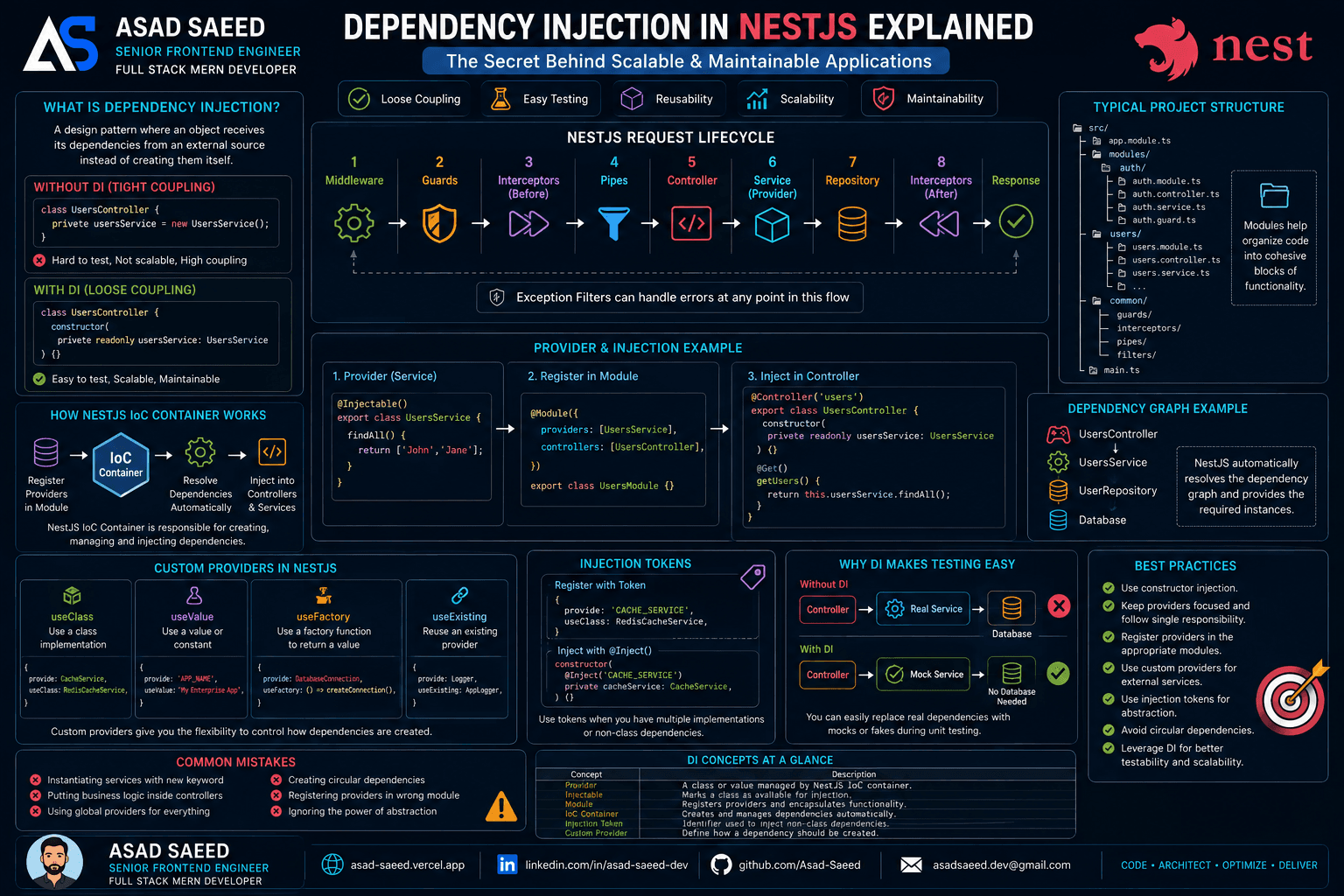
Dependency Injection in NestJS Explained: Providers, IoC Container, Injection Tokens & Custom Providers (2026 Guide)

Dependency Injection in NestJS Explained: Providers, IoC Container, Injection Tokens & Custom Providers (2026 Guide)

Learn how Dependency Injection works in NestJS, including Providers, the IoC Container, Constructor Injection, Injection Tokens, Custom Providers, and best practices for building scalable, testable, and enterprise-ready Node.js applications.

NESTJSDEPENDENCY INJECTIONNODEJS
Oct 19, 20265 min read
Read
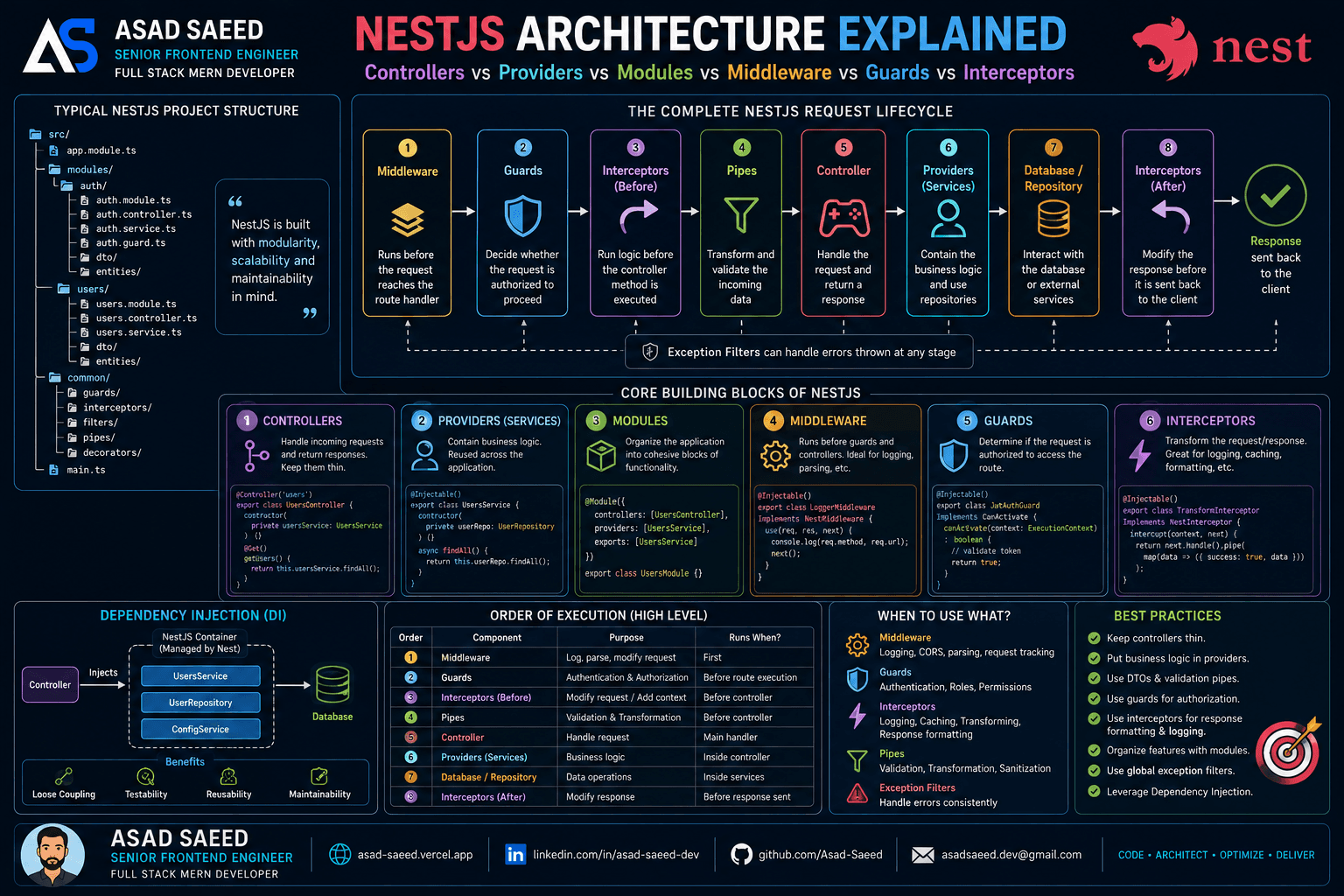
NestJS Architecture Explained: Controllers, Providers, Modules, Middleware, Guards & Interceptors (2026 Guide)

NestJS Architecture Explained: Controllers, Providers, Modules, Middleware, Guards & Interceptors (2026 Guide)

Master the NestJS architecture by understanding Modules, Controllers, Providers, Dependency Injection, Middleware, Guards, Pipes, Interceptors, and Exception Filters. Learn the complete NestJS request lifecycle and build scalable, production-ready backend applications.

NESTJSNODEJSSOFTWARE ARCHITECTURE
Aug 5, 20266 min read
Read
F
Made with ❤️ by Asad Saeed
© 2026 · Asad Saeed
Made with ❤️ by Asad Saeed
F
Oct 19, 202612 min read
Read
Dependency Injection in NestJS Explained: Providers, IoC Container, Injection Tokens & Custom Providers (2026 Guide)

Dependency Injection in NestJS Explained: Providers, IoC Container, Injection Tokens & Custom Providers (2026 Guide)

Learn how Dependency Injection works in NestJS, including Providers, the IoC Container, Constructor Injection, Injection Tokens, Custom Providers, and best practices for building scalable, testable, and enterprise-ready Node.js applications.

NESTJSDEPENDENCY INJECTIONNODEJS
Oct 19, 20265 min read
Read
NestJS Architecture Explained: Controllers, Providers, Modules, Middleware, Guards & Interceptors (2026 Guide)

NestJS Architecture Explained: Controllers, Providers, Modules, Middleware, Guards & Interceptors (2026 Guide)

Master the NestJS architecture by understanding Modules, Controllers, Providers, Dependency Injection, Middleware, Guards, Pipes, Interceptors, and Exception Filters. Learn the complete NestJS request lifecycle and build scalable, production-ready backend applications.

NESTJSNODEJSSOFTWARE ARCHITECTURE
Aug 5, 20266 min read
Read
F
Made with ❤️ by Asad Saeed
© 2026 · Asad Saeed
Made with ❤️ by Asad Saeed
F