Skip to main contentSkip to main content
~/profileLIVE
Asad Saeed
Asad SaeedOpen to WorkSenior Software Engineer | Full Stack Developer
01

Identity

Residence
Lahore, Punjab
Nationality
Pakistani
City
Lahore
Age
26
02

Languages

  • English96%
  • Urdu100%
03

Expertise

React.js95%
Next.js95%
JavaScript / TypeScript95%
HTML5, CSS395%
Tailwind, Bootstrap, Shadcn UI95%
Material UI, SCSS, Styled Components90%
Redux Toolkit, React Query, Zustand92%
REST & GraphQL APIs92%
Git, GitHub, Bitbucket98%
Node.js, Express.js, NestJS85%
MongoDB, PostgreSQL, Prisma80%
WebSockets, Real-Time Systems82%
AI & Automation (n8n, OpenAI)78%
04

Stack

4949 technologies
ReactJSNextJSJavaScriptTypeScriptReact NativeNestJSNode.jsExpress.jsMongoDBPostgreSQLMySQLPrisma ORMFirebaseREST APIGraphQL APIApollo ClientWebSockets / Socket.ioReduxRedux ToolkitReact QueryZustandTailwind CSSShadcn UIMaterial UIBootstrapSCSSCSSModule.cssStyled ComponentsFramer MotionStripe Payment Integrationn8nOpenAI APIAWS LambdaDockerVercelNetlifyGitHub Actions (CI/CD)JestGitGitHubBitbucketPostmanSwaggerJira SoftwareStrapiSanityFigmaAdobe XD
05

Contact

Email
asadsaeed.dev@gmail.com
Phone
+92 3017631644·+92 478730644
Download Resume
HomeSkillsBackgroundPortfolioContact
Chat with Asad
All Posts
AWS VPC Explained: Public vs Private Subnets, NAT Gateway and Internet Gateway

AWS VPC Explained: Public vs Private Subnets, NAT Gateway and Internet Gateway

AWSAMAZON VPCCLOUD COMPUTINGNETWORKINGDEVOPSASAD SAEED
November 3, 202617 min readBy Asad Saeed

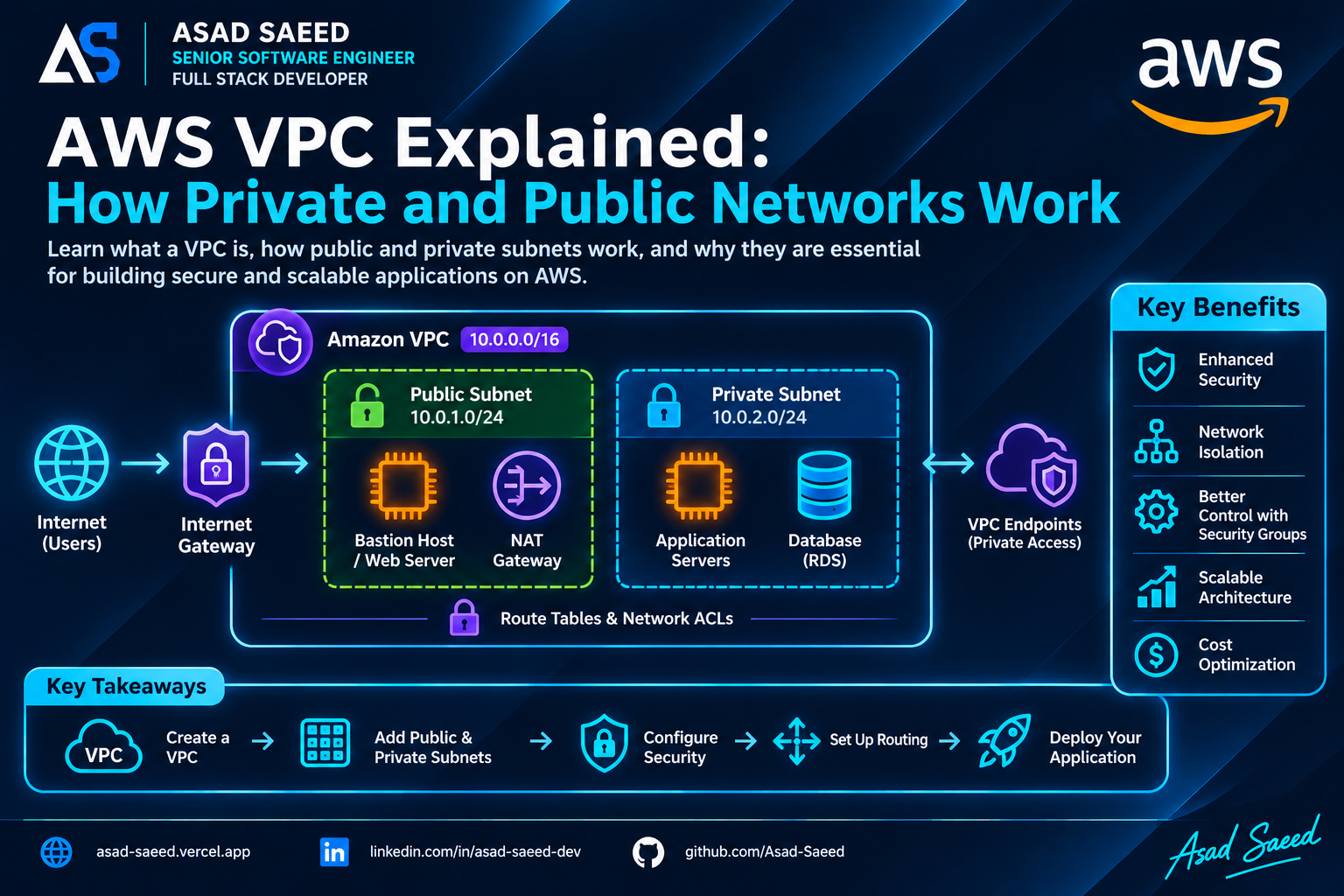
Learn how AWS VPC works, including CIDR ranges, public and private subnets, Internet Gateways, NAT Gateways, route tables, security groups, and production networking architecture.

Introduction

When deploying an application on AWS, launching an EC2 instance is only one part of the process.

You also need to decide where that instance should live, how it should communicate with other services, whether it should be accessible from the internet, and how to protect it from unauthorized traffic.

For example, imagine you're deploying a MERN Stack application with:

  • A React frontend.

  • A Node.js and Express backend.

  • A MongoDB or PostgreSQL database.

  • An EC2 instance running your backend.

  • An RDS database storing application records.

Would you expose your database directly to the internet?

Should your backend accept requests from every IP address?

How can your private application servers download updates without becoming publicly accessible?

These are networking problems, and AWS Virtual Private Cloud (VPC) provides the foundation for solving them.

Amazon VPC allows you to create an isolated virtual network inside AWS, where you control IP address ranges, subnets, routing, and network access.

In this guide, we'll understand how VPC works internally, how public and private subnets differ, and how AWS networking components communicate with each other in a real production architecture.

1. What Is an AWS VPC?

A Virtual Private Cloud (VPC) is a logically isolated virtual network dedicated to your AWS account.

Think of it as your own private network inside AWS.

When you create a VPC, you define an IP address range using CIDR notation.

For example:

VPC CIDR: 10.0.0.0/16

This means your VPC has an IPv4 address range containing 65,536 addresses.

Inside this network, you can create smaller network segments called subnets.

For example:

VPC: 10.0.0.0/16
       |
       |-- Public Subnet: 10.0.1.0/24
       |
       |-- Private Subnet: 10.0.2.0/24
       |
       |-- Database Subnet: 10.0.3.0/24

Each subnet receives a smaller portion of the VPC's IP address range.

You can deploy AWS resources such as EC2 instances, load balancers, and database services into appropriate subnets.

One important detail:

A VPC is associated with a Region, while each subnet belongs to a specific Availability Zone within that Region.

This allows you to distribute resources across multiple Availability Zones for better availability.

2. Understanding CIDR and IP Address Ranges

Before understanding subnets, let's understand CIDR.

CIDR stands for Classless Inter-Domain Routing.

It describes an IP address range using a network address and prefix length.

For example:

10.0.0.0/16

The /16 indicates that the first 16 bits represent the network portion of the address.

The remaining bits represent available addresses within that network.

Let's compare two ranges:

CIDRTotal IPv4 addresses10.0.0.0/1665,53610.0.1.0/2425610.0.2.0/2425610.0.3.0/24256

AWS reserves five IPv4 addresses in every subnet, so the number of usable addresses is lower than the total.

Why does this matter?

Because when designing a VPC, you need to allocate enough IP addresses for future resources.

For example, if you expect your application to scale across multiple EC2 instances, load balancers, and database services, choosing a suitable CIDR range from the beginning can prevent networking limitations later.

Also, avoid overlapping CIDR ranges when planning connectivity between VPCs or with an existing corporate network.

3. What Are Public and Private Subnets?

A subnet is a range of IP addresses inside a VPC.

AWS allows you to create multiple subnets to separate application components.

The two common subnet categories are:

  • Public subnet.

  • Private subnet.

However, there is an important technical distinction:

AWS does not have a separate public-subnet or private-subnet resource type. A subnet is considered public or private based primarily on its route table configuration.

Let's understand both.

Public Subnet

A public subnet has a route that directs internet-bound IPv4 traffic to an Internet Gateway.

For example:

Public Subnet: 10.0.1.0/24

Route Table:

Destination       Target
--------------------------------
10.0.0.0/16       Local
0.0.0.0/0         Internet Gateway

The route:

0.0.0.0/0 → Internet Gateway

means that traffic destined for addresses outside the VPC's local network can be routed through the Internet Gateway.

But does that mean every EC2 instance in this subnet is automatically accessible from the internet?

No.

An instance also needs an appropriate public IPv4 address or Elastic IP, suitable security group rules, and any other required network configuration.

A public subnet simply provides a route to the Internet Gateway.

Common resources placed in public subnets include:

  • Internet-facing load balancers.

  • NAT Gateways.

  • Bastion hosts, where required.

  • Public-facing web servers in certain architectures.

Private Subnet

A private subnet does not have a direct route to an Internet Gateway for general internet access.

For example:

Private Subnet: 10.0.2.0/24

Route Table:

Destination       Target
--------------------------------
10.0.0.0/16       Local
0.0.0.0/0         NAT Gateway

Here, outbound IPv4 internet traffic is routed through a NAT Gateway.

The instances inside this subnet can initiate outbound connections without being directly reachable through unsolicited inbound internet connections.

Common resources placed in private subnets include:

  • Backend application servers.

  • Internal APIs.

  • Worker instances.

  • Application services.

  • Internal databases.

For example, your Node.js backend might run inside a private subnet while an internet-facing Application Load Balancer receives public traffic.

This reduces the public exposure of your application servers.

4. How Does an Internet Gateway Work?

An Internet Gateway (IGW) is a VPC component that enables communication between resources in your VPC and the public internet, subject to routing and security configuration.

Think of it as the internet entry and exit point for a VPC.

Without an Internet Gateway, resources in your VPC cannot use that gateway to communicate directly with the public internet.

Let's understand the traffic flow.

Imagine a user opens your application:

User Browser
     |
     v
Internet
     |
     v
Internet Gateway
     |
     v
Public Subnet
     |
     v
EC2 Instance

For an EC2 instance to communicate directly with the internet over IPv4, several conditions must be satisfied:

  1. The VPC has an attached Internet Gateway.

  2. The subnet's route table sends internet-bound traffic to that gateway.

  3. The instance has a public IPv4 address or Elastic IP.

  4. Security groups and network ACLs permit the traffic.

  5. The operating system and application accept the connection.

An Internet Gateway does not automatically make every resource publicly accessible.

This distinction is important when troubleshooting connectivity issues.

5. What Is a NAT Gateway and Why Do We Need It?

Now imagine your backend application runs inside a private subnet.

It needs to download a package, call an external payment API, or communicate with a third-party service.

But your application does not have a public IP address.

How can it access the internet?

This is where a NAT Gateway becomes useful.

NAT stands for Network Address Translation.

A NAT Gateway allows resources in a private subnet to initiate outbound connections to external networks without allowing unsolicited internet connections to those private resources.

How does NAT Gateway work?

Consider this architecture:

Private EC2 Instance
     |
     | Outbound Request
     v
Private Subnet
     |
     v
Route Table
     |
     v
NAT Gateway
     |
     v
Internet Gateway
     |
     v
External API

Let's follow an example.

Your Node.js backend wants to call:

https://api.payment-provider.com

The process works as follows:

  1. The private EC2 instance sends an outbound request.

  2. Its subnet route table forwards internet-bound traffic to the NAT Gateway.

  3. The NAT Gateway translates the private source address to its public Elastic IP.

  4. The traffic reaches the Internet Gateway.

  5. The request travels to the external API.

  6. The response returns through the NAT Gateway to the private instance.

The private EC2 instance does not need its own public IP address.

Where should a NAT Gateway be deployed?

A NAT Gateway is deployed in a public subnet.

It needs an Elastic IP address to provide internet connectivity for private IPv4 resources.

A typical architecture looks like:

                  INTERNET
                      |
                      v
               Internet Gateway
                      |
                      v
                Public Subnet
                      |
                 NAT Gateway
                      |
                      v
                Private Subnet
                      |
                 EC2 Backend

NAT Gateway vs. Internet Gateway

FeatureInternet GatewayNAT GatewayPurposeInternet connectivity for a VPCOutbound internet access for private resourcesDeploymentAttached to VPCDeployed in a subnetPublic IP required on private EC2Yes, for direct IPv4 internet accessNoAllows unsolicited inbound connections to private instancesNot by itselfNoTypical usePublic-facing resourcesPrivate application servers

One production consideration: NAT Gateways are billed for their availability and data processing. If you deploy workloads across multiple Availability Zones, consider the availability, cross-AZ traffic, and cost implications of your NAT Gateway design.

6. What Are Route Tables?

A route table determines where network traffic from a subnet should go.

It contains a set of routing rules called routes.

Every subnet must be associated with a route table. If you don't explicitly associate a custom route table, AWS uses the VPC's main route table.

Let's compare public and private route tables.

Public subnet route table

Destination       Target
--------------------------------
10.0.0.0/16       Local
0.0.0.0/0         igw-123456

The local route allows communication between resources within the VPC's address range.

The default route sends other IPv4 traffic through the Internet Gateway.

Private subnet route table

Destination       Target
--------------------------------
10.0.0.0/16       Local
0.0.0.0/0         nat-123456

The private subnet sends internet-bound IPv4 traffic through the NAT Gateway.

The key difference is the target of the default route.

  • Public subnet → Internet Gateway.

  • Private subnet → NAT Gateway.

A route table does not replace security controls. A valid route only determines where traffic should go; security groups and network ACLs still determine whether traffic is permitted.

7. Security Groups vs. Network ACLs

VPC networking is not only about routing traffic.

You also need to control which connections are allowed.

AWS provides two important network security mechanisms:

  • Security Groups.

  • Network Access Control Lists (NACLs).

Although they both control traffic, they work differently.

Security Groups

A security group acts as a virtual firewall associated with network interfaces and supported resources.

It controls inbound and outbound traffic.

For example, imagine your backend EC2 instance receives traffic from an Application Load Balancer.

You can configure its security group like this:

Inbound Rules:

Type          Port      Source
-------------------------------------
Custom TCP    5000      ALB Security Group

Outbound Rules:

Type          Port      Destination
-------------------------------------
All Traffic   All       As Required

Instead of allowing requests from every IP address, you can allow traffic only from the load balancer's security group.

Security groups are stateful.

This means response traffic for an allowed connection is automatically permitted, regardless of the outbound rule configuration.

Network ACLs

Network ACLs operate at the subnet level.

They can allow or deny inbound and outbound traffic.

For example:

Inbound Rules:

Rule   Type          Port      Action
----------------------------------------
100    HTTP          80        ALLOW
110    HTTPS         443       ALLOW
*      All Traffic   All       DENY

Network ACLs are stateless.

This means you must consider both inbound and outbound rules, including the return traffic and appropriate ephemeral ports.

Security Groups vs. NACLs

FeatureSecurity GroupNetwork ACLApplied toNetwork interfaces/resourcesSubnetsStatefulYesNoAllow rulesYesYesDeny rulesNo explicit deny rulesYesRule evaluationAll applicable rulesRules evaluated by numberCommon useResource-level access controlSubnet-level traffic filtering

In most application architectures, security groups provide the primary resource-level access control, while NACLs can provide additional subnet-level controls.

8. How to Design a Production VPC for a MERN Application

Let's put everything together.

Imagine you're deploying a MERN application with:

  • A React frontend.

  • A Node.js and Express backend.

  • An Application Load Balancer.

  • An Amazon RDS database.

  • Private application servers.

A possible architecture:

                       INTERNET
                           |
                           v
                  Internet Gateway
                           |
              +------------+------------+
              |                         |
              v                         v
       Public Subnet AZ-A        Public Subnet AZ-B
              |                         |
              +------------+------------+
                           |
                           v
               Application Load Balancer
                           |
              +------------+------------+
              |                         |
              v                         v
      Private Subnet AZ-A       Private Subnet AZ-B
              |                         |
              v                         v
        EC2 / Node.js             EC2 / Node.js
              |                         |
              +------------+------------+
                           |
                           v
                  Database Subnets
                           |
                           v
                      Amazon RDS

Let's understand each layer.

Public subnets

The public subnets contain the Application Load Balancer.

The load balancer receives internet traffic and forwards requests to healthy backend instances.

Private application subnets

The Node.js backend runs inside private subnets.

These instances do not need public IP addresses.

The load balancer communicates with them using private IP addresses.

Private database subnets

The RDS database runs in private database subnets.

It should not be directly accessible from the public internet.

Its security group should allow database connections only from the application servers or their security group.

NAT Gateway

If the private backend instances need outbound internet connectivity, NAT Gateways can provide that access.

For higher availability, you can deploy a NAT Gateway in each Availability Zone and route each private subnet through its local NAT Gateway.

This reduces dependency on a NAT Gateway in another Availability Zone.

Why use multiple Availability Zones?

An Availability Zone is an isolated location within an AWS Region.

Deploying resources across multiple Availability Zones helps reduce the impact of an individual zone failure.

For example, if an application server in one Availability Zone becomes unavailable, the load balancer can route traffic to healthy instances in another zone.

This is one of the foundations of highly available AWS architectures.

9. What Are VPC Endpoints?

So far, we've discussed how private resources access external services through NAT Gateways.

But what if your EC2 instance needs to communicate with AWS services such as S3 without using the public internet?

This is where VPC Endpoints become useful.

A VPC Endpoint provides private connectivity between your VPC and supported AWS services.

For example, imagine your backend needs to upload reports to Amazon S3.

Without an appropriate endpoint, the traffic might use another configured network path, such as a NAT Gateway.

With an S3 Gateway Endpoint, supported S3 traffic can remain on the AWS network rather than requiring NAT Gateway internet egress.

There are two common endpoint categories:

Gateway Endpoints

Gateway Endpoints are available for supported services such as:

  • Amazon S3.

  • Amazon DynamoDB.

They work through route table entries.

Interface Endpoints

Interface Endpoints use AWS PrivateLink.

They create elastic network interfaces with private IP addresses in your selected subnets.

These endpoints are used to connect privately to many AWS services and supported endpoint services.

For example:

Private EC2 Instance
        |
        v
VPC Interface Endpoint
        |
        v
AWS Service

VPC Endpoints can help improve network isolation and reduce reliance on NAT Gateways for supported AWS service traffic.

However, endpoint policies, security groups, DNS configuration, and service permissions still matter.

10. How Do VPCs Communicate With Each Other?

Sometimes an application is distributed across multiple VPCs.

For example:

VPC A: Application
       |
       v
VPC B: Shared Services
       |
       v
VPC C: Analytics

By default, separate VPCs do not automatically communicate with each other.

AWS provides several networking options.

VPC Peering

VPC Peering creates a private network connection between two VPCs.

It is useful for connecting a small number of VPCs.

However, VPC peering is not transitive.

For example, if VPC A is connected to VPC B, and VPC B is connected to VPC C, VPC A cannot automatically communicate with VPC C through VPC B.

AWS Transit Gateway

Transit Gateway acts as a central networking hub.

Instead of creating many individual peering connections, multiple VPCs can connect to a shared Transit Gateway.

             VPC A
               |
               |
VPC B ---- Transit Gateway ---- VPC C
               |
               |
             VPC D

This is useful when an organization manages many VPCs across multiple accounts or environments.

AWS Site-to-Site VPN

A Site-to-Site VPN can connect an AWS VPC to an on-premises network through an encrypted VPN connection.

This is useful for organizations that need private communication between cloud infrastructure and their physical data centers.

11. How to Create a VPC in AWS

Now let's understand the practical creation process.

Step 1: Open Amazon VPC

Go to the AWS Management Console.

Navigate to:

AWS Console → VPC → Your VPCs

Select Create VPC.

Step 2: Configure the VPC

Example configuration:

Name: production-vpc

IPv4 CIDR: 10.0.0.0/16

Tenancy: Default

Create the VPC.

Step 3: Create public subnets

For example:

public-subnet-a

CIDR: 10.0.1.0/24

Availability Zone: us-east-1a

Create another public subnet:

public-subnet-b

CIDR: 10.0.2.0/24

Availability Zone: us-east-1b

Step 4: Create private subnets

For application servers:

private-app-subnet-a

CIDR: 10.0.11.0/24
private-app-subnet-b

CIDR: 10.0.12.0/24

For database resources, create dedicated private subnets in multiple Availability Zones as required by the database service.

Step 5: Create and attach an Internet Gateway

Navigate to:

VPC → Internet Gateways

Create an Internet Gateway and attach it to your VPC.

Step 6: Configure route tables

Create or configure the public route table:

10.0.0.0/16 → local

0.0.0.0/0 → Internet Gateway

Associate it with your public subnets.

Then create the private route table.

If private instances need outbound internet access through NAT:

10.0.0.0/16 → local

0.0.0.0/0 → NAT Gateway

Associate it with the relevant private subnets.

Step 7: Configure security groups

Create separate security groups for:

  • Application Load Balancer.

  • Backend EC2 instances.

  • Database resources.

Allow only the required communication between these components.

Step 8: Deploy your application

Now you can deploy your backend instances, load balancer, and database resources into their appropriate subnets.

Your VPC networking foundation is ready.

12. Common VPC Networking Problems

Even when your application code is correct, networking misconfiguration can prevent services from communicating.

Here are some common problems.

Problem 1: EC2 instance cannot access the internet

Possible causes:

  • No Internet Gateway attached.

  • Incorrect route table association.

  • Missing default route.

  • No public IPv4 address for direct IPv4 internet access.

  • Security group or NACL restrictions.

Problem 2: Private EC2 instance cannot download packages

Possible causes:

  • NAT Gateway is missing.

  • NAT Gateway is not in a public subnet.

  • Public subnet route table does not point to the Internet Gateway.

  • Private route table does not point to the NAT Gateway.

  • NAT Gateway or network access configuration is incorrect.

Problem 3: Backend cannot connect to RDS

Possible causes:

  • Database security group does not allow traffic from the backend security group.

  • Incorrect database port.

  • Incorrect database endpoint.

  • Network routing or DNS configuration issues.

Problem 4: Public load balancer cannot reach backend instances

Possible causes:

  • Backend security group does not allow traffic from the load balancer security group.

  • Incorrect target group port.

  • Incorrect health check path.

  • Application is listening only on localhost instead of the appropriate network interface.

  • Target instances are unhealthy.

Problem 5: Two VPCs cannot communicate

Possible causes:

  • Missing VPC peering or Transit Gateway connection.

  • Missing routes on either side.

  • Overlapping CIDR ranges.

  • Security group or NACL restrictions.

When troubleshooting VPC connectivity, always check routing first, then security rules, DNS, and the application itself.

13. AWS VPC Best Practices

For production applications, consider these networking practices:

1. Separate public and private resources

Keep databases and internal application servers in private subnets whenever possible.

2. Use multiple Availability Zones

Distribute critical resources across Availability Zones to improve availability.

3. Follow least-privilege networking

Allow only the required ports, protocols, and sources.

4. Use security group references

Where appropriate, allow backend traffic from the load balancer's security group instead of opening access to broad IP ranges.

5. Avoid public database access

Keep production databases private and allow access only from trusted application components.

6. Plan CIDR ranges carefully

Avoid overlapping IP ranges when designing connectivity between VPCs and corporate networks.

7. Use VPC Endpoints where appropriate

Private connectivity to supported AWS services can reduce NAT dependency and improve network isolation.

8. Monitor network traffic

Use VPC Flow Logs to capture information about IP traffic to and from network interfaces.

9. Consider NAT Gateway availability and cost

Use an architecture that matches your availability requirements and monitor NAT data processing costs.

10. Document your network architecture

Keep track of subnet ranges, route tables, security groups, gateways, and network dependencies.

Final Thoughts

AWS VPC is one of the most important building blocks of cloud infrastructure.

It provides the networking foundation that allows your application servers, databases, load balancers, and other AWS services to communicate securely.

Understanding the difference between public and private subnets helps you decide which resources should be accessible from the internet and which should remain isolated.

Internet Gateways provide internet connectivity to appropriately configured public resources. NAT Gateways allow private IPv4 resources to initiate outbound internet connections. Route tables control traffic destinations, while security groups and network ACLs control network access.

For full-stack developers working with React, Next.js, Node.js, and MongoDB, understanding VPC networking is valuable when moving applications from local development into production cloud environments.

A secure cloud architecture is not just about deploying servers. It's about controlling how every component communicates with the rest of your infrastructure.

About the Author

Asad Saeed | Senior Software Engineer | Full Stack Developer

I share practical insights on backend engineering, MERN Stack development, distributed systems, database architecture, cloud computing, and building reliable production applications.

Asad Saeed

Asad Saeed

Senior Software Engineer | Full Stack Developer

More posts →

Related Posts

Don't Stop Here

Docker for Full-Stack Developers: Complete Guide (2026)

Docker for Full-Stack Developers: Complete Guide (2026)

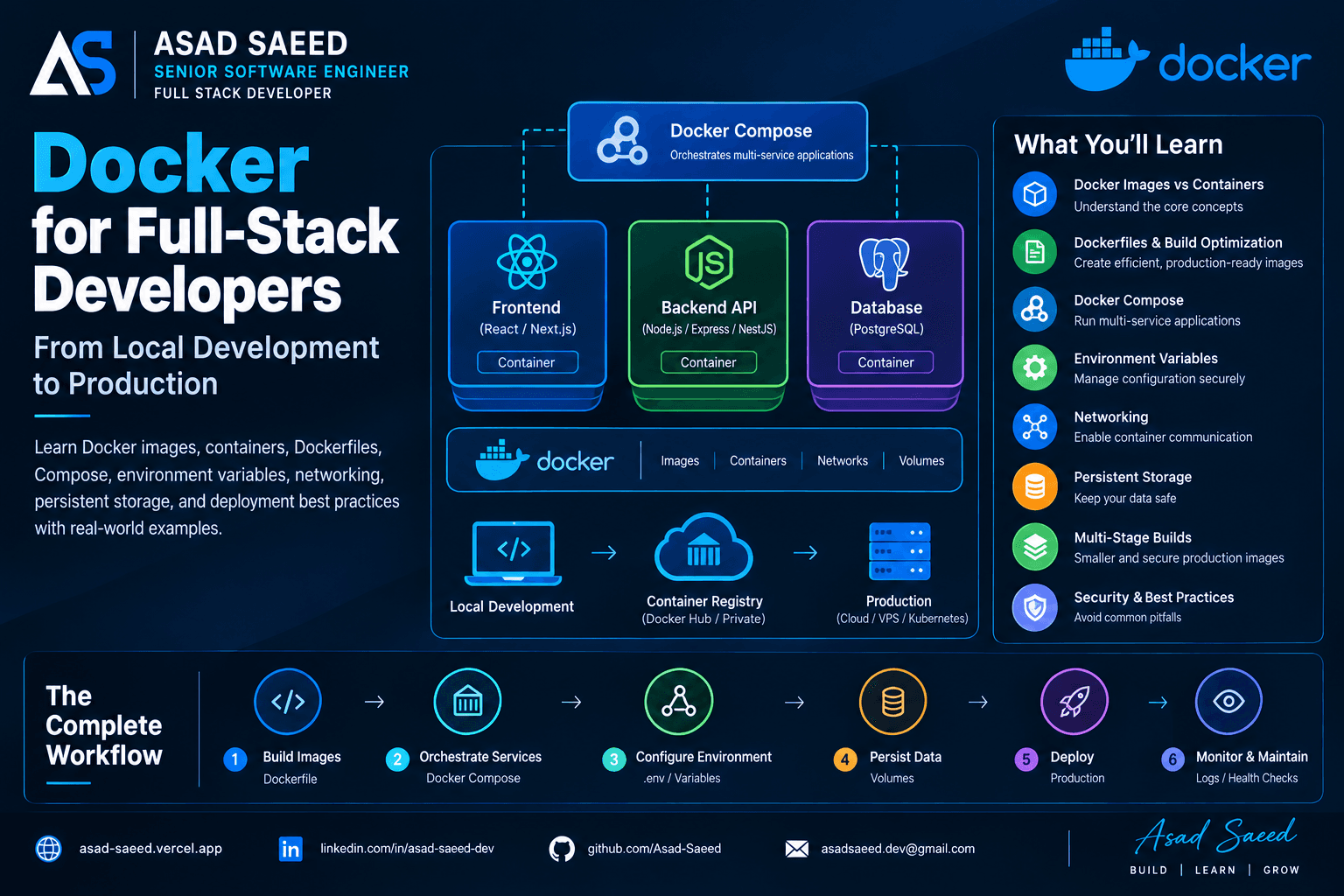
Learn Docker for full-stack development with practical examples covering Dockerfiles, images, containers, Docker Compose, networking, environment variables, volumes, and production deployment.

DOCKERDEVOPSSOFTWARE ENGINEERING
© 2026 · Asad Saeed
All Posts
AWS VPC Explained: Public vs Private Subnets, NAT Gateway and Internet Gateway

AWS VPC Explained: Public vs Private Subnets, NAT Gateway and Internet Gateway

AWSAMAZON VPCCLOUD COMPUTINGNETWORKINGDEVOPSASAD SAEED
November 3, 202617 min readBy Asad Saeed

Learn how AWS VPC works, including CIDR ranges, public and private subnets, Internet Gateways, NAT Gateways, route tables, security groups, and production networking architecture.

Introduction

When deploying an application on AWS, launching an EC2 instance is only one part of the process.

You also need to decide where that instance should live, how it should communicate with other services, whether it should be accessible from the internet, and how to protect it from unauthorized traffic.

For example, imagine you're deploying a MERN Stack application with:

  • A React frontend.

  • A Node.js and Express backend.

  • A MongoDB or PostgreSQL database.

  • An EC2 instance running your backend.

  • An RDS database storing application records.

Would you expose your database directly to the internet?

Should your backend accept requests from every IP address?

How can your private application servers download updates without becoming publicly accessible?

These are networking problems, and AWS Virtual Private Cloud (VPC) provides the foundation for solving them.

Amazon VPC allows you to create an isolated virtual network inside AWS, where you control IP address ranges, subnets, routing, and network access.

In this guide, we'll understand how VPC works internally, how public and private subnets differ, and how AWS networking components communicate with each other in a real production architecture.

1. What Is an AWS VPC?

A Virtual Private Cloud (VPC) is a logically isolated virtual network dedicated to your AWS account.

Think of it as your own private network inside AWS.

When you create a VPC, you define an IP address range using CIDR notation.

For example:

VPC CIDR: 10.0.0.0/16

This means your VPC has an IPv4 address range containing 65,536 addresses.

Inside this network, you can create smaller network segments called subnets.

For example:

VPC: 10.0.0.0/16
       |
       |-- Public Subnet: 10.0.1.0/24
       |
       |-- Private Subnet: 10.0.2.0/24
       |
       |-- Database Subnet: 10.0.3.0/24

Each subnet receives a smaller portion of the VPC's IP address range.

You can deploy AWS resources such as EC2 instances, load balancers, and database services into appropriate subnets.

One important detail:

A VPC is associated with a Region, while each subnet belongs to a specific Availability Zone within that Region.

This allows you to distribute resources across multiple Availability Zones for better availability.

2. Understanding CIDR and IP Address Ranges

Before understanding subnets, let's understand CIDR.

CIDR stands for Classless Inter-Domain Routing.

It describes an IP address range using a network address and prefix length.

For example:

10.0.0.0/16

The /16 indicates that the first 16 bits represent the network portion of the address.

The remaining bits represent available addresses within that network.

Let's compare two ranges:

CIDRTotal IPv4 addresses10.0.0.0/1665,53610.0.1.0/2425610.0.2.0/2425610.0.3.0/24256

AWS reserves five IPv4 addresses in every subnet, so the number of usable addresses is lower than the total.

Why does this matter?

Because when designing a VPC, you need to allocate enough IP addresses for future resources.

For example, if you expect your application to scale across multiple EC2 instances, load balancers, and database services, choosing a suitable CIDR range from the beginning can prevent networking limitations later.

Also, avoid overlapping CIDR ranges when planning connectivity between VPCs or with an existing corporate network.

3. What Are Public and Private Subnets?

A subnet is a range of IP addresses inside a VPC.

AWS allows you to create multiple subnets to separate application components.

The two common subnet categories are:

  • Public subnet.

  • Private subnet.

However, there is an important technical distinction:

AWS does not have a separate public-subnet or private-subnet resource type. A subnet is considered public or private based primarily on its route table configuration.

Let's understand both.

Public Subnet

A public subnet has a route that directs internet-bound IPv4 traffic to an Internet Gateway.

For example:

Public Subnet: 10.0.1.0/24

Route Table:

Destination       Target
--------------------------------
10.0.0.0/16       Local
0.0.0.0/0         Internet Gateway

The route:

0.0.0.0/0 → Internet Gateway

means that traffic destined for addresses outside the VPC's local network can be routed through the Internet Gateway.

But does that mean every EC2 instance in this subnet is automatically accessible from the internet?

No.

An instance also needs an appropriate public IPv4 address or Elastic IP, suitable security group rules, and any other required network configuration.

A public subnet simply provides a route to the Internet Gateway.

Common resources placed in public subnets include:

  • Internet-facing load balancers.

  • NAT Gateways.

  • Bastion hosts, where required.

  • Public-facing web servers in certain architectures.

Private Subnet

A private subnet does not have a direct route to an Internet Gateway for general internet access.

For example:

Private Subnet: 10.0.2.0/24

Route Table:

Destination       Target
--------------------------------
10.0.0.0/16       Local
0.0.0.0/0         NAT Gateway

Here, outbound IPv4 internet traffic is routed through a NAT Gateway.

The instances inside this subnet can initiate outbound connections without being directly reachable through unsolicited inbound internet connections.

Common resources placed in private subnets include:

  • Backend application servers.

  • Internal APIs.

  • Worker instances.

  • Application services.

  • Internal databases.

For example, your Node.js backend might run inside a private subnet while an internet-facing Application Load Balancer receives public traffic.

This reduces the public exposure of your application servers.

4. How Does an Internet Gateway Work?

An Internet Gateway (IGW) is a VPC component that enables communication between resources in your VPC and the public internet, subject to routing and security configuration.

Think of it as the internet entry and exit point for a VPC.

Without an Internet Gateway, resources in your VPC cannot use that gateway to communicate directly with the public internet.

Let's understand the traffic flow.

Imagine a user opens your application:

User Browser
     |
     v
Internet
     |
     v
Internet Gateway
     |
     v
Public Subnet
     |
     v
EC2 Instance

For an EC2 instance to communicate directly with the internet over IPv4, several conditions must be satisfied:

  1. The VPC has an attached Internet Gateway.

  2. The subnet's route table sends internet-bound traffic to that gateway.

  3. The instance has a public IPv4 address or Elastic IP.

  4. Security groups and network ACLs permit the traffic.

  5. The operating system and application accept the connection.

An Internet Gateway does not automatically make every resource publicly accessible.

This distinction is important when troubleshooting connectivity issues.

5. What Is a NAT Gateway and Why Do We Need It?

Now imagine your backend application runs inside a private subnet.

It needs to download a package, call an external payment API, or communicate with a third-party service.

But your application does not have a public IP address.

How can it access the internet?

This is where a NAT Gateway becomes useful.

NAT stands for Network Address Translation.

A NAT Gateway allows resources in a private subnet to initiate outbound connections to external networks without allowing unsolicited internet connections to those private resources.

How does NAT Gateway work?

Consider this architecture:

Private EC2 Instance
     |
     | Outbound Request
     v
Private Subnet
     |
     v
Route Table
     |
     v
NAT Gateway
     |
     v
Internet Gateway
     |
     v
External API

Let's follow an example.

Your Node.js backend wants to call:

https://api.payment-provider.com

The process works as follows:

  1. The private EC2 instance sends an outbound request.

  2. Its subnet route table forwards internet-bound traffic to the NAT Gateway.

  3. The NAT Gateway translates the private source address to its public Elastic IP.

  4. The traffic reaches the Internet Gateway.

  5. The request travels to the external API.

  6. The response returns through the NAT Gateway to the private instance.

The private EC2 instance does not need its own public IP address.

Where should a NAT Gateway be deployed?

A NAT Gateway is deployed in a public subnet.

It needs an Elastic IP address to provide internet connectivity for private IPv4 resources.

A typical architecture looks like:

                  INTERNET
                      |
                      v
               Internet Gateway
                      |
                      v
                Public Subnet
                      |
                 NAT Gateway
                      |
                      v
                Private Subnet
                      |
                 EC2 Backend

NAT Gateway vs. Internet Gateway

FeatureInternet GatewayNAT GatewayPurposeInternet connectivity for a VPCOutbound internet access for private resourcesDeploymentAttached to VPCDeployed in a subnetPublic IP required on private EC2Yes, for direct IPv4 internet accessNoAllows unsolicited inbound connections to private instancesNot by itselfNoTypical usePublic-facing resourcesPrivate application servers

One production consideration: NAT Gateways are billed for their availability and data processing. If you deploy workloads across multiple Availability Zones, consider the availability, cross-AZ traffic, and cost implications of your NAT Gateway design.

6. What Are Route Tables?

A route table determines where network traffic from a subnet should go.

It contains a set of routing rules called routes.

Every subnet must be associated with a route table. If you don't explicitly associate a custom route table, AWS uses the VPC's main route table.

Let's compare public and private route tables.

Public subnet route table

Destination       Target
--------------------------------
10.0.0.0/16       Local
0.0.0.0/0         igw-123456

The local route allows communication between resources within the VPC's address range.

The default route sends other IPv4 traffic through the Internet Gateway.

Private subnet route table

Destination       Target
--------------------------------
10.0.0.0/16       Local
0.0.0.0/0         nat-123456

The private subnet sends internet-bound IPv4 traffic through the NAT Gateway.

The key difference is the target of the default route.

  • Public subnet → Internet Gateway.

  • Private subnet → NAT Gateway.

A route table does not replace security controls. A valid route only determines where traffic should go; security groups and network ACLs still determine whether traffic is permitted.

7. Security Groups vs. Network ACLs

VPC networking is not only about routing traffic.

You also need to control which connections are allowed.

AWS provides two important network security mechanisms:

  • Security Groups.

  • Network Access Control Lists (NACLs).

Although they both control traffic, they work differently.

Security Groups

A security group acts as a virtual firewall associated with network interfaces and supported resources.

It controls inbound and outbound traffic.

For example, imagine your backend EC2 instance receives traffic from an Application Load Balancer.

You can configure its security group like this:

Inbound Rules:

Type          Port      Source
-------------------------------------
Custom TCP    5000      ALB Security Group

Outbound Rules:

Type          Port      Destination
-------------------------------------
All Traffic   All       As Required

Instead of allowing requests from every IP address, you can allow traffic only from the load balancer's security group.

Security groups are stateful.

This means response traffic for an allowed connection is automatically permitted, regardless of the outbound rule configuration.

Network ACLs

Network ACLs operate at the subnet level.

They can allow or deny inbound and outbound traffic.

For example:

Inbound Rules:

Rule   Type          Port      Action
----------------------------------------
100    HTTP          80        ALLOW
110    HTTPS         443       ALLOW
*      All Traffic   All       DENY

Network ACLs are stateless.

This means you must consider both inbound and outbound rules, including the return traffic and appropriate ephemeral ports.

Security Groups vs. NACLs

FeatureSecurity GroupNetwork ACLApplied toNetwork interfaces/resourcesSubnetsStatefulYesNoAllow rulesYesYesDeny rulesNo explicit deny rulesYesRule evaluationAll applicable rulesRules evaluated by numberCommon useResource-level access controlSubnet-level traffic filtering

In most application architectures, security groups provide the primary resource-level access control, while NACLs can provide additional subnet-level controls.

8. How to Design a Production VPC for a MERN Application

Let's put everything together.

Imagine you're deploying a MERN application with:

  • A React frontend.

  • A Node.js and Express backend.

  • An Application Load Balancer.

  • An Amazon RDS database.

  • Private application servers.

A possible architecture:

                       INTERNET
                           |
                           v
                  Internet Gateway
                           |
              +------------+------------+
              |                         |
              v                         v
       Public Subnet AZ-A        Public Subnet AZ-B
              |                         |
              +------------+------------+
                           |
                           v
               Application Load Balancer
                           |
              +------------+------------+
              |                         |
              v                         v
      Private Subnet AZ-A       Private Subnet AZ-B
              |                         |
              v                         v
        EC2 / Node.js             EC2 / Node.js
              |                         |
              +------------+------------+
                           |
                           v
                  Database Subnets
                           |
                           v
                      Amazon RDS

Let's understand each layer.

Public subnets

The public subnets contain the Application Load Balancer.

The load balancer receives internet traffic and forwards requests to healthy backend instances.

Private application subnets

The Node.js backend runs inside private subnets.

These instances do not need public IP addresses.

The load balancer communicates with them using private IP addresses.

Private database subnets

The RDS database runs in private database subnets.

It should not be directly accessible from the public internet.

Its security group should allow database connections only from the application servers or their security group.

NAT Gateway

If the private backend instances need outbound internet connectivity, NAT Gateways can provide that access.

For higher availability, you can deploy a NAT Gateway in each Availability Zone and route each private subnet through its local NAT Gateway.

This reduces dependency on a NAT Gateway in another Availability Zone.

Why use multiple Availability Zones?

An Availability Zone is an isolated location within an AWS Region.

Deploying resources across multiple Availability Zones helps reduce the impact of an individual zone failure.

For example, if an application server in one Availability Zone becomes unavailable, the load balancer can route traffic to healthy instances in another zone.

This is one of the foundations of highly available AWS architectures.

9. What Are VPC Endpoints?

So far, we've discussed how private resources access external services through NAT Gateways.

But what if your EC2 instance needs to communicate with AWS services such as S3 without using the public internet?

This is where VPC Endpoints become useful.

A VPC Endpoint provides private connectivity between your VPC and supported AWS services.

For example, imagine your backend needs to upload reports to Amazon S3.

Without an appropriate endpoint, the traffic might use another configured network path, such as a NAT Gateway.

With an S3 Gateway Endpoint, supported S3 traffic can remain on the AWS network rather than requiring NAT Gateway internet egress.

There are two common endpoint categories:

Gateway Endpoints

Gateway Endpoints are available for supported services such as:

  • Amazon S3.

  • Amazon DynamoDB.

They work through route table entries.

Interface Endpoints

Interface Endpoints use AWS PrivateLink.

They create elastic network interfaces with private IP addresses in your selected subnets.

These endpoints are used to connect privately to many AWS services and supported endpoint services.

For example:

Private EC2 Instance
        |
        v
VPC Interface Endpoint
        |
        v
AWS Service

VPC Endpoints can help improve network isolation and reduce reliance on NAT Gateways for supported AWS service traffic.

However, endpoint policies, security groups, DNS configuration, and service permissions still matter.

10. How Do VPCs Communicate With Each Other?

Sometimes an application is distributed across multiple VPCs.

For example:

VPC A: Application
       |
       v
VPC B: Shared Services
       |
       v
VPC C: Analytics

By default, separate VPCs do not automatically communicate with each other.

AWS provides several networking options.

VPC Peering

VPC Peering creates a private network connection between two VPCs.

It is useful for connecting a small number of VPCs.

However, VPC peering is not transitive.

For example, if VPC A is connected to VPC B, and VPC B is connected to VPC C, VPC A cannot automatically communicate with VPC C through VPC B.

AWS Transit Gateway

Transit Gateway acts as a central networking hub.

Instead of creating many individual peering connections, multiple VPCs can connect to a shared Transit Gateway.

             VPC A
               |
               |
VPC B ---- Transit Gateway ---- VPC C
               |
               |
             VPC D

This is useful when an organization manages many VPCs across multiple accounts or environments.

AWS Site-to-Site VPN

A Site-to-Site VPN can connect an AWS VPC to an on-premises network through an encrypted VPN connection.

This is useful for organizations that need private communication between cloud infrastructure and their physical data centers.

11. How to Create a VPC in AWS

Now let's understand the practical creation process.

Step 1: Open Amazon VPC

Go to the AWS Management Console.

Navigate to:

AWS Console → VPC → Your VPCs

Select Create VPC.

Step 2: Configure the VPC

Example configuration:

Name: production-vpc

IPv4 CIDR: 10.0.0.0/16

Tenancy: Default

Create the VPC.

Step 3: Create public subnets

For example:

public-subnet-a

CIDR: 10.0.1.0/24

Availability Zone: us-east-1a

Create another public subnet:

public-subnet-b

CIDR: 10.0.2.0/24

Availability Zone: us-east-1b

Step 4: Create private subnets

For application servers:

private-app-subnet-a

CIDR: 10.0.11.0/24
private-app-subnet-b

CIDR: 10.0.12.0/24

For database resources, create dedicated private subnets in multiple Availability Zones as required by the database service.

Step 5: Create and attach an Internet Gateway

Navigate to:

VPC → Internet Gateways

Create an Internet Gateway and attach it to your VPC.

Step 6: Configure route tables

Create or configure the public route table:

10.0.0.0/16 → local

0.0.0.0/0 → Internet Gateway

Associate it with your public subnets.

Then create the private route table.

If private instances need outbound internet access through NAT:

10.0.0.0/16 → local

0.0.0.0/0 → NAT Gateway

Associate it with the relevant private subnets.

Step 7: Configure security groups

Create separate security groups for:

  • Application Load Balancer.

  • Backend EC2 instances.

  • Database resources.

Allow only the required communication between these components.

Step 8: Deploy your application

Now you can deploy your backend instances, load balancer, and database resources into their appropriate subnets.

Your VPC networking foundation is ready.

12. Common VPC Networking Problems

Even when your application code is correct, networking misconfiguration can prevent services from communicating.

Here are some common problems.

Problem 1: EC2 instance cannot access the internet

Possible causes:

  • No Internet Gateway attached.

  • Incorrect route table association.

  • Missing default route.

  • No public IPv4 address for direct IPv4 internet access.

  • Security group or NACL restrictions.

Problem 2: Private EC2 instance cannot download packages

Possible causes:

  • NAT Gateway is missing.

  • NAT Gateway is not in a public subnet.

  • Public subnet route table does not point to the Internet Gateway.

  • Private route table does not point to the NAT Gateway.

  • NAT Gateway or network access configuration is incorrect.

Problem 3: Backend cannot connect to RDS

Possible causes:

  • Database security group does not allow traffic from the backend security group.

  • Incorrect database port.

  • Incorrect database endpoint.

  • Network routing or DNS configuration issues.

Problem 4: Public load balancer cannot reach backend instances

Possible causes:

  • Backend security group does not allow traffic from the load balancer security group.

  • Incorrect target group port.

  • Incorrect health check path.

  • Application is listening only on localhost instead of the appropriate network interface.

  • Target instances are unhealthy.

Problem 5: Two VPCs cannot communicate

Possible causes:

  • Missing VPC peering or Transit Gateway connection.

  • Missing routes on either side.

  • Overlapping CIDR ranges.

  • Security group or NACL restrictions.

When troubleshooting VPC connectivity, always check routing first, then security rules, DNS, and the application itself.

13. AWS VPC Best Practices

For production applications, consider these networking practices:

1. Separate public and private resources

Keep databases and internal application servers in private subnets whenever possible.

2. Use multiple Availability Zones

Distribute critical resources across Availability Zones to improve availability.

3. Follow least-privilege networking

Allow only the required ports, protocols, and sources.

4. Use security group references

Where appropriate, allow backend traffic from the load balancer's security group instead of opening access to broad IP ranges.

5. Avoid public database access

Keep production databases private and allow access only from trusted application components.

6. Plan CIDR ranges carefully

Avoid overlapping IP ranges when designing connectivity between VPCs and corporate networks.

7. Use VPC Endpoints where appropriate

Private connectivity to supported AWS services can reduce NAT dependency and improve network isolation.

8. Monitor network traffic

Use VPC Flow Logs to capture information about IP traffic to and from network interfaces.

9. Consider NAT Gateway availability and cost

Use an architecture that matches your availability requirements and monitor NAT data processing costs.

10. Document your network architecture

Keep track of subnet ranges, route tables, security groups, gateways, and network dependencies.

Final Thoughts

AWS VPC is one of the most important building blocks of cloud infrastructure.

It provides the networking foundation that allows your application servers, databases, load balancers, and other AWS services to communicate securely.

Understanding the difference between public and private subnets helps you decide which resources should be accessible from the internet and which should remain isolated.

Internet Gateways provide internet connectivity to appropriately configured public resources. NAT Gateways allow private IPv4 resources to initiate outbound internet connections. Route tables control traffic destinations, while security groups and network ACLs control network access.

For full-stack developers working with React, Next.js, Node.js, and MongoDB, understanding VPC networking is valuable when moving applications from local development into production cloud environments.

A secure cloud architecture is not just about deploying servers. It's about controlling how every component communicates with the rest of your infrastructure.

About the Author

Asad Saeed | Senior Software Engineer | Full Stack Developer

I share practical insights on backend engineering, MERN Stack development, distributed systems, database architecture, cloud computing, and building reliable production applications.
Asad Saeed

Asad Saeed

Senior Software Engineer | Full Stack Developer

More posts →

Related Posts

Don't Stop Here

Docker for Full-Stack Developers: Complete Guide (2026)

Docker for Full-Stack Developers: Complete Guide (2026)

Learn Docker for full-stack development with practical examples covering Dockerfiles, images, containers, Docker Compose, networking, environment variables, volumes, and production deployment.

DOCKERDEVOPSSOFTWARE ENGINEERING
© 2026 · Asad Saeed
Oct 19, 202612 min read
Read
Dependency Injection in NestJS Explained: Providers, IoC Container, Injection Tokens & Custom Providers (2026 Guide)

Dependency Injection in NestJS Explained: Providers, IoC Container, Injection Tokens & Custom Providers (2026 Guide)

Learn how Dependency Injection works in NestJS, including Providers, the IoC Container, Constructor Injection, Injection Tokens, Custom Providers, and best practices for building scalable, testable, and enterprise-ready Node.js applications.

NESTJSDEPENDENCY INJECTIONNODEJS
Oct 19, 20265 min read
Read
NestJS Architecture Explained: Controllers, Providers, Modules, Middleware, Guards & Interceptors (2026 Guide)

NestJS Architecture Explained: Controllers, Providers, Modules, Middleware, Guards & Interceptors (2026 Guide)

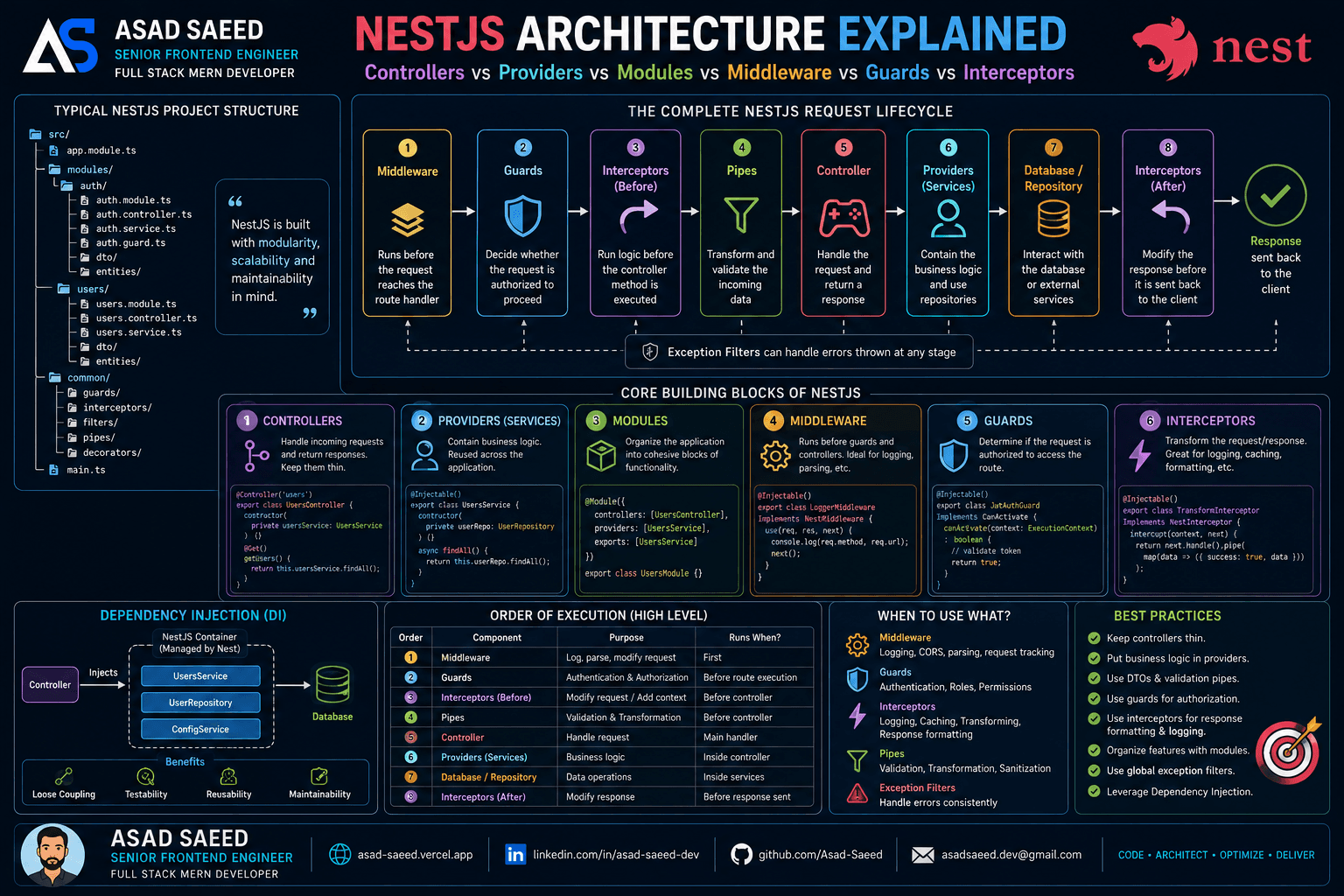
Master the NestJS architecture by understanding Modules, Controllers, Providers, Dependency Injection, Middleware, Guards, Pipes, Interceptors, and Exception Filters. Learn the complete NestJS request lifecycle and build scalable, production-ready backend applications.

NESTJSNODEJSSOFTWARE ARCHITECTURE
Aug 5, 20266 min read
Read
F
Made with ❤️ by Asad Saeed
© 2026 · Asad Saeed
Made with ❤️ by Asad Saeed
F
Oct 19, 202612 min read
Read
Dependency Injection in NestJS Explained: Providers, IoC Container, Injection Tokens & Custom Providers (2026 Guide)

Dependency Injection in NestJS Explained: Providers, IoC Container, Injection Tokens & Custom Providers (2026 Guide)

Learn how Dependency Injection works in NestJS, including Providers, the IoC Container, Constructor Injection, Injection Tokens, Custom Providers, and best practices for building scalable, testable, and enterprise-ready Node.js applications.

NESTJSDEPENDENCY INJECTIONNODEJS
Oct 19, 20265 min read
Read
NestJS Architecture Explained: Controllers, Providers, Modules, Middleware, Guards & Interceptors (2026 Guide)

NestJS Architecture Explained: Controllers, Providers, Modules, Middleware, Guards & Interceptors (2026 Guide)

Master the NestJS architecture by understanding Modules, Controllers, Providers, Dependency Injection, Middleware, Guards, Pipes, Interceptors, and Exception Filters. Learn the complete NestJS request lifecycle and build scalable, production-ready backend applications.

NESTJSNODEJSSOFTWARE ARCHITECTURE
Aug 5, 20266 min read
Read
F
Made with ❤️ by Asad Saeed
© 2026 · Asad Saeed
Made with ❤️ by Asad Saeed
F