Skip to main contentSkip to main content
~/profileLIVE
Asad Saeed
Asad SaeedOpen to WorkSenior Software Engineer | Full Stack Developer
01

Identity

Residence
Lahore, Punjab
Nationality
Pakistani
City
Lahore
Age
26
02

Languages

  • English96%
  • Urdu100%
03

Expertise

React.js95%
Next.js95%
JavaScript / TypeScript95%
HTML5, CSS395%
Tailwind, Bootstrap, Shadcn UI95%
Material UI, SCSS, Styled Components90%
Redux Toolkit, React Query, Zustand92%
REST & GraphQL APIs92%
Git, GitHub, Bitbucket98%
Node.js, Express.js, NestJS85%
MongoDB, PostgreSQL, Prisma80%
WebSockets, Real-Time Systems82%
AI & Automation (n8n, OpenAI)78%
04

Stack

4949 technologies
ReactJSNextJSJavaScriptTypeScriptReact NativeNestJSNode.jsExpress.jsMongoDBPostgreSQLMySQLPrisma ORMFirebaseREST APIGraphQL APIApollo ClientWebSockets / Socket.ioReduxRedux ToolkitReact QueryZustandTailwind CSSShadcn UIMaterial UIBootstrapSCSSCSSModule.cssStyled ComponentsFramer MotionStripe Payment Integrationn8nOpenAI APIAWS LambdaDockerVercelNetlifyGitHub Actions (CI/CD)JestGitGitHubBitbucketPostmanSwaggerJira SoftwareStrapiSanityFigmaAdobe XD
05

Contact

Email
asadsaeed.dev@gmail.com
Phone
+92 3017631644·+92 478730644
Download Resume
HomeSkillsBackgroundPortfolioContact
Chat with Asad
All Posts
AWS IAM Explained: Roles, Policies, Permissions & Least Privilege

AWS IAM Explained: Roles, Policies, Permissions & Least Privilege

AWSAWS IAMCLOUD SECURITYDEVOPSCYBERSECURITYASAD SAEED
November 17, 202619 min readBy Asad Saeed

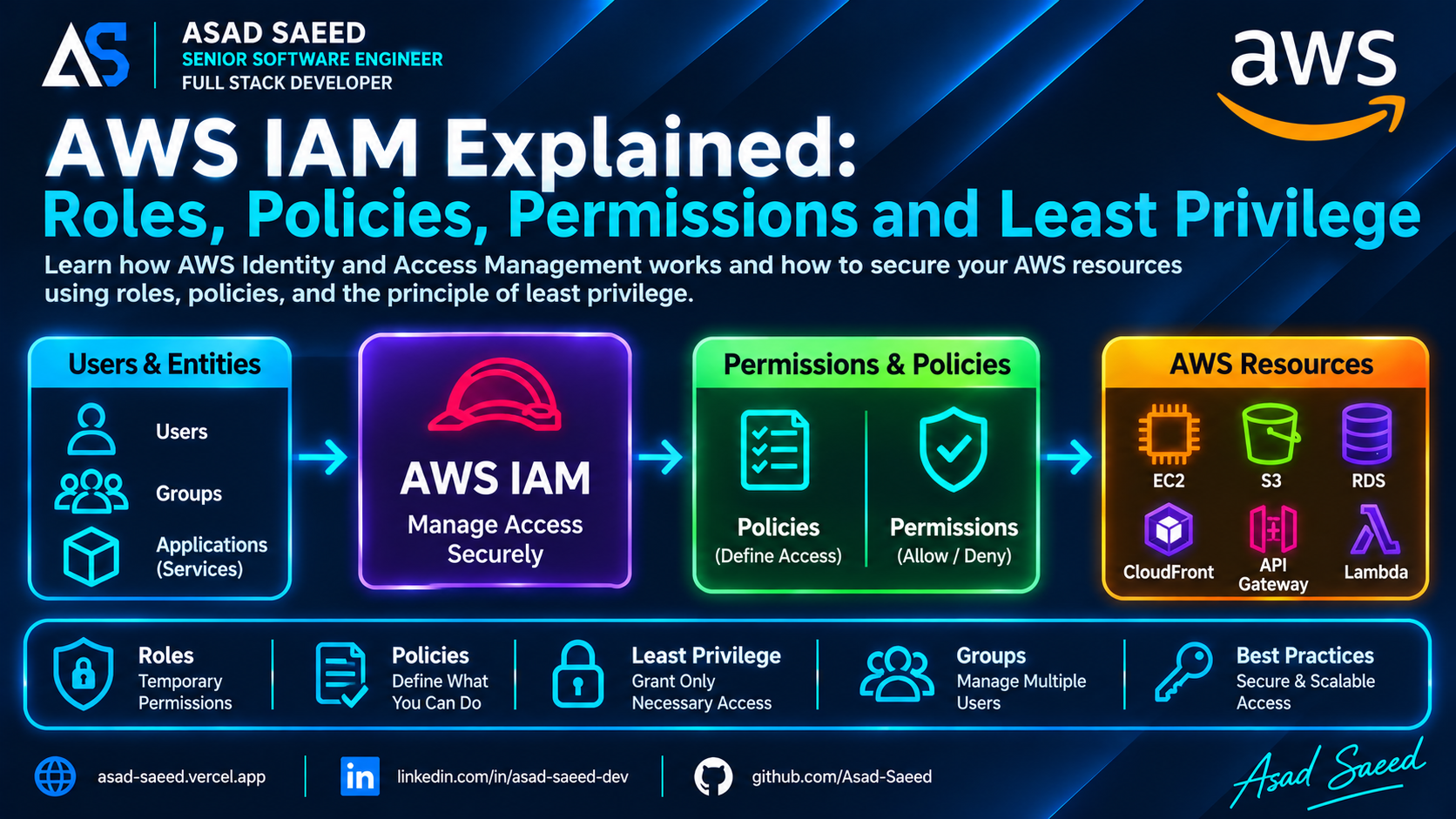
Learn AWS IAM from the ground up. Understand users, groups, roles, policies, trust relationships, temporary credentials, permissions boundaries, and least privilege with practical examples.

Introduction

Imagine you're deploying a MERN application on AWS.

Your architecture includes:

  • React frontend hosted on Amazon S3.

  • CloudFront for content delivery.

  • Node.js APIs running on EC2.

  • MongoDB hosted on a managed database service.

  • S3 buckets for user uploads.

  • Lambda functions for background processing.

  • CloudWatch for application monitoring.

Everything is working correctly.

But there's an important security question:

How does your application access AWS services securely?

For example:

  • How can an EC2 instance upload files to S3?

  • How can a Lambda function read messages from SQS?

  • How can a developer deploy an application without having unrestricted AWS access?

  • How can one application access a specific bucket without accessing every bucket in the account?

You could create access keys and put them directly into your application's environment variables.

But that introduces serious security risks.

If someone obtains those credentials, they may be able to perform every action allowed by the associated permissions.

AWS provides a service called Identity and Access Management (IAM) to control who can access AWS resources and what actions they can perform.

IAM is one of the most important foundations of AWS security.

In this guide, we'll explore IAM users, groups, roles, policies, permissions, trust relationships, and the principle of least privilege, with practical examples for production applications.

1. What Is AWS IAM?

AWS Identity and Access Management (IAM) is a service that controls authentication and authorization for AWS resources.

It helps you define:

  • Who can access AWS.

  • Which AWS resources they can access.

  • Which actions they can perform.

  • Under what conditions access is allowed or denied.

For example, imagine a developer needs to upload files to an S3 bucket.

You don't need to give that developer full AWS administrator access.

Instead, you can create an IAM identity or role with permission to upload objects to a specific bucket.

             AWS Account
                  |
                  v
                IAM
                  |
        +---------+---------+
        |         |         |
        v         v         v
      Users     Roles    Policies
        |         |         |
        +---------+---------+
                  |
                  v
            AWS Resources
                  |
          +-------+-------+
          |       |       |
          v       v       v
          S3     EC2     Lambda

IAM evaluates whether a request is authorized based on the applicable policies, permissions, and other AWS access controls.

Authentication vs Authorization

These two concepts are important.

Authentication answers: Who are you?

For example:

  • A developer signs in to the AWS Console.

  • An application assumes an IAM role.

  • A user authenticates through an identity provider.

Authorization answers: What are you allowed to do?

For example:

  • Can this identity read an S3 object?

  • Can it start an EC2 instance?

  • Can it delete an RDS database?

  • Can it invoke a Lambda function?

Authentication establishes an identity. Authorization determines what that identity can do.

2. Understanding IAM Identities

IAM provides different identity types for managing access.

The main concepts are:

  • IAM Users

  • IAM Groups

  • IAM Roles

Let's understand each one.

2.1 IAM Users

An IAM user represents an identity in an AWS account.

A user can have credentials such as:

  • Console password.

  • Access keys for programmatic access.

For example, you might create IAM users for developers who need access to an AWS account.

AWS Account
    |
    +---- Developer A
    |
    +---- Developer B
    |
    +---- Administrator

Each user can receive permissions through applicable policies.

However, IAM users with long-term credentials require careful management.

For modern workforce access, AWS recommends using federation and temporary credentials where possible instead of creating long-lived IAM user credentials for every employee.

2.2 IAM Groups

An IAM group is a collection of IAM users.

Instead of attaching the same permissions to every user individually, you can attach a policy to a group.

For example:

             IAM Groups
                  |
       +----------+----------+
       |                     |
       v                     v
   Developers             Admins
       |                     |
   Developer A           Admin A
   Developer B           Admin B
   Developer C

You can create groups such as:

  • Developers

  • DevOps

  • Database Administrators

  • ReadOnlyUsers

Then attach appropriate permissions to each group.

Important: IAM groups contain IAM users, not roles. Groups are a way to manage permissions for users; they aren't an authentication mechanism.

2.3 IAM Roles

An IAM role is an identity with permissions that can be assumed by a trusted principal.

Unlike an IAM user, a role isn't associated with permanent long-term credentials.

When a principal assumes a role, AWS provides temporary security credentials for the resulting session.

Roles are commonly used by:

  • EC2 instances.

  • Lambda functions.

  • ECS tasks.

  • EKS workloads.

  • Developers accessing AWS through federation.

  • Applications running outside AWS that use supported identity federation.

For example, suppose an EC2 instance needs to upload images to S3.

Instead of storing access keys inside the application, you can attach an IAM role to the EC2 instance.

           EC2 Instance
                 |
                 v
             IAM Role
                 |
                 v
           Temporary
          Credentials
                 |
                 v
             Amazon S3

The application can obtain temporary credentials through the AWS-provided credential mechanism.

AWS handles the credential delivery and rotation for the instance role.

This is generally safer than hardcoding access keys.

3. IAM Policies: The Rules That Define Permissions

Identities alone don't determine what an application can do.

Permissions are defined through policies.

An IAM policy is a JSON document that describes whether certain actions are allowed or denied on specific AWS resources, optionally under specified conditions.

For example, suppose an application needs permission to upload files to one S3 bucket.

You can create a policy that allows the required S3 operation on that bucket.

Basic IAM Policy Structure

{
  "Version": "2012-10-17",
  "Statement": [
    {
      "Effect": "Allow",
      "Action": "s3:PutObject",
      "Resource": "arn:aws:s3:::my-app-uploads/*"
    }
  ]
}

Let's understand the fields.

Version

Identifies the policy language version.

2012-10-17 is the current policy language version commonly used in IAM policies.

Statement

Contains one or more permission statements.

Effect

Defines whether the statement allows or denies access.

Common values:

  • Allow

  • Deny

Action

Defines which AWS API actions are covered.

For example:

s3:GetObject
s3:PutObject
s3:DeleteObject

Resource

Identifies the AWS resources to which the statement applies.

For example:

arn:aws:s3:::my-app-uploads/*

This resource pattern refers to objects inside the specified bucket.

Condition

Optional conditions that must be satisfied for the statement to apply.

Conditions can restrict access based on context such as IP address, request attributes, or other supported policy keys.

4. Types of IAM Policies

AWS supports several policy types.

Understanding the differences is important because permissions can be controlled from multiple places.

4.1 Identity-Based Policies

Identity-based policies are attached to IAM identities, such as:

  • IAM users.

  • IAM groups.

  • IAM roles.

For example, an EC2 application role might have permission to read objects from a specific S3 bucket.

EC2 Application Role
        |
        v
Identity-Based Policy
        |
        v
s3:GetObject
        |
        v
Specific S3 Bucket

These policies define what the identity is allowed or denied to do.

4.2 Resource-Based Policies

Resource-based policies are attached directly to supported AWS resources.

For example, an S3 bucket policy defines which principals can access the bucket and under what conditions.

Example:

{
  "Version": "2012-10-17",
  "Statement": [
    {
      "Sid": "AllowSpecificRole",
      "Effect": "Allow",
      "Principal": {
        "AWS": "arn:aws:iam::123456789012:role/AppRole"
      },
      "Action": "s3:GetObject",
      "Resource": "arn:aws:s3:::my-app-uploads/*"
    }
  ]
}

This policy allows the specified role to read objects from the bucket, subject to other applicable access controls.

Resource-based policies are supported by services such as S3, SQS, SNS, and Lambda, with service-specific policy behavior.

4.3 AWS Managed Policies

AWS managed policies are predefined policies created and maintained by AWS.

For example:

AmazonS3ReadOnlyAccess
AmazonEC2ReadOnlyAccess
AdministratorAccess

You can attach these policies to identities where appropriate.

However, be careful with broad managed policies.

For example, AmazonS3ReadOnlyAccess can provide read access across a much broader set of S3 resources than one application may need.

Prefer narrowly scoped permissions for production workloads.

4.4 Customer Managed Policies

Customer managed policies are policies that you create and maintain in your AWS account.

They can be reused across multiple identities.

For example, you could create:

ApplicationS3UploadPolicy
ProductionReadOnlyPolicy
LambdaSQSConsumerPolicy

This makes permission management more consistent and easier to audit.

4.5 Inline Policies

Inline policies are embedded directly into a specific IAM user, group, or role.

They are useful for permissions that have a one-to-one relationship with an identity.

However, reusable customer managed policies are often easier to maintain when the same permission set needs to be shared across multiple identities.

5. How IAM Evaluates Permissions

This is one of the most important IAM concepts.

Having an IAM policy with an Allow statement doesn't automatically guarantee access.

AWS evaluates applicable policies and other authorization controls when a request is made.

A simplified way to understand the process is:

  1. By default, access is denied.

  2. An applicable explicit Allow can grant access.

  3. An applicable explicit Deny overrides an Allow.

  4. Other controls, such as permissions boundaries, service control policies, session policies, and resource policies, can further restrict access depending on the request.

Example: Explicit Allow

Suppose an application role has this policy:

{
  "Effect": "Allow",
  "Action": "s3:GetObject",
  "Resource": "arn:aws:s3:::my-app-uploads/*"
}

The role can read objects covered by this permission, assuming no other applicable control blocks the request.

Example: Explicit Deny

Now imagine another applicable policy contains:

{
  "Effect": "Deny",
  "Action": "s3:DeleteObject",
  "Resource": "*"
}

Even if another policy allows deletion, the applicable explicit deny takes precedence.

Policy A
   |
   +---- Allow s3:DeleteObject
   |
Policy B
   |
   +---- Deny s3:DeleteObject
   |
   v
Explicit Deny Wins
   |
   v
Access Denied

This is a fundamental principle of AWS authorization.

An explicit deny overrides an applicable allow.

6. Understanding Trust Policies vs Permission Policies

This is a common source of confusion when working with IAM roles.

A role has two different security questions to answer:

  1. Who is allowed to assume this role?

  2. What can someone do after assuming this role?

These are controlled by different policies.

Trust Policy

A trust policy defines which principals are allowed to assume a role.

For example, an EC2 service might be trusted to assume an instance role.

{
  "Version": "2012-10-17",
  "Statement": [
    {
      "Effect": "Allow",
      "Principal": {
        "Service": "ec2.amazonaws.com"
      },
      "Action": "sts:AssumeRole"
    }
  ]
}

This establishes the trust relationship for EC2.

Permission Policy

A permission policy defines what the role can do after it is assumed.

For example:

{
  "Version": "2012-10-17",
  "Statement": [
    {
      "Effect": "Allow",
      "Action": [
        "s3:GetObject",
        "s3:PutObject"
      ],
      "Resource": "arn:aws:s3:::my-app-uploads/*"
    }
  ]
}

This allows the role to read and upload objects in the specified bucket, subject to other applicable controls.

How They Work Together

          EC2 Instance
                |
                v
         Trust Policy
                |
       Can EC2 Assume Role?
                |
                v
            IAM Role
                |
                v
       Permission Policy
                |
        What Can It Do?
                |
                v
          Amazon S3

Remember:

  • Trust policy controls who can assume the role.

  • Permission policy controls what the role can access.

A role can have a valid trust relationship but insufficient permissions to perform the desired operation.

Likewise, attaching permissions to a role doesn't automatically allow an untrusted principal to assume it.

7. Temporary Credentials and AWS STS

AWS Security Token Service (STS) allows trusted principals to obtain temporary security credentials.

These credentials generally include:

  • Access key ID.

  • Secret access key.

  • Session token.

Unlike long-term access keys, temporary credentials expire.

For example, when an EC2 instance uses an attached IAM role, AWS makes temporary role credentials available through the instance metadata service.

The AWS SDK can retrieve these credentials through its default credential provider chain.

Example using AWS SDK for JavaScript v3:

import {
  S3Client,
  PutObjectCommand
} from "@aws-sdk/client-s3";

const s3 = new S3Client({
  region: "ap-south-1"
});

async function uploadFile(file) {
  await s3.send(
    new PutObjectCommand({
      Bucket: "my-app-uploads",
      Key: file.name,
      Body: file.buffer,
      ContentType: file.mimetype
    })
  );
}

Notice something important:

There are no hardcoded AWS access keys in this code.

The SDK can automatically retrieve credentials from the configured environment or the attached IAM role, depending on the execution environment.

This is one of the reasons IAM roles are preferred for applications running on AWS.

8. How IAM Roles Work With EC2, Lambda, and ECS

Let's look at practical production scenarios.

8.1 EC2 Instance Role

Suppose a Node.js application runs on EC2 and needs to upload user profile images to S3.

Instead of storing credentials in .env, attach an IAM role to the EC2 instance through an instance profile.

Node.js Application
        |
        v
    EC2 Instance
        |
        v
    IAM Role
        |
        v
 Temporary Credentials
        |
        v
     Amazon S3

The role should only allow the actions and resources required by the application.

8.2 Lambda Execution Role

A Lambda function needs an execution role.

For example, a Lambda function that processes messages from SQS may need permissions to consume messages and write logs.

          SQS Queue
               |
               v
        Lambda Function
               |
               v
        Execution Role
               |
        +------+------+
        |             |
        v             v
    SQS Actions    CloudWatch

AWS Lambda uses its execution role to access supported AWS services.

The exact permissions depend on the function's responsibilities and its integration configuration.

8.3 ECS Task Role vs Task Execution Role

This distinction is especially important for containerized applications.

ECS uses two different role concepts.

Task Execution Role

Used by the ECS infrastructure or agent to perform operations required to start and manage the task.

Examples include:

  • Pulling container images from ECR.

  • Sending container logs to CloudWatch Logs.

  • Retrieving supported secrets for task startup.

Task Role

Used by the application code running inside the container.

For example, if your Node.js application needs to read S3 objects or send messages to SQS, those application permissions belong in the task role.

              ECS Task
                  |
          +-------+-------+
          |               |
          v               v
    Execution Role     Task Role
          |               |
          v               v
    Pull ECR Image     Application
    Send Logs          Permissions
                           |
                    +------+------+
                    |             |
                    v             v
                    S3           SQS

Don't give the task execution role broad application permissions just because the container needs them.

Keep infrastructure startup permissions and application permissions separate.

9. The Principle of Least Privilege

One of the most important IAM security principles is least privilege.

It means giving an identity only the permissions it needs to perform its intended responsibilities.

Imagine a Node.js application only needs to upload files to one S3 bucket.

A poor approach would be to attach:

AdministratorAccess

This gives far more access than the application requires.

A better approach is to allow only the required operation on the required resource.

For example:

{
  "Version": "2012-10-17",
  "Statement": [
    {
      "Effect": "Allow",
      "Action": [
        "s3:PutObject"
      ],
      "Resource": "arn:aws:s3:::my-app-uploads/*"
    }
  ]
}

Now the application has permission to upload objects to the specified bucket.

It doesn't automatically receive permission to:

  • Delete objects.

  • Change bucket policies.

  • Create new buckets.

  • Access unrelated S3 buckets.

  • Manage EC2 instances.

  • Delete databases.

Why Least Privilege Matters

Suppose an attacker gains access to your application.

If the application uses AdministratorAccess, the attacker may inherit an extremely broad set of permissions.

But if the application has access only to upload objects into one bucket, the potential impact is significantly reduced.

This is called reducing the blast radius of a security incident.

Least Privilege in Practice

Follow these principles:

  1. Grant only the actions the workload requires.

  2. Restrict permissions to specific resources.

  3. Avoid Action: "*" where narrower permissions are possible.

  4. Avoid Resource: "*" where resource-level restrictions are supported.

  5. Use separate roles for different application responsibilities.

  6. Review permissions regularly.

  7. Remove unused permissions.

  8. Use temporary credentials instead of long-lived access keys.

10. IAM Policy Conditions: Adding More Control

IAM policies can include conditions to make access decisions more specific.

For example, you may want to allow access only when a request uses a particular condition.

A simplified example:

{
  "Version": "2012-10-17",
  "Statement": [
    {
      "Effect": "Allow",
      "Action": "s3:GetObject",
      "Resource": "arn:aws:s3:::my-app-uploads/*",
      "Condition": {
        "IpAddress": {
          "aws:SourceIp": "203.0.113.10/32"
        }
      }
    }
  ]
}

This statement applies only when the request comes from the specified source IP address, assuming the request context supplies that condition key.

Other useful condition keys include:

  • aws:RequestedRegion

  • aws:PrincipalArn

  • aws:SecureTransport

  • aws:MultiFactorAuthPresent

The correct condition depends on the service, request context, and access pattern.

Conditions can help enforce security requirements beyond simply allowing an action on a resource.

11. IAM Permissions Boundaries and Service Control Policies

As AWS environments grow, managing permissions becomes more complex.

AWS provides additional controls for limiting what identities or accounts can do.

11.1 Permissions Boundaries

A permissions boundary defines the maximum permissions that an identity-based policy can grant to an IAM user or role.

For example, a developer role might have an identity policy allowing access to several services.

However, an administrator can attach a permissions boundary that limits the maximum permissions available to that role.

Identity-Based Policy
         |
         v
   Permissions Boundary
         |
         v
 Maximum Effective Permissions

A permissions boundary doesn't grant permissions by itself.

It limits the permissions that identity-based policies can grant.

11.2 Service Control Policies (SCPs)

Service Control Policies are used with AWS Organizations.

They define maximum available permissions for accounts or organizational units.

For example, an organization may want to prevent member accounts from disabling certain security services or using specific AWS regions.

An SCP doesn't grant permissions to an identity.

It acts as an organizational permission guardrail.

           AWS Organization
                  |
                  v
            Service Control
                Policy
                  |
          +-------+-------+
          |               |
          v               v
      Production       Development
        Account          Account
          |               |
          v               v
      IAM Policies     IAM Policies

An identity still needs applicable permissions to perform an action, even when an SCP allows it.

12. IAM Security Best Practices

IAM configuration is not a one-time task.

Permissions should be reviewed as applications, teams, and infrastructure evolve.

Here are important practices for production environments.

12.1 Protect the Root User

The AWS account root user has extensive account-level privileges.

Use it only for tasks that specifically require root access.

Enable MFA and avoid using root credentials for routine application development or administration.

12.2 Enable MFA

Multi-factor authentication adds another layer of protection to human access.

Use MFA for privileged identities and follow AWS guidance for securing the root user.

12.3 Prefer IAM Roles Over Long-Term Access Keys

For applications running on AWS, use IAM roles and temporary credentials whenever possible.

Avoid putting permanent AWS access keys into:

  • Source code.

  • Git repositories.

  • Docker images.

  • Frontend applications.

  • Public CI/CD configuration.

For users and external workloads, use federation and temporary credentials where appropriate.

12.4 Never Expose AWS Credentials in Frontend Code

A React application runs in the user's browser.

Anything embedded in frontend JavaScript can potentially be inspected.

Never put long-term AWS access keys into:

const AWS_ACCESS_KEY_ID = "ACCESS_KEY";
const AWS_SECRET_ACCESS_KEY = "SECRET_KEY";

Instead, keep privileged AWS operations on a trusted backend.

If a frontend genuinely needs direct access to AWS resources, use a carefully designed identity federation approach, such as Amazon Cognito identity pools, with narrowly scoped temporary credentials.

12.5 Use Separate Roles for Different Services

Don't use one powerful IAM role for every application component.

For example:

User API Role
    |
    +---- S3 Read/Write

Order Worker Role
    |
    +---- SQS Consume

Image Processor Role
    |
    +---- S3 Read/Write

Monitoring Role
    |
    +---- CloudWatch Permissions

Each workload should have only the permissions it needs.

12.6 Review Unused Permissions

Over time, applications change.

A service may stop using an AWS resource while its old permissions remain attached.

Use IAM Access Analyzer and other AWS tools to identify unused or overly broad access.

12.7 Enable CloudTrail

AWS CloudTrail records account activity and API events.

It helps you investigate:

  • Who made a change.

  • Which API action was performed.

  • When it happened.

  • Which identity or role made the request.

CloudTrail is especially useful when investigating unexpected IAM changes or suspicious activity.

12.8 Use IAM Access Analyzer

IAM Access Analyzer helps identify external access to supported resources and validate policies.

It can also help generate policy recommendations based on observed activity for supported workflows.

Use it as part of your ongoing permission review process.

13. Common IAM Mistakes Developers Make

Mistake 1: Giving Every Application AdministratorAccess

An application that uploads files doesn't need permission to delete EC2 instances or modify IAM policies.

Give each workload only the permissions it requires.

Mistake 2: Hardcoding Access Keys

Hardcoded credentials can leak through repositories, logs, Docker images, or application bundles.

Use IAM roles and temporary credentials whenever possible.

Mistake 3: Confusing Trust Policies With Permission Policies

A trust policy determines who can assume a role.

A permission policy determines what the role can do.

Both must be configured correctly.

Mistake 4: Using Resource "*" Everywhere

Wildcard resources can grant access far beyond what an application needs.

Restrict policies to specific resource ARNs whenever the AWS service supports it.

Some AWS actions don't support resource-level permissions and require "Resource": "*". Check the service authorization reference before assuming every action can be scoped to an ARN.

Mistake 5: Forgetting Explicit Deny

An applicable explicit deny overrides an allow.

This can explain why an action fails even when an identity policy appears to allow it.

Mistake 6: Ignoring Temporary Credential Expiration

Temporary credentials expire.

Applications that manually cache credentials or fail to refresh them correctly can start receiving authorization errors.

Use supported AWS SDK credential providers so credentials can be refreshed when the execution environment supports it.

14. Practical IAM Architecture for a MERN Application

Let's bring everything together.

Imagine you're running a MERN application on AWS.

Your infrastructure includes:

  • React frontend on S3 and CloudFront.

  • Node.js APIs on ECS.

  • Background processing with Lambda.

  • S3 for user uploads.

  • SQS for background jobs.

  • CloudWatch for logging.

A secure IAM design could look like this:

                  AWS Account
                       |
                       v
                      IAM
                       |
       +---------------+---------------+
       |               |               |
       v               v               v
   ECS Task Role   Lambda Role    Developer Role
       |               |               |
       v               v               v
   S3 + SQS        SQS + Logs     Limited Access
       |               |               |
       +---------------+---------------+
                       |
                       v
                 AWS Resources

Example responsibilities:

ECS Task Role

  • Read and upload objects to the required S3 bucket.

  • Send messages to a specific SQS queue.

Lambda Execution Role

  • Consume messages from a specific SQS queue.

  • Write logs to CloudWatch.

Developer Role

  • Access development resources.

  • Deploy approved application changes.

  • Avoid unrestricted production administration.

CI/CD Role

  • Deploy application versions.

  • Push container images to the required ECR repository.

  • Update the appropriate ECS service.

Each role should have permissions scoped to its actual responsibilities.

This creates a more secure architecture than sharing one set of powerful credentials across every application component.

15. Final Thoughts

AWS IAM is more than a service for creating users and passwords.

It's the foundation of authorization across your AWS infrastructure.

Understanding users, groups, roles, policies, trust relationships, and permission evaluation helps you design secure cloud applications.

For application developers, one of the most important habits is to avoid hardcoded credentials and use IAM roles with temporary security credentials.

For production environments, apply least privilege, restrict access to specific resources, enable MFA, monitor activity, and regularly review permissions.

The goal of IAM isn't simply to allow applications to access AWS services. It's to ensure that every identity has exactly the access it needs — and nothing more.

About the Author

Asad Saeed | Senior Software Engineer | Full Stack Developer

I share practical insights on backend engineering, MERN Stack development, distributed systems, database architecture, cloud computing, and building reliable production applications.

Asad Saeed

Asad Saeed

Senior Software Engineer | Full Stack Developer

More posts →

Related Posts

Don't Stop Here

Docker for Full-Stack Developers: Complete Guide (2026)

Docker for Full-Stack Developers: Complete Guide (2026)

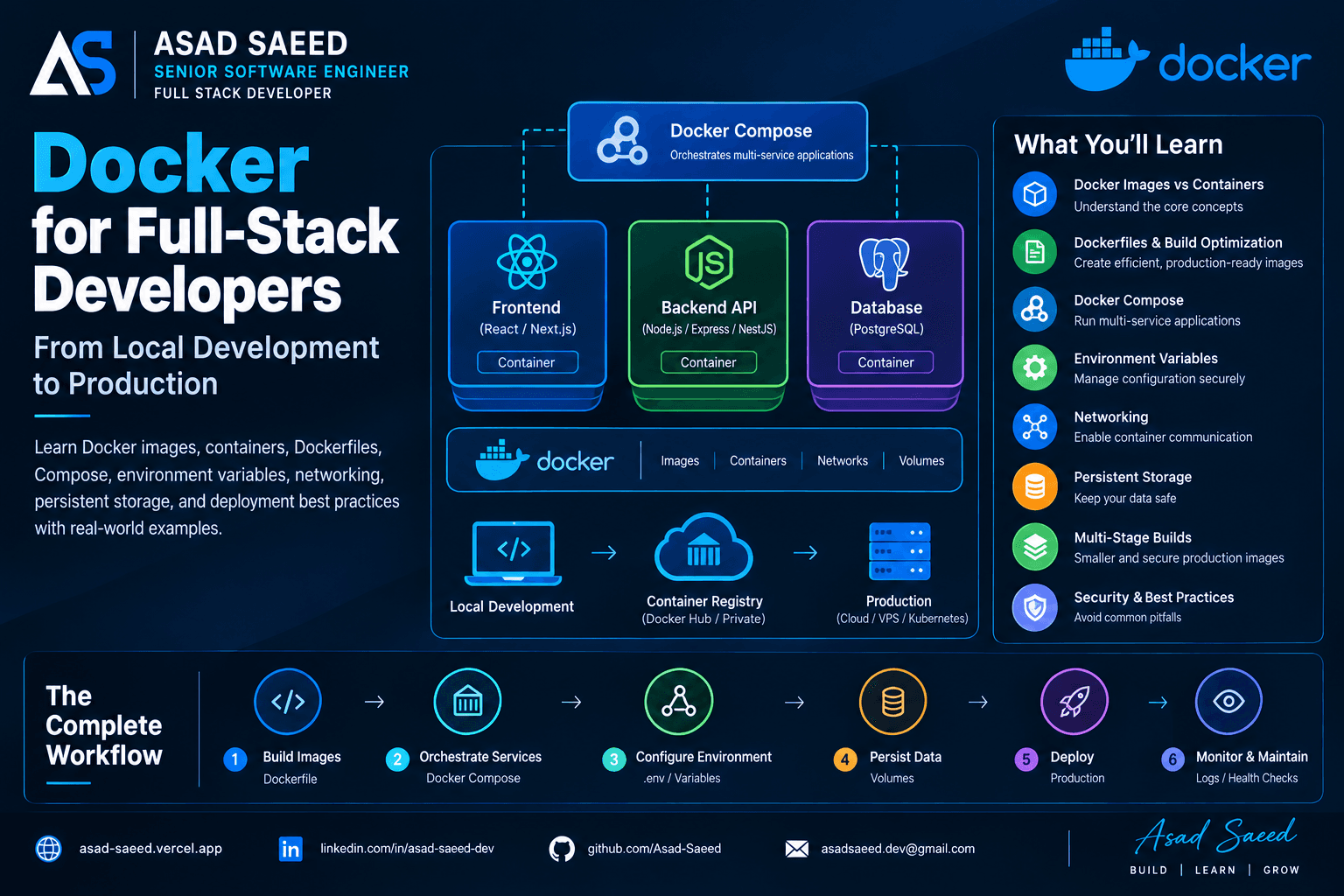
Learn Docker for full-stack development with practical examples covering Dockerfiles, images, containers, Docker Compose, networking, environment variables, volumes, and production deployment.

DOCKERDEVOPSSOFTWARE ENGINEERING
© 2026 · Asad Saeed
All Posts
AWS IAM Explained: Roles, Policies, Permissions & Least Privilege

AWS IAM Explained: Roles, Policies, Permissions & Least Privilege

AWSAWS IAMCLOUD SECURITYDEVOPSCYBERSECURITYASAD SAEED
November 17, 202619 min readBy Asad Saeed

Learn AWS IAM from the ground up. Understand users, groups, roles, policies, trust relationships, temporary credentials, permissions boundaries, and least privilege with practical examples.

Introduction

Imagine you're deploying a MERN application on AWS.

Your architecture includes:

  • React frontend hosted on Amazon S3.

  • CloudFront for content delivery.

  • Node.js APIs running on EC2.

  • MongoDB hosted on a managed database service.

  • S3 buckets for user uploads.

  • Lambda functions for background processing.

  • CloudWatch for application monitoring.

Everything is working correctly.

But there's an important security question:

How does your application access AWS services securely?

For example:

  • How can an EC2 instance upload files to S3?

  • How can a Lambda function read messages from SQS?

  • How can a developer deploy an application without having unrestricted AWS access?

  • How can one application access a specific bucket without accessing every bucket in the account?

You could create access keys and put them directly into your application's environment variables.

But that introduces serious security risks.

If someone obtains those credentials, they may be able to perform every action allowed by the associated permissions.

AWS provides a service called Identity and Access Management (IAM) to control who can access AWS resources and what actions they can perform.

IAM is one of the most important foundations of AWS security.

In this guide, we'll explore IAM users, groups, roles, policies, permissions, trust relationships, and the principle of least privilege, with practical examples for production applications.

1. What Is AWS IAM?

AWS Identity and Access Management (IAM) is a service that controls authentication and authorization for AWS resources.

It helps you define:

  • Who can access AWS.

  • Which AWS resources they can access.

  • Which actions they can perform.

  • Under what conditions access is allowed or denied.

For example, imagine a developer needs to upload files to an S3 bucket.

You don't need to give that developer full AWS administrator access.

Instead, you can create an IAM identity or role with permission to upload objects to a specific bucket.

             AWS Account
                  |
                  v
                IAM
                  |
        +---------+---------+
        |         |         |
        v         v         v
      Users     Roles    Policies
        |         |         |
        +---------+---------+
                  |
                  v
            AWS Resources
                  |
          +-------+-------+
          |       |       |
          v       v       v
          S3     EC2     Lambda

IAM evaluates whether a request is authorized based on the applicable policies, permissions, and other AWS access controls.

Authentication vs Authorization

These two concepts are important.

Authentication answers: Who are you?

For example:

  • A developer signs in to the AWS Console.

  • An application assumes an IAM role.

  • A user authenticates through an identity provider.

Authorization answers: What are you allowed to do?

For example:

  • Can this identity read an S3 object?

  • Can it start an EC2 instance?

  • Can it delete an RDS database?

  • Can it invoke a Lambda function?

Authentication establishes an identity. Authorization determines what that identity can do.

2. Understanding IAM Identities

IAM provides different identity types for managing access.

The main concepts are:

  • IAM Users

  • IAM Groups

  • IAM Roles

Let's understand each one.

2.1 IAM Users

An IAM user represents an identity in an AWS account.

A user can have credentials such as:

  • Console password.

  • Access keys for programmatic access.

For example, you might create IAM users for developers who need access to an AWS account.

AWS Account
    |
    +---- Developer A
    |
    +---- Developer B
    |
    +---- Administrator

Each user can receive permissions through applicable policies.

However, IAM users with long-term credentials require careful management.

For modern workforce access, AWS recommends using federation and temporary credentials where possible instead of creating long-lived IAM user credentials for every employee.

2.2 IAM Groups

An IAM group is a collection of IAM users.

Instead of attaching the same permissions to every user individually, you can attach a policy to a group.

For example:

             IAM Groups
                  |
       +----------+----------+
       |                     |
       v                     v
   Developers             Admins
       |                     |
   Developer A           Admin A
   Developer B           Admin B
   Developer C

You can create groups such as:

  • Developers

  • DevOps

  • Database Administrators

  • ReadOnlyUsers

Then attach appropriate permissions to each group.

Important: IAM groups contain IAM users, not roles. Groups are a way to manage permissions for users; they aren't an authentication mechanism.

2.3 IAM Roles

An IAM role is an identity with permissions that can be assumed by a trusted principal.

Unlike an IAM user, a role isn't associated with permanent long-term credentials.

When a principal assumes a role, AWS provides temporary security credentials for the resulting session.

Roles are commonly used by:

  • EC2 instances.

  • Lambda functions.

  • ECS tasks.

  • EKS workloads.

  • Developers accessing AWS through federation.

  • Applications running outside AWS that use supported identity federation.

For example, suppose an EC2 instance needs to upload images to S3.

Instead of storing access keys inside the application, you can attach an IAM role to the EC2 instance.

           EC2 Instance
                 |
                 v
             IAM Role
                 |
                 v
           Temporary
          Credentials
                 |
                 v
             Amazon S3

The application can obtain temporary credentials through the AWS-provided credential mechanism.

AWS handles the credential delivery and rotation for the instance role.

This is generally safer than hardcoding access keys.

3. IAM Policies: The Rules That Define Permissions

Identities alone don't determine what an application can do.

Permissions are defined through policies.

An IAM policy is a JSON document that describes whether certain actions are allowed or denied on specific AWS resources, optionally under specified conditions.

For example, suppose an application needs permission to upload files to one S3 bucket.

You can create a policy that allows the required S3 operation on that bucket.

Basic IAM Policy Structure

{
  "Version": "2012-10-17",
  "Statement": [
    {
      "Effect": "Allow",
      "Action": "s3:PutObject",
      "Resource": "arn:aws:s3:::my-app-uploads/*"
    }
  ]
}

Let's understand the fields.

Version

Identifies the policy language version.

2012-10-17 is the current policy language version commonly used in IAM policies.

Statement

Contains one or more permission statements.

Effect

Defines whether the statement allows or denies access.

Common values:

  • Allow

  • Deny

Action

Defines which AWS API actions are covered.

For example:

s3:GetObject
s3:PutObject
s3:DeleteObject

Resource

Identifies the AWS resources to which the statement applies.

For example:

arn:aws:s3:::my-app-uploads/*

This resource pattern refers to objects inside the specified bucket.

Condition

Optional conditions that must be satisfied for the statement to apply.

Conditions can restrict access based on context such as IP address, request attributes, or other supported policy keys.

4. Types of IAM Policies

AWS supports several policy types.

Understanding the differences is important because permissions can be controlled from multiple places.

4.1 Identity-Based Policies

Identity-based policies are attached to IAM identities, such as:

  • IAM users.

  • IAM groups.

  • IAM roles.

For example, an EC2 application role might have permission to read objects from a specific S3 bucket.

EC2 Application Role
        |
        v
Identity-Based Policy
        |
        v
s3:GetObject
        |
        v
Specific S3 Bucket

These policies define what the identity is allowed or denied to do.

4.2 Resource-Based Policies

Resource-based policies are attached directly to supported AWS resources.

For example, an S3 bucket policy defines which principals can access the bucket and under what conditions.

Example:

{
  "Version": "2012-10-17",
  "Statement": [
    {
      "Sid": "AllowSpecificRole",
      "Effect": "Allow",
      "Principal": {
        "AWS": "arn:aws:iam::123456789012:role/AppRole"
      },
      "Action": "s3:GetObject",
      "Resource": "arn:aws:s3:::my-app-uploads/*"
    }
  ]
}

This policy allows the specified role to read objects from the bucket, subject to other applicable access controls.

Resource-based policies are supported by services such as S3, SQS, SNS, and Lambda, with service-specific policy behavior.

4.3 AWS Managed Policies

AWS managed policies are predefined policies created and maintained by AWS.

For example:

AmazonS3ReadOnlyAccess
AmazonEC2ReadOnlyAccess
AdministratorAccess

You can attach these policies to identities where appropriate.

However, be careful with broad managed policies.

For example, AmazonS3ReadOnlyAccess can provide read access across a much broader set of S3 resources than one application may need.

Prefer narrowly scoped permissions for production workloads.

4.4 Customer Managed Policies

Customer managed policies are policies that you create and maintain in your AWS account.

They can be reused across multiple identities.

For example, you could create:

ApplicationS3UploadPolicy
ProductionReadOnlyPolicy
LambdaSQSConsumerPolicy

This makes permission management more consistent and easier to audit.

4.5 Inline Policies

Inline policies are embedded directly into a specific IAM user, group, or role.

They are useful for permissions that have a one-to-one relationship with an identity.

However, reusable customer managed policies are often easier to maintain when the same permission set needs to be shared across multiple identities.

5. How IAM Evaluates Permissions

This is one of the most important IAM concepts.

Having an IAM policy with an Allow statement doesn't automatically guarantee access.

AWS evaluates applicable policies and other authorization controls when a request is made.

A simplified way to understand the process is:

  1. By default, access is denied.

  2. An applicable explicit Allow can grant access.

  3. An applicable explicit Deny overrides an Allow.

  4. Other controls, such as permissions boundaries, service control policies, session policies, and resource policies, can further restrict access depending on the request.

Example: Explicit Allow

Suppose an application role has this policy:

{
  "Effect": "Allow",
  "Action": "s3:GetObject",
  "Resource": "arn:aws:s3:::my-app-uploads/*"
}

The role can read objects covered by this permission, assuming no other applicable control blocks the request.

Example: Explicit Deny

Now imagine another applicable policy contains:

{
  "Effect": "Deny",
  "Action": "s3:DeleteObject",
  "Resource": "*"
}

Even if another policy allows deletion, the applicable explicit deny takes precedence.

Policy A
   |
   +---- Allow s3:DeleteObject
   |
Policy B
   |
   +---- Deny s3:DeleteObject
   |
   v
Explicit Deny Wins
   |
   v
Access Denied

This is a fundamental principle of AWS authorization.

An explicit deny overrides an applicable allow.

6. Understanding Trust Policies vs Permission Policies

This is a common source of confusion when working with IAM roles.

A role has two different security questions to answer:

  1. Who is allowed to assume this role?

  2. What can someone do after assuming this role?

These are controlled by different policies.

Trust Policy

A trust policy defines which principals are allowed to assume a role.

For example, an EC2 service might be trusted to assume an instance role.

{
  "Version": "2012-10-17",
  "Statement": [
    {
      "Effect": "Allow",
      "Principal": {
        "Service": "ec2.amazonaws.com"
      },
      "Action": "sts:AssumeRole"
    }
  ]
}

This establishes the trust relationship for EC2.

Permission Policy

A permission policy defines what the role can do after it is assumed.

For example:

{
  "Version": "2012-10-17",
  "Statement": [
    {
      "Effect": "Allow",
      "Action": [
        "s3:GetObject",
        "s3:PutObject"
      ],
      "Resource": "arn:aws:s3:::my-app-uploads/*"
    }
  ]
}

This allows the role to read and upload objects in the specified bucket, subject to other applicable controls.

How They Work Together

          EC2 Instance
                |
                v
         Trust Policy
                |
       Can EC2 Assume Role?
                |
                v
            IAM Role
                |
                v
       Permission Policy
                |
        What Can It Do?
                |
                v
          Amazon S3

Remember:

  • Trust policy controls who can assume the role.

  • Permission policy controls what the role can access.

A role can have a valid trust relationship but insufficient permissions to perform the desired operation.

Likewise, attaching permissions to a role doesn't automatically allow an untrusted principal to assume it.

7. Temporary Credentials and AWS STS

AWS Security Token Service (STS) allows trusted principals to obtain temporary security credentials.

These credentials generally include:

  • Access key ID.

  • Secret access key.

  • Session token.

Unlike long-term access keys, temporary credentials expire.

For example, when an EC2 instance uses an attached IAM role, AWS makes temporary role credentials available through the instance metadata service.

The AWS SDK can retrieve these credentials through its default credential provider chain.

Example using AWS SDK for JavaScript v3:

import {
  S3Client,
  PutObjectCommand
} from "@aws-sdk/client-s3";

const s3 = new S3Client({
  region: "ap-south-1"
});

async function uploadFile(file) {
  await s3.send(
    new PutObjectCommand({
      Bucket: "my-app-uploads",
      Key: file.name,
      Body: file.buffer,
      ContentType: file.mimetype
    })
  );
}

Notice something important:

There are no hardcoded AWS access keys in this code.

The SDK can automatically retrieve credentials from the configured environment or the attached IAM role, depending on the execution environment.

This is one of the reasons IAM roles are preferred for applications running on AWS.

8. How IAM Roles Work With EC2, Lambda, and ECS

Let's look at practical production scenarios.

8.1 EC2 Instance Role

Suppose a Node.js application runs on EC2 and needs to upload user profile images to S3.

Instead of storing credentials in .env, attach an IAM role to the EC2 instance through an instance profile.

Node.js Application
        |
        v
    EC2 Instance
        |
        v
    IAM Role
        |
        v
 Temporary Credentials
        |
        v
     Amazon S3

The role should only allow the actions and resources required by the application.

8.2 Lambda Execution Role

A Lambda function needs an execution role.

For example, a Lambda function that processes messages from SQS may need permissions to consume messages and write logs.

          SQS Queue
               |
               v
        Lambda Function
               |
               v
        Execution Role
               |
        +------+------+
        |             |
        v             v
    SQS Actions    CloudWatch

AWS Lambda uses its execution role to access supported AWS services.

The exact permissions depend on the function's responsibilities and its integration configuration.

8.3 ECS Task Role vs Task Execution Role

This distinction is especially important for containerized applications.

ECS uses two different role concepts.

Task Execution Role

Used by the ECS infrastructure or agent to perform operations required to start and manage the task.

Examples include:

  • Pulling container images from ECR.

  • Sending container logs to CloudWatch Logs.

  • Retrieving supported secrets for task startup.

Task Role

Used by the application code running inside the container.

For example, if your Node.js application needs to read S3 objects or send messages to SQS, those application permissions belong in the task role.

              ECS Task
                  |
          +-------+-------+
          |               |
          v               v
    Execution Role     Task Role
          |               |
          v               v
    Pull ECR Image     Application
    Send Logs          Permissions
                           |
                    +------+------+
                    |             |
                    v             v
                    S3           SQS

Don't give the task execution role broad application permissions just because the container needs them.

Keep infrastructure startup permissions and application permissions separate.

9. The Principle of Least Privilege

One of the most important IAM security principles is least privilege.

It means giving an identity only the permissions it needs to perform its intended responsibilities.

Imagine a Node.js application only needs to upload files to one S3 bucket.

A poor approach would be to attach:

AdministratorAccess

This gives far more access than the application requires.

A better approach is to allow only the required operation on the required resource.

For example:

{
  "Version": "2012-10-17",
  "Statement": [
    {
      "Effect": "Allow",
      "Action": [
        "s3:PutObject"
      ],
      "Resource": "arn:aws:s3:::my-app-uploads/*"
    }
  ]
}

Now the application has permission to upload objects to the specified bucket.

It doesn't automatically receive permission to:

  • Delete objects.

  • Change bucket policies.

  • Create new buckets.

  • Access unrelated S3 buckets.

  • Manage EC2 instances.

  • Delete databases.

Why Least Privilege Matters

Suppose an attacker gains access to your application.

If the application uses AdministratorAccess, the attacker may inherit an extremely broad set of permissions.

But if the application has access only to upload objects into one bucket, the potential impact is significantly reduced.

This is called reducing the blast radius of a security incident.

Least Privilege in Practice

Follow these principles:

  1. Grant only the actions the workload requires.

  2. Restrict permissions to specific resources.

  3. Avoid Action: "*" where narrower permissions are possible.

  4. Avoid Resource: "*" where resource-level restrictions are supported.

  5. Use separate roles for different application responsibilities.

  6. Review permissions regularly.

  7. Remove unused permissions.

  8. Use temporary credentials instead of long-lived access keys.

10. IAM Policy Conditions: Adding More Control

IAM policies can include conditions to make access decisions more specific.

For example, you may want to allow access only when a request uses a particular condition.

A simplified example:

{
  "Version": "2012-10-17",
  "Statement": [
    {
      "Effect": "Allow",
      "Action": "s3:GetObject",
      "Resource": "arn:aws:s3:::my-app-uploads/*",
      "Condition": {
        "IpAddress": {
          "aws:SourceIp": "203.0.113.10/32"
        }
      }
    }
  ]
}

This statement applies only when the request comes from the specified source IP address, assuming the request context supplies that condition key.

Other useful condition keys include:

  • aws:RequestedRegion

  • aws:PrincipalArn

  • aws:SecureTransport

  • aws:MultiFactorAuthPresent

The correct condition depends on the service, request context, and access pattern.

Conditions can help enforce security requirements beyond simply allowing an action on a resource.

11. IAM Permissions Boundaries and Service Control Policies

As AWS environments grow, managing permissions becomes more complex.

AWS provides additional controls for limiting what identities or accounts can do.

11.1 Permissions Boundaries

A permissions boundary defines the maximum permissions that an identity-based policy can grant to an IAM user or role.

For example, a developer role might have an identity policy allowing access to several services.

However, an administrator can attach a permissions boundary that limits the maximum permissions available to that role.

Identity-Based Policy
         |
         v
   Permissions Boundary
         |
         v
 Maximum Effective Permissions

A permissions boundary doesn't grant permissions by itself.

It limits the permissions that identity-based policies can grant.

11.2 Service Control Policies (SCPs)

Service Control Policies are used with AWS Organizations.

They define maximum available permissions for accounts or organizational units.

For example, an organization may want to prevent member accounts from disabling certain security services or using specific AWS regions.

An SCP doesn't grant permissions to an identity.

It acts as an organizational permission guardrail.

           AWS Organization
                  |
                  v
            Service Control
                Policy
                  |
          +-------+-------+
          |               |
          v               v
      Production       Development
        Account          Account
          |               |
          v               v
      IAM Policies     IAM Policies

An identity still needs applicable permissions to perform an action, even when an SCP allows it.

12. IAM Security Best Practices

IAM configuration is not a one-time task.

Permissions should be reviewed as applications, teams, and infrastructure evolve.

Here are important practices for production environments.

12.1 Protect the Root User

The AWS account root user has extensive account-level privileges.

Use it only for tasks that specifically require root access.

Enable MFA and avoid using root credentials for routine application development or administration.

12.2 Enable MFA

Multi-factor authentication adds another layer of protection to human access.

Use MFA for privileged identities and follow AWS guidance for securing the root user.

12.3 Prefer IAM Roles Over Long-Term Access Keys

For applications running on AWS, use IAM roles and temporary credentials whenever possible.

Avoid putting permanent AWS access keys into:

  • Source code.

  • Git repositories.

  • Docker images.

  • Frontend applications.

  • Public CI/CD configuration.

For users and external workloads, use federation and temporary credentials where appropriate.

12.4 Never Expose AWS Credentials in Frontend Code

A React application runs in the user's browser.

Anything embedded in frontend JavaScript can potentially be inspected.

Never put long-term AWS access keys into:

const AWS_ACCESS_KEY_ID = "ACCESS_KEY";
const AWS_SECRET_ACCESS_KEY = "SECRET_KEY";

Instead, keep privileged AWS operations on a trusted backend.

If a frontend genuinely needs direct access to AWS resources, use a carefully designed identity federation approach, such as Amazon Cognito identity pools, with narrowly scoped temporary credentials.

12.5 Use Separate Roles for Different Services

Don't use one powerful IAM role for every application component.

For example:

User API Role
    |
    +---- S3 Read/Write

Order Worker Role
    |
    +---- SQS Consume

Image Processor Role
    |
    +---- S3 Read/Write

Monitoring Role
    |
    +---- CloudWatch Permissions

Each workload should have only the permissions it needs.

12.6 Review Unused Permissions

Over time, applications change.

A service may stop using an AWS resource while its old permissions remain attached.

Use IAM Access Analyzer and other AWS tools to identify unused or overly broad access.

12.7 Enable CloudTrail

AWS CloudTrail records account activity and API events.

It helps you investigate:

  • Who made a change.

  • Which API action was performed.

  • When it happened.

  • Which identity or role made the request.

CloudTrail is especially useful when investigating unexpected IAM changes or suspicious activity.

12.8 Use IAM Access Analyzer

IAM Access Analyzer helps identify external access to supported resources and validate policies.

It can also help generate policy recommendations based on observed activity for supported workflows.

Use it as part of your ongoing permission review process.

13. Common IAM Mistakes Developers Make

Mistake 1: Giving Every Application AdministratorAccess

An application that uploads files doesn't need permission to delete EC2 instances or modify IAM policies.

Give each workload only the permissions it requires.

Mistake 2: Hardcoding Access Keys

Hardcoded credentials can leak through repositories, logs, Docker images, or application bundles.

Use IAM roles and temporary credentials whenever possible.

Mistake 3: Confusing Trust Policies With Permission Policies

A trust policy determines who can assume a role.

A permission policy determines what the role can do.

Both must be configured correctly.

Mistake 4: Using Resource "*" Everywhere

Wildcard resources can grant access far beyond what an application needs.

Restrict policies to specific resource ARNs whenever the AWS service supports it.

Some AWS actions don't support resource-level permissions and require "Resource": "*". Check the service authorization reference before assuming every action can be scoped to an ARN.

Mistake 5: Forgetting Explicit Deny

An applicable explicit deny overrides an allow.

This can explain why an action fails even when an identity policy appears to allow it.

Mistake 6: Ignoring Temporary Credential Expiration

Temporary credentials expire.

Applications that manually cache credentials or fail to refresh them correctly can start receiving authorization errors.

Use supported AWS SDK credential providers so credentials can be refreshed when the execution environment supports it.

14. Practical IAM Architecture for a MERN Application

Let's bring everything together.

Imagine you're running a MERN application on AWS.

Your infrastructure includes:

  • React frontend on S3 and CloudFront.

  • Node.js APIs on ECS.

  • Background processing with Lambda.

  • S3 for user uploads.

  • SQS for background jobs.

  • CloudWatch for logging.

A secure IAM design could look like this:

                  AWS Account
                       |
                       v
                      IAM
                       |
       +---------------+---------------+
       |               |               |
       v               v               v
   ECS Task Role   Lambda Role    Developer Role
       |               |               |
       v               v               v
   S3 + SQS        SQS + Logs     Limited Access
       |               |               |
       +---------------+---------------+
                       |
                       v
                 AWS Resources

Example responsibilities:

ECS Task Role

  • Read and upload objects to the required S3 bucket.

  • Send messages to a specific SQS queue.

Lambda Execution Role

  • Consume messages from a specific SQS queue.

  • Write logs to CloudWatch.

Developer Role

  • Access development resources.

  • Deploy approved application changes.

  • Avoid unrestricted production administration.

CI/CD Role

  • Deploy application versions.

  • Push container images to the required ECR repository.

  • Update the appropriate ECS service.

Each role should have permissions scoped to its actual responsibilities.

This creates a more secure architecture than sharing one set of powerful credentials across every application component.

15. Final Thoughts

AWS IAM is more than a service for creating users and passwords.

It's the foundation of authorization across your AWS infrastructure.

Understanding users, groups, roles, policies, trust relationships, and permission evaluation helps you design secure cloud applications.

For application developers, one of the most important habits is to avoid hardcoded credentials and use IAM roles with temporary security credentials.

For production environments, apply least privilege, restrict access to specific resources, enable MFA, monitor activity, and regularly review permissions.

The goal of IAM isn't simply to allow applications to access AWS services. It's to ensure that every identity has exactly the access it needs — and nothing more.

About the Author

Asad Saeed | Senior Software Engineer | Full Stack Developer

I share practical insights on backend engineering, MERN Stack development, distributed systems, database architecture, cloud computing, and building reliable production applications.
Asad Saeed

Asad Saeed

Senior Software Engineer | Full Stack Developer

More posts →

Related Posts

Don't Stop Here

Docker for Full-Stack Developers: Complete Guide (2026)

Docker for Full-Stack Developers: Complete Guide (2026)

Learn Docker for full-stack development with practical examples covering Dockerfiles, images, containers, Docker Compose, networking, environment variables, volumes, and production deployment.

DOCKERDEVOPSSOFTWARE ENGINEERING
© 2026 · Asad Saeed
Oct 19, 202612 min read
Read
Dependency Injection in NestJS Explained: Providers, IoC Container, Injection Tokens & Custom Providers (2026 Guide)

Dependency Injection in NestJS Explained: Providers, IoC Container, Injection Tokens & Custom Providers (2026 Guide)

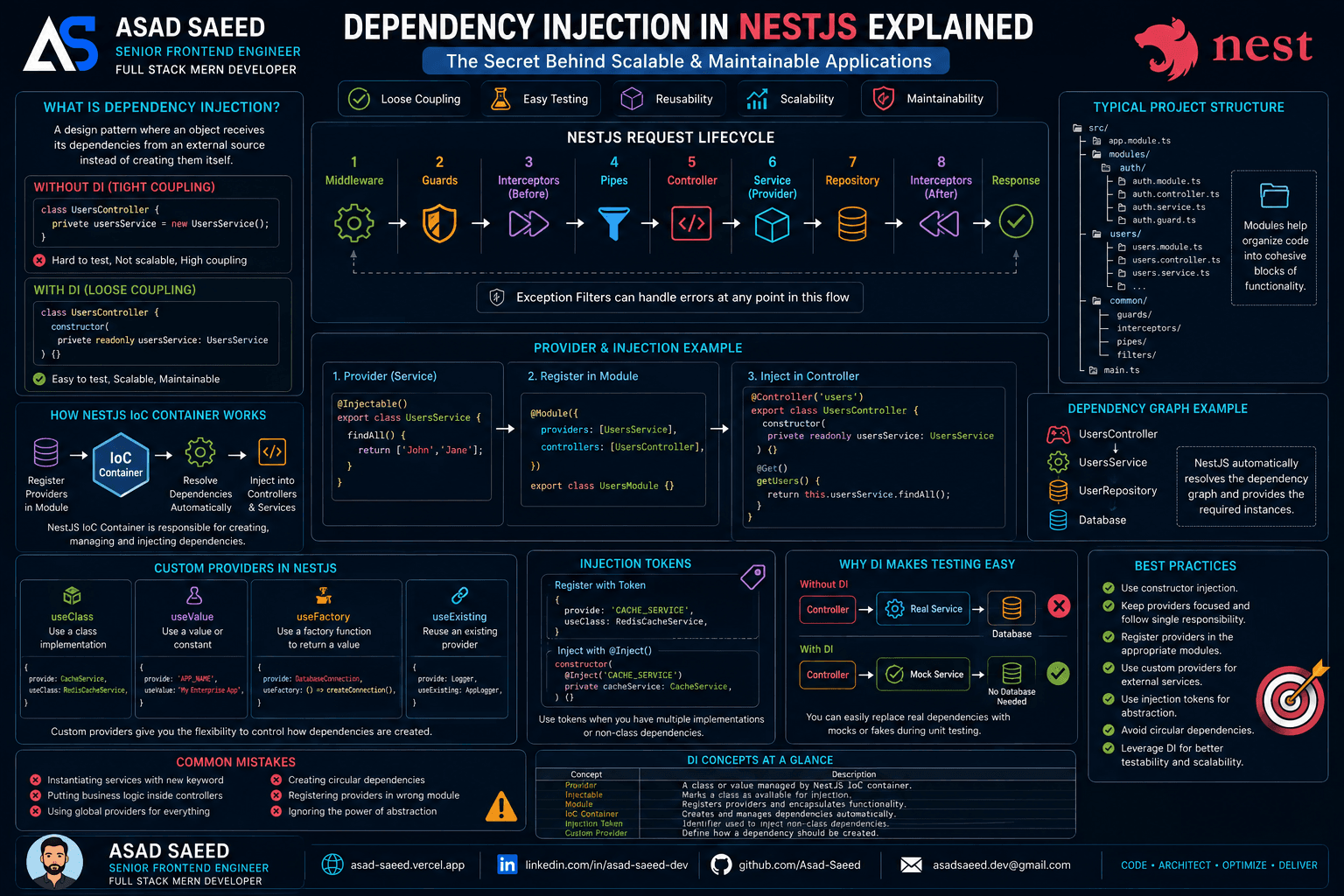
Learn how Dependency Injection works in NestJS, including Providers, the IoC Container, Constructor Injection, Injection Tokens, Custom Providers, and best practices for building scalable, testable, and enterprise-ready Node.js applications.

NESTJSDEPENDENCY INJECTIONNODEJS
Oct 19, 20265 min read
Read
NestJS Architecture Explained: Controllers, Providers, Modules, Middleware, Guards & Interceptors (2026 Guide)

NestJS Architecture Explained: Controllers, Providers, Modules, Middleware, Guards & Interceptors (2026 Guide)

Master the NestJS architecture by understanding Modules, Controllers, Providers, Dependency Injection, Middleware, Guards, Pipes, Interceptors, and Exception Filters. Learn the complete NestJS request lifecycle and build scalable, production-ready backend applications.

NESTJSNODEJSSOFTWARE ARCHITECTURE
Aug 5, 20266 min read
Read
F
Made with ❤️ by Asad Saeed
© 2026 · Asad Saeed
Made with ❤️ by Asad Saeed
F