AWS ECS vs EKS vs Fargate: Differences, Architecture & Use Cases
Compare AWS ECS, EKS, and Fargate. Understand container orchestration, serverless compute, EC2 deployment, scaling, architecture, and how to choose the right AWS container platform.
Introduction
Modern applications are no longer limited to running on a single server.
A typical production application might consist of:
A React or Next.js frontend.
A Node.js backend API.
Multiple microservices.
Background workers.
Redis for caching.
A database.
Scheduled jobs and event processors.
Managing each application independently on virtual machines can become complicated as the system grows.
You need to manage server resources, application deployments, scaling, networking, container health, and infrastructure configuration.
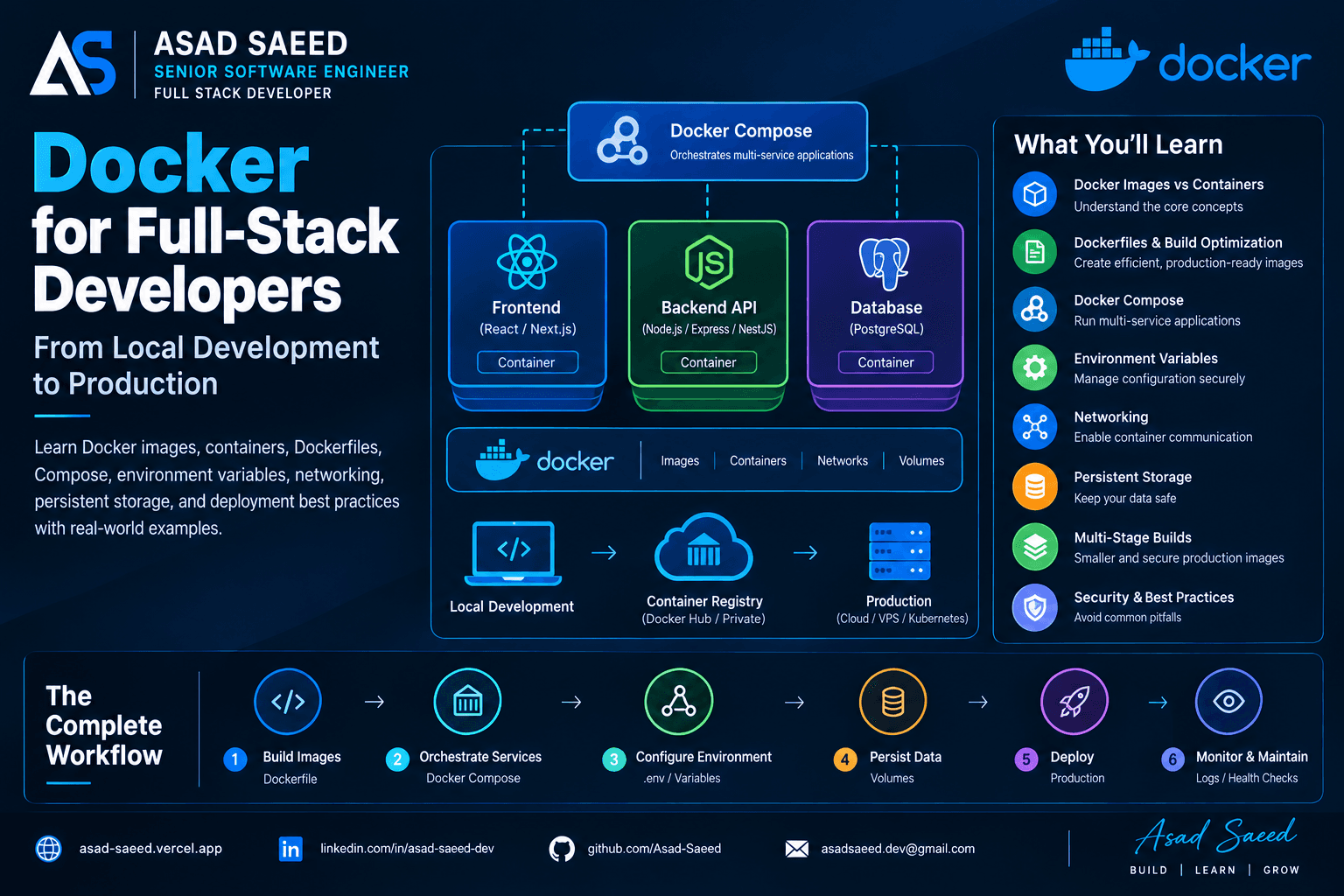
This is where Docker and container orchestration become important.
Docker allows you to package an application and its dependencies into a container. But once you have dozens or hundreds of containers running across multiple servers, another question appears:
Who manages these containers?
How do you deploy them? How do you restart failed containers? How do you distribute workloads across available resources? How do you scale applications when traffic increases?
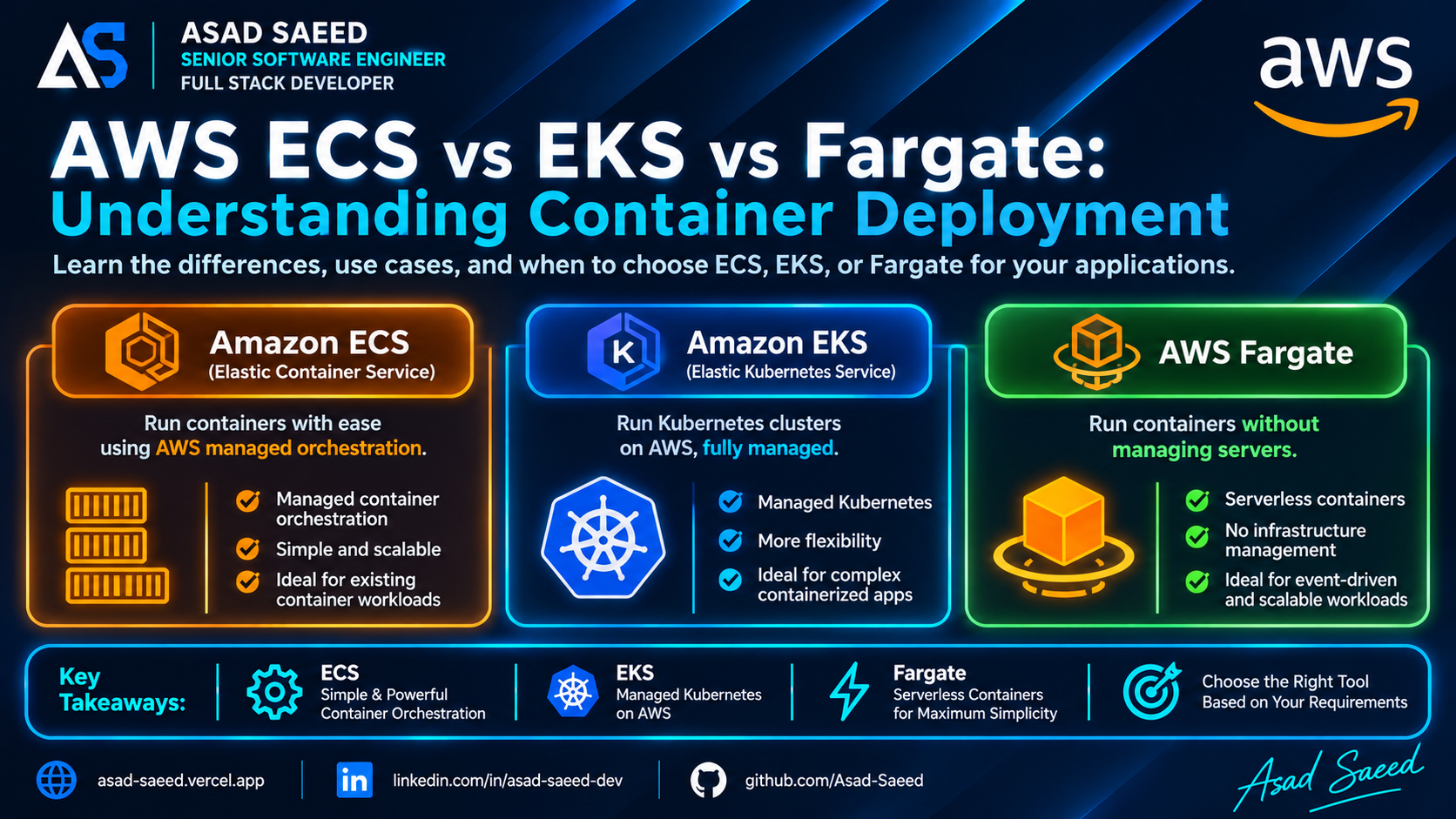
AWS provides several services for running containerized applications, including:
Amazon ECS: AWS-native container orchestration.
Amazon EKS: Managed Kubernetes on AWS.
AWS Fargate: Serverless compute for running containers.
These services are related, but they don't solve exactly the same problem.
One of the most common misunderstandings is treating ECS, EKS, and Fargate as three competing container orchestrators.
In reality, ECS and EKS are orchestration services, while Fargate is a compute option that can run containers managed by either ECS or EKS.
Let's understand how they work and when to choose each one.
1. First, Understand Containers
Before comparing AWS services, let's understand what a container actually is.
A container packages an application together with the dependencies required to run it.
For example, consider a Node.js application.
Without containers, deploying it on a new server may require installing:
The correct Node.js version.
Required npm packages.
Environment configuration.
Operating system dependencies.
Application startup scripts.
Different server environments can introduce unexpected issues.
Docker solves much of this by packaging the application and its dependencies into a reusable image.
Example Dockerfile:
FROM node:22-alpine

WORKDIR /app

COPY package*.json ./

RUN npm ci --omit=dev

COPY . .

EXPOSE 5000

CMD ["node", "server.js"]
Build the image:
docker build -t my-node-api .Run the container:
docker run -p 5000:5000 my-node-apiNow the application can run in a consistent container environment.
But running one container locally is different from managing hundreds of containers in production.
You need a system that can:
Start and stop containers.
Monitor application health.
Restart failed workloads.
Scale application instances.
Manage networking.
Distribute workloads across infrastructure.
Coordinate application deployments.
This is the responsibility of container orchestration.
2. What Is Container Orchestration?
Container orchestration is the automated management of containerized applications.
Imagine you have three application services:
                  Application
                       |
           +-----------+-----------+
           |           |           |
           v           v           v
        User API    Order API   Payment API
           |           |           |
        2 Containers 3 Containers 2 Containers
Manually managing every container becomes difficult.
For example:
What happens when a container crashes?
How do you deploy a new version?
How do you increase replicas?
How do you distribute containers across servers?
How do services communicate?
How do you avoid deploying an unhealthy version?
An orchestrator manages these responsibilities according to your configuration.
A simplified orchestration workflow:
Application Image
       |
       v
Container Orchestrator
       |
       v
Schedule Workloads
       |
       v
Start Containers
       |
       v
Monitor Health
       |
       v
Restart / Scale / Replace
AWS provides ECS and EKS for container orchestration.
3. What Is Amazon ECS?
Amazon Elastic Container Service (ECS) is an AWS-native container orchestration service.
It allows you to deploy, manage, and scale Docker containers without having to operate Kubernetes.
ECS uses AWS-managed concepts such as:
Clusters.
Services.
Tasks.
Task Definitions.
Container Instances.
Capacity Providers.
Let's understand each component.
3.1 ECS Cluster
An ECS cluster is a logical grouping of resources used to run containerized applications.
For example:
Production Cluster
    |
    +---- User API Service
    |
    +---- Order API Service
    |
    +---- Payment Service
You can organize applications into separate clusters based on environments, teams, or workloads.
3.2 Task Definition
A task definition describes how your containers should run.
It includes configuration such as:
Docker image.
CPU and memory requirements.
Container ports.
Environment variables.
IAM task role.
Logging configuration.
Storage configuration.
Networking settings.
Example simplified ECS task definition:
{
  "family": "node-api",
  "networkMode": "awsvpc",
  "requiresCompatibilities": [
    "FARGATE"
  ],
  "cpu": "512",
  "memory": "1024",
  "containerDefinitions": [
    {
      "name": "node-api",
      "image": "123456789012.dkr.ecr.ap-south-1.amazonaws.com/node-api:latest",
      "essential": true,
      "portMappings": [
        {
          "containerPort": 5000,
          "protocol": "tcp"
        }
      ]
    }
  ]
}
This definition tells ECS how to launch the application container.
3.3 ECS Task
A task is a running instance of a task definition.
For example:
Task Definition: node-api
          |
          v
      ECS Service
          |
      +---+---+
      |       |
      v       v
   Task 1   Task 2
If you launch three tasks using the same task definition, ECS runs three instances of that workload.
3.4 ECS Service
An ECS service helps maintain the desired number of running tasks.
Suppose you configure:
Desired Task Count: 3ECS attempts to keep three tasks running.
If a task stops unexpectedly, ECS can launch a replacement to maintain the desired count, provided the required capacity and configuration are available.
You can also configure:
Load balancer integration.
Service auto scaling.
Deployment settings.
Health checks.
Network configuration.
3.5 ECS Launch Options
ECS supports different compute options.
EC2 Launch Type
You run containers on EC2 instances that you manage.
You are responsible for managing the underlying EC2 capacity, including instance sizing, operating system maintenance, and capacity planning.
Fargate Launch Type
You run ECS tasks using AWS Fargate.
You specify the required CPU and memory, while AWS manages the underlying compute infrastructure.
This means ECS can orchestrate containers without requiring you to manage EC2 container instances.
When Should You Use ECS?
ECS is a good choice when:
You want AWS-native container orchestration.
You don't need the Kubernetes ecosystem.
You want relatively straightforward AWS integration.
You are deploying APIs, workers, or microservices.
You want to run containers using EC2 or Fargate.
Your team prefers a simpler orchestration model.
The key idea:
ECS manages the lifecycle and scheduling of your containers using AWS-native orchestration concepts.
4. What Is Amazon EKS?
Amazon Elastic Kubernetes Service (EKS) is AWS's managed Kubernetes service.
To understand EKS, you first need to understand Kubernetes.
Kubernetes is an open-source container orchestration platform.
It manages containerized applications using declarative configuration.
Instead of manually starting every container, you describe the desired state of your application.
For example:
Application: Node API

Desired Replicas: 3

Container Image: node-api:v1

Container Port: 5000
Kubernetes continuously works to maintain the desired state.
Amazon EKS provides a managed Kubernetes control plane on AWS.
AWS manages the Kubernetes control plane infrastructure, while you configure and manage the worker compute and application workloads according to your chosen operating model.
4.1 Kubernetes Cluster
An EKS cluster is a Kubernetes environment running on AWS.
A simplified architecture:
               EKS Cluster
                    |
           Kubernetes Control Plane
                    |
             Worker Compute
                    |
          +---------+---------+
          |         |         |
          v         v         v
        Node 1    Node 2    Node 3
          |         |         |
          v         v         v
        Pods      Pods      Pods
The control plane manages cluster operations and coordinates workloads.
Worker compute provides the resources where application containers run.
4.2 Kubernetes Pods
A Pod is the smallest deployable unit in Kubernetes.
A Pod contains one or more containers that share certain resources, including networking and configured storage volumes.
For example:
Pod: user-api
    |
    +---- Node.js Container
    |
    +---- Supporting Sidecar Container
Most basic application deployments use one primary application container per Pod, but multiple containers can be useful when they need to work closely together.
4.3 Deployments
A Kubernetes Deployment manages a set of replicated Pods.
Example:
apiVersion: apps/v1
kind: Deployment
metadata:
  name: node-api
spec:
  replicas: 3
  selector:
    matchLabels:
      app: node-api
  template:
    metadata:
      labels:
        app: node-api
    spec:
      containers:
        - name: node-api
          image: node-api:v1
          ports:
            - containerPort: 5000
Apply the configuration:
kubectl apply -f deployment.yamlKubernetes attempts to maintain three replicas.
If a Pod fails, the Deployment controller works to create a replacement.
4.4 Kubernetes Services
Pods can be replaced and their IP addresses can change.
Kubernetes Services provide a stable way to expose and discover groups of Pods.
For example:
             User API Service
                    |
          +---------+---------+
          |         |         |
          v         v         v
        Pod 1     Pod 2     Pod 3
Applications can communicate with the service without needing to track individual Pod IP addresses.
4.5 EKS Compute Options
EKS supports different ways to provide compute for Pods.
Managed Node Groups
AWS helps manage the lifecycle of EC2 worker nodes.
You still work with EC2-based capacity, but AWS handles important node-group management operations.
Self-Managed Nodes
You manage the EC2 worker nodes and their lifecycle more directly.
AWS Fargate
You can run supported Kubernetes Pods on Fargate without managing EC2 worker nodes for those Pods.
The scheduling and configuration model remains Kubernetes-based.
When Should You Use EKS?
EKS is a good choice when:
Your team already uses Kubernetes.
You need Kubernetes APIs and ecosystem tools.
You have complex container orchestration requirements.
You need Kubernetes operators or custom resources.
You want Kubernetes-based deployment workflows.
You need consistency with Kubernetes environments running outside AWS.
The key idea:
EKS provides managed Kubernetes on AWS, giving you access to the Kubernetes ecosystem and its orchestration capabilities.
5. What Is AWS Fargate?
This is where many developers get confused.
AWS Fargate is not a container orchestrator. It is a serverless compute engine for running containers.
It removes the need to provision and manage the underlying EC2 instances for supported container workloads.
Normally, when you run containers on EC2, you need to think about:
Instance types.
CPU and memory capacity.
Operating system updates.
Instance availability.
Container host management.
Capacity planning.
Fargate abstracts away much of this infrastructure management.
You specify the resources required by your container workload, and AWS manages the underlying compute infrastructure.
How Fargate Works
Consider a Node.js API.
You package it into a Docker image and push it to Amazon Elastic Container Registry (ECR).
Then you configure the container workload with its CPU, memory, networking, and other settings.
        Docker Image
             |
             v
          Amazon ECR
             |
             v
       ECS or EKS
             |
             v
         Fargate
             |
             v
     Running Container
You don't need to select and maintain the underlying EC2 container host for that workload.
Fargate With ECS
             Amazon ECS
                 |
             Task Definition
                 |
                 v
              Fargate
                 |
          +------+------+
          |             |
          v             v
        Task 1        Task 2
ECS manages the tasks, while Fargate provides the compute capacity.
Fargate With EKS
              Amazon EKS
                  |
            Kubernetes API
                  |
              Scheduler
                  |
                  v
               Fargate
                  |
             +----+----+
             |         |
             v         v
           Pod 1     Pod 2
Kubernetes manages the Pods, while Fargate provides the compute environment for supported Pods.
Important Fargate Limitations
Fargate simplifies infrastructure management, but it isn't identical to running containers on EC2.
Consider these points:
You have less control over the underlying host.
Workloads must fit supported CPU and memory configurations.
Certain host-level capabilities and privileged container configurations are unavailable.
Storage and networking must follow Fargate's supported configuration model.
Some Kubernetes workloads may require EC2-backed nodes instead.
Fargate is useful when you want to focus on the application rather than managing container hosts, but it isn't automatically the best option for every workload.
When Should You Use Fargate?
Use Fargate when:
You don't want to manage EC2 container hosts.
You prefer infrastructure abstraction.
You have containerized APIs or background workers.
Your workloads fit Fargate's supported requirements.
You want to combine ECS or EKS orchestration with serverless container compute.
The key idea:
Fargate runs containers without requiring you to manage the underlying EC2 server infrastructure.
6. ECS vs EKS vs Fargate: The Most Important Difference
Let's make the distinction clear.
ServiceWhat It IsMain ResponsibilityECSContainer orchestratorManages container deployment and lifecycleEKSManaged Kubernetes serviceRuns and manages Kubernetes workloadsFargateServerless container computeProvides compute without managing EC2 hosts
Think of it this way:
ECS decides how its tasks should run.
EKS uses Kubernetes to decide how its Pods should run.
Fargate provides the compute environment for supported tasks or Pods.
This means ECS and Fargate are not necessarily alternatives.
You can use ECS with Fargate.
You can also use EKS with Fargate.
You can even run ECS and EKS workloads on EC2-based infrastructure.
7. ECS vs EKS vs Fargate: Architecture Comparison
ECS on EC2
              Amazon ECS
                  |
                  v
             ECS Cluster
                  |
                  v
             EC2 Instances
                  |
          +-------+-------+
          |       |       |
          v       v       v
       Task 1  Task 2  Task 3
You manage EC2 capacity, while ECS manages container scheduling and task lifecycle.
ECS on Fargate
              Amazon ECS
                  |
                  v
                Tasks
                  |
                  v
               Fargate
                  |
          +-------+-------+
          |       |       |
          v       v       v
       Task 1  Task 2  Task 3
ECS manages tasks, while Fargate manages the underlying compute infrastructure.
EKS on EC2
               Amazon EKS
                    |
            Kubernetes Control Plane
                    |
                    v
                EC2 Nodes
                    |
             +------+------+
             |      |      |
             v      v      v
           Pod 1  Pod 2  Pod 3
You use Kubernetes for orchestration and EC2 for worker-node capacity.
EKS on Fargate
               Amazon EKS
                    |
            Kubernetes Control Plane
                    |
                    v
                 Fargate
                    |
             +------+------+
             |      |      |
             v      v      v
           Pod 1  Pod 2  Pod 3
Kubernetes manages the Pods, and Fargate provides their compute environment.
8. ECS vs EKS: Feature Comparison
FeatureAmazon ECSAmazon EKSOrchestrationAWS-nativeKubernetesLearning curveGenerally simplerMore complexKubernetes APINoYesDeployment modelTasks and ServicesPods and DeploymentsScalingECS Service Auto ScalingKubernetes scaling mechanismsEcosystemAWS-native integrationsBroad Kubernetes ecosystemPortabilityAWS-specific orchestration modelKubernetes-based portabilityInfrastructureEC2 or FargateEC2 or FargateBest fitAWS-native container workloadsKubernetes-based workloads
Neither service is universally better.
The right choice depends on your team's experience, application architecture, operational requirements, and existing tooling.
9. How Load Balancing Works With ECS and EKS
Running multiple containers is only part of a production deployment.
Users still need a way to reach those containers.
AWS Application Load Balancer can integrate with both ECS and EKS-based architectures.
ECS With ALB
             Users
                |
                v
       Application Load Balancer
                |
                v
          ECS Target Group
                |
        +-------+-------+
        |       |       |
        v       v       v
      Task 1  Task 2  Task 3
An ECS service can register its tasks with a target group.
When tasks are added or replaced, ECS manages target registration as part of service integration.
EKS With ALB
              Users
                 |
                 v
        Application Load Balancer
                 |
                 v
          Kubernetes Ingress
                 |
                 v
           Kubernetes Service
                 |
           +-----+-----+
           |     |     |
           v     v     v
         Pod 1 Pod 2 Pod 3
On EKS, AWS Load Balancer Controller can provision and configure AWS load balancing resources based on Kubernetes resources such as Ingress.
The exact integration depends on the controller and networking configuration.
10. Auto Scaling: How Containers Handle Growing Traffic
Container orchestration also helps applications scale.
However, ECS and EKS use different scaling mechanisms.
ECS Service Auto Scaling
ECS Service Auto Scaling can adjust the desired number of tasks based on configured policies and CloudWatch metrics.
For example:
CPU Utilization > 70%
          |
          v
ECS Scaling Policy
          |
          v
Increase Desired Task Count
          |
          v
Launch Additional Tasks
If your service initially runs two tasks, scaling might increase the desired count to five.
EKS Horizontal Pod Autoscaler
Kubernetes provides the Horizontal Pod Autoscaler (HPA).
It adjusts the number of Pod replicas based on configured metrics.
For example:
apiVersion: autoscaling/v2
kind: HorizontalPodAutoscaler
metadata:
  name: node-api-hpa
spec:
  scaleTargetRef:
    apiVersion: apps/v1
    kind: Deployment
    name: node-api
  minReplicas: 2
  maxReplicas: 10
  metrics:
    - type: Resource
      resource:
        name: cpu
        target:
          type: Utilization
          averageUtilization: 70
Apply it:
kubectl apply -f hpa.yamlThe HPA adjusts the number of replicas according to the configured metric.
Important: Scaling Pods and scaling infrastructure capacity are different operations.
If your EKS cluster runs on EC2 and there isn't enough node capacity, you also need a node-scaling mechanism.
With Fargate, the underlying compute provisioning is abstracted, but Kubernetes resource configuration and workload constraints still matter.
11. Cost Comparison: ECS vs EKS vs Fargate
Cost is an important factor when selecting a container deployment strategy.
There isn't one universally cheapest option.
Your actual costs depend on workload size, resource utilization, infrastructure, networking, storage, and operational requirements.
ECS on EC2
You pay for the EC2 infrastructure and other resources you use.
This can be cost-effective when you have stable workloads and can efficiently utilize instance capacity.
However, you must account for unused capacity and infrastructure management.
ECS on Fargate
Fargate pricing is based on the compute resources requested by your tasks and their running duration, along with applicable storage and other charges.
You don't pay for an EC2 host that you manage yourself, but Fargate pricing can be higher than efficiently utilized EC2 capacity for some workloads.
EKS on EC2
You pay for the EKS cluster management fee, EC2 worker infrastructure, and other AWS resources.
You also need to consider Kubernetes operational complexity and maintenance effort.
EKS on Fargate
You pay for EKS cluster management and Fargate compute, along with applicable additional resources.
It removes the need to manage worker EC2 instances for supported Fargate Pods, but the EKS control plane and Kubernetes operational responsibilities remain.
Practical Cost Considerations
DeploymentMain Cost ConsiderationsECS on EC2EC2 capacity, storage, networkingECS on FargateRequested task CPU and memory, runtimeEKS on EC2EKS cluster fee, EC2 capacity, networkingEKS on FargateEKS cluster fee, Fargate compute, networking
Don't select a service based only on its infrastructure price.
Also consider engineering time, operational complexity, monitoring, security, and the cost of maintaining the platform.
12. Real-World Example: Deploying a MERN Application
Let's design a production architecture for a MERN application.
Suppose you have:
React frontend.
Node.js and Express backend.
MongoDB database.
Redis caching.
Background workers.
Multiple API services.
You want to deploy the backend using containers.
Option A: ECS With Fargate
                 Users
                    |
                    v
              Route 53 DNS
                    |
                    v
             Application ALB
                    |
                    v
                ECS Service
                    |
                 Fargate
                    |
          +---------+---------+
          |         |         |
          v         v         v
       User API  Order API  Worker
          |         |         |
          +---------+---------+
                    |
               Database
This is a good option if you want AWS-native orchestration without managing EC2 container hosts.
Option B: EKS With EC2
                 Users
                    |
                    v
              Application ALB
                    |
                    v
                Amazon EKS
                    |
             Kubernetes Services
                    |
          +---------+---------+
          |         |         |
          v         v         v
        User Pod  Order Pod  Worker Pod
          |         |         |
          +---------+---------+
                    |
               Database
This is useful if your team already works with Kubernetes and needs its ecosystem, deployment patterns, and orchestration capabilities.
Option C: EKS With Fargate
You can also run supported Kubernetes workloads on Fargate.
This combines Kubernetes orchestration with serverless container compute.
It can reduce worker-node management, although it doesn't remove the need to understand Kubernetes networking, resource configuration, scheduling constraints, and operational behavior.
What About the React Frontend?
You don't necessarily need to run every part of your application in containers.
For a typical React frontend, you might:
Build the frontend into static assets.
Upload the output to Amazon S3.
Distribute it through CloudFront.
Route API requests to your containerized backend.
This allows you to choose different deployment strategies for the frontend and backend based on their actual requirements.
13. Common Mistakes When Choosing ECS, EKS, and Fargate
Mistake 1: Thinking Fargate Is an Alternative Orchestrator
Fargate provides compute, not orchestration.
You still need ECS or EKS to manage the container workload.
Mistake 2: Choosing Kubernetes Without a Real Requirement
Kubernetes is powerful, but it introduces additional concepts and operational responsibilities.
If ECS already satisfies your requirements, using EKS may add complexity without providing meaningful benefits.
Mistake 3: Assuming Fargate Is Always Cheaper
Fargate removes infrastructure management, but its compute pricing model isn't always cheaper than efficiently utilized EC2 instances.
Evaluate actual resource utilization and workload behavior.
Mistake 4: Ignoring Resource Requests and Limits
Incorrect CPU and memory configuration can lead to inefficient resource usage, failed tasks, or Kubernetes scheduling problems.
Understand your application's resource requirements before deploying it.
Mistake 5: Forgetting Networking and Security
Container orchestration doesn't automatically make your application secure.
Configure:
IAM roles.
Security groups.
Private networking.
Secrets management.
Container image security.
Logging and monitoring.
Network access between services.
Mistake 6: Scaling Containers Without Monitoring Dependencies
Increasing the number of API containers can also increase database connections, Redis traffic, and external API requests.
Scaling one component doesn't guarantee that the entire application can handle the additional load.
Monitor the complete application architecture.
14. Which One Should You Choose?
Here is a practical decision guide.
Choose ECS when:
You want straightforward AWS-native container orchestration.
You don't need Kubernetes-specific capabilities.
You want to deploy APIs, workers, and microservices.
You prefer simpler operational management.
Choose EKS when:
You already use Kubernetes.
You need Kubernetes APIs and ecosystem tools.
You have complex orchestration requirements.
You need consistency across Kubernetes environments.
Choose Fargate when:
You want to avoid managing EC2 container hosts.
Your workloads fit its supported configurations.
You prefer serverless container compute.
You want to combine infrastructure abstraction with ECS or EKS.
Quick Decision Table
RequirementRecommended OptionSimple AWS-native container deploymentECSECS without managing EC2 hostsECS + FargateKubernetes workloads on AWSEKSKubernetes without managing EC2 worker nodes for supported PodsEKS + FargateFull control over container hostsECS or EKS on EC2Existing Kubernetes ecosystemEKSStable workloads with efficient EC2 utilizationConsider ECS or EKS on EC2
15. Final Thoughts
Container deployment isn't just about running Docker images.
It's about choosing the right platform to manage application lifecycle, infrastructure capacity, scaling, networking, and operational complexity.
AWS ECS, EKS, and Fargate solve different parts of this problem.
ECS provides AWS-native container orchestration.
EKS provides managed Kubernetes on AWS.
Fargate provides serverless compute for supported containers and workloads.
For many AWS applications, ECS with Fargate is a practical starting point because it combines AWS-native orchestration with reduced infrastructure management.
For teams that need Kubernetes capabilities, EKS provides a powerful platform with a much broader ecosystem.
The best architecture isn't necessarily the most complicated one.
It's the one that meets your application's requirements while keeping infrastructure, operational overhead, and long-term maintenance manageable.
About the Author
Asad Saeed | Senior Software Engineer | Full Stack Developer
I share practical insights on backend engineering, MERN Stack development, distributed systems, database architecture, cloud computing, and building reliable production applications.